Limit an alert rule to one role.
Alerts › rules. Role is a dimension beside site. Empty still means every machine in the company.
Open a new rule and look at the tags
Press + rule. Under type, the tag list is the company's groups. Example Co has role and site. Role is closed. Leave it empty and the chip says every machine in the company, six of them. The untagged row cannot be ticked. Spare laptop is that row.
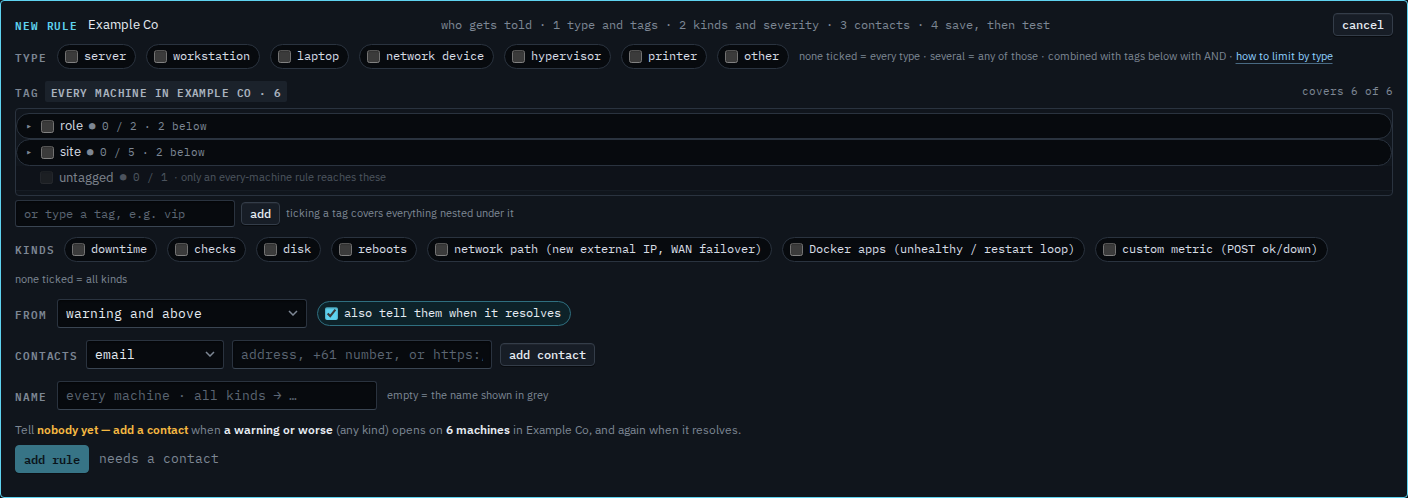
Open role and tick DC
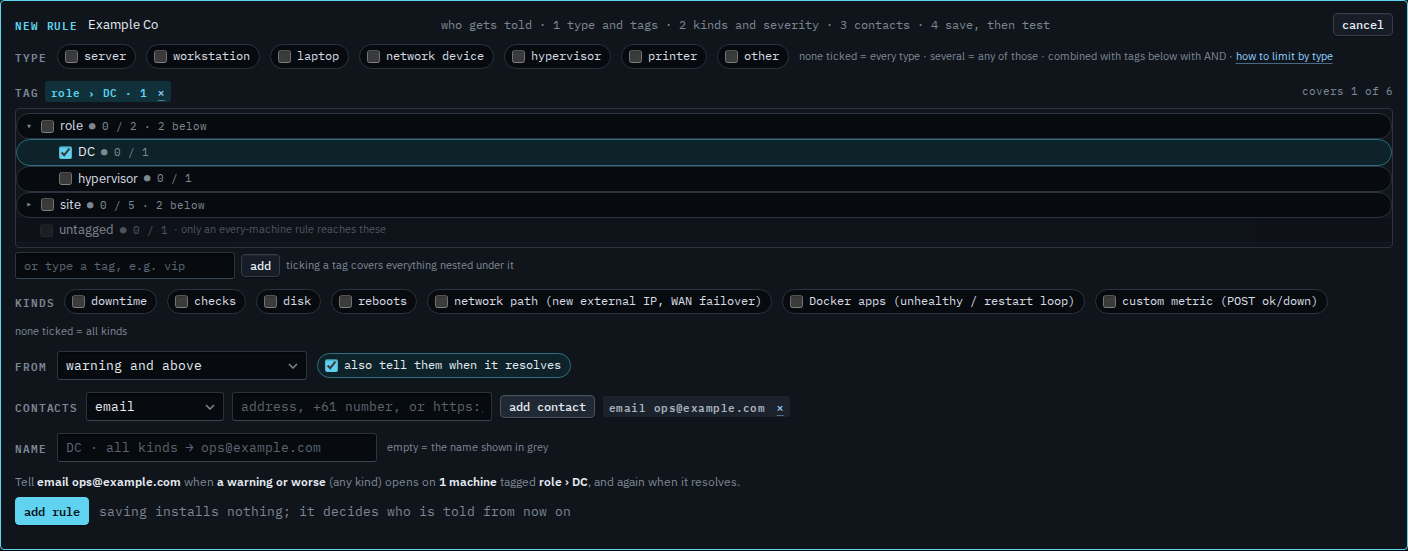
Open role. DC and hypervisor are under it. Tick DC. The chip says role › DC · 1, and the line says it covers 1 of 6. Accounts server is the one. Lab host is role/hypervisor, so it stays out, along with Reception PC, files01, Branch router and Spare laptop. The address is typed and not added yet.

Add who is told, then read the sentence
Press add contact. The grey sentence reads: tell email ops@example.com when a warning or worse (any kind) opens on 1 machine tagged role › DC, and again when it resolves. Press add rule when that sentence is the one you want. This shot stops before that. Ticking the parent role instead would also cover Lab host. Cancel drops the draft.
A site is Limit an alert rule to one site. A server tick plus this role is Limit an alert rule to servers in one role. Putting the path on the machine is Put a machine in a role. The rest of the rule is Tell someone when a machine needs attention.