Ask what a script run did.
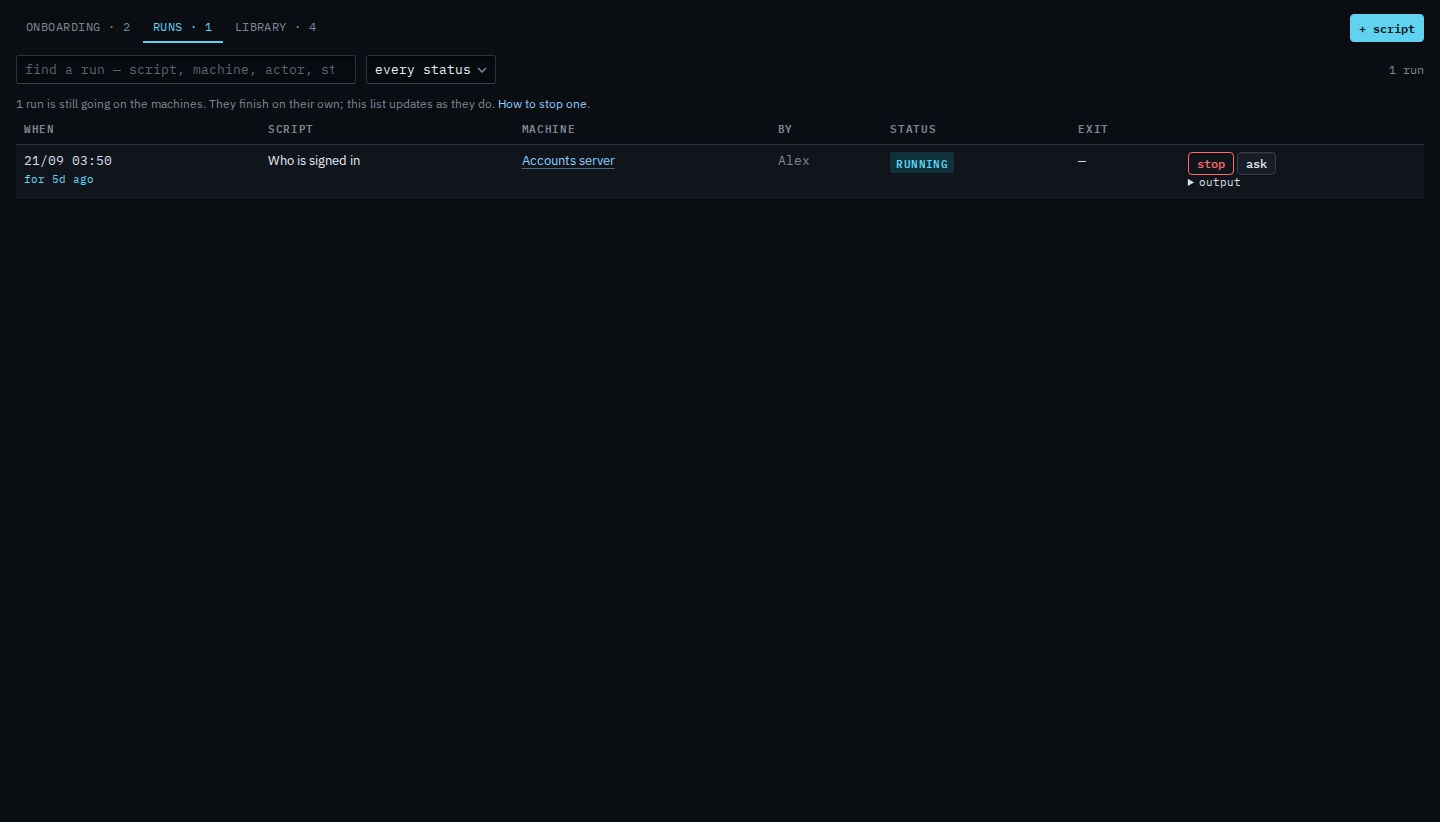
Scripts › runs. Every row has ask, including one that is still going. The question is about what that run did, not about the script in general.
Open Scripts › runs
The runs tab lists what has been started. Who is signed in is still going on Accounts server. Output on the row is what the machine printed, and what was sent. A run that is still going may only show the command so far. Ask does not stop the run and does not send a question yet.
Read the question, then send
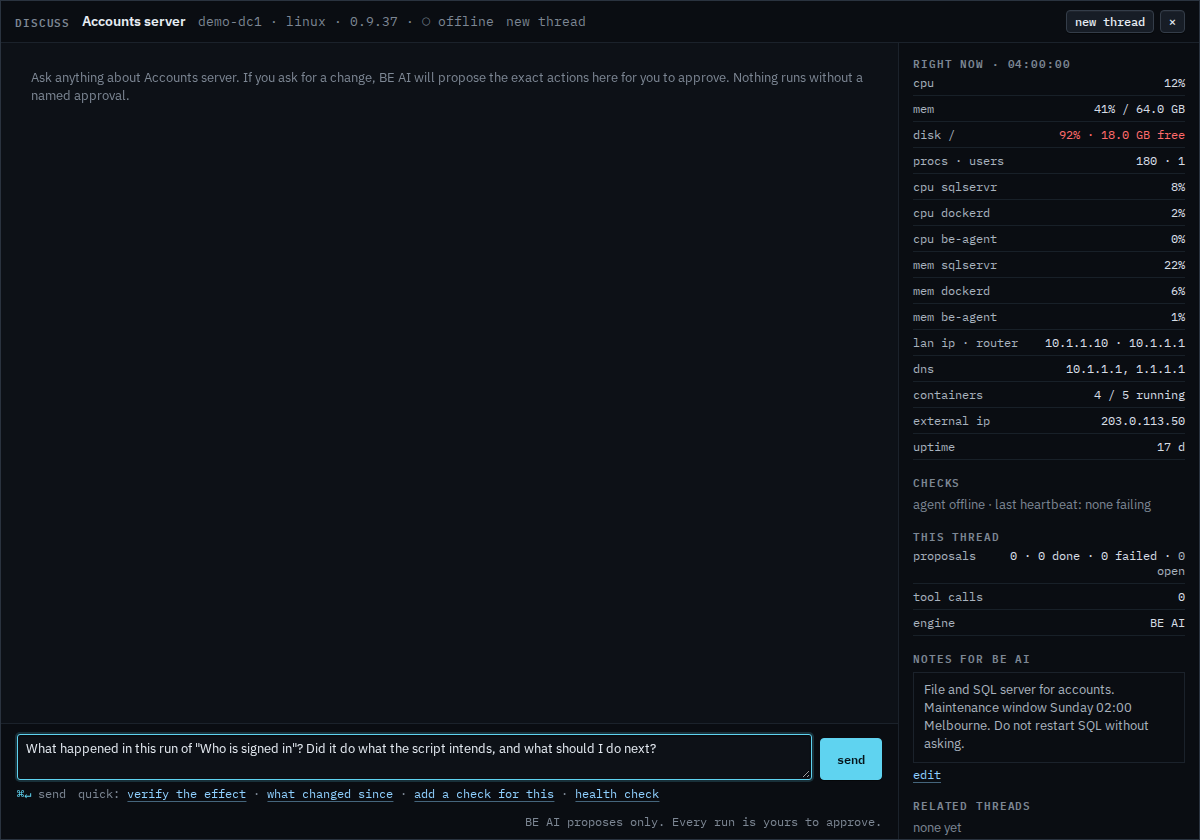
Discuss opens on Accounts server with a question already written: what happened in this run of Who is signed in, whether it did what the script intends, and what to do next. Edit it if you want a narrower answer. Press send when the wording is what you meant. Nothing is sent in this shot. The same window is Ask BE AI about a machine.
Asking before anyone runs it is Ask BE AI what a script does. Stopping one that is still going is Stop a script that is still running. Starting one is Run a saved script.