Stop a Docker app.
Network › containers. Stop is on a running app while the machine is connected. The second press is the one that is sent.
Stop is on each running app
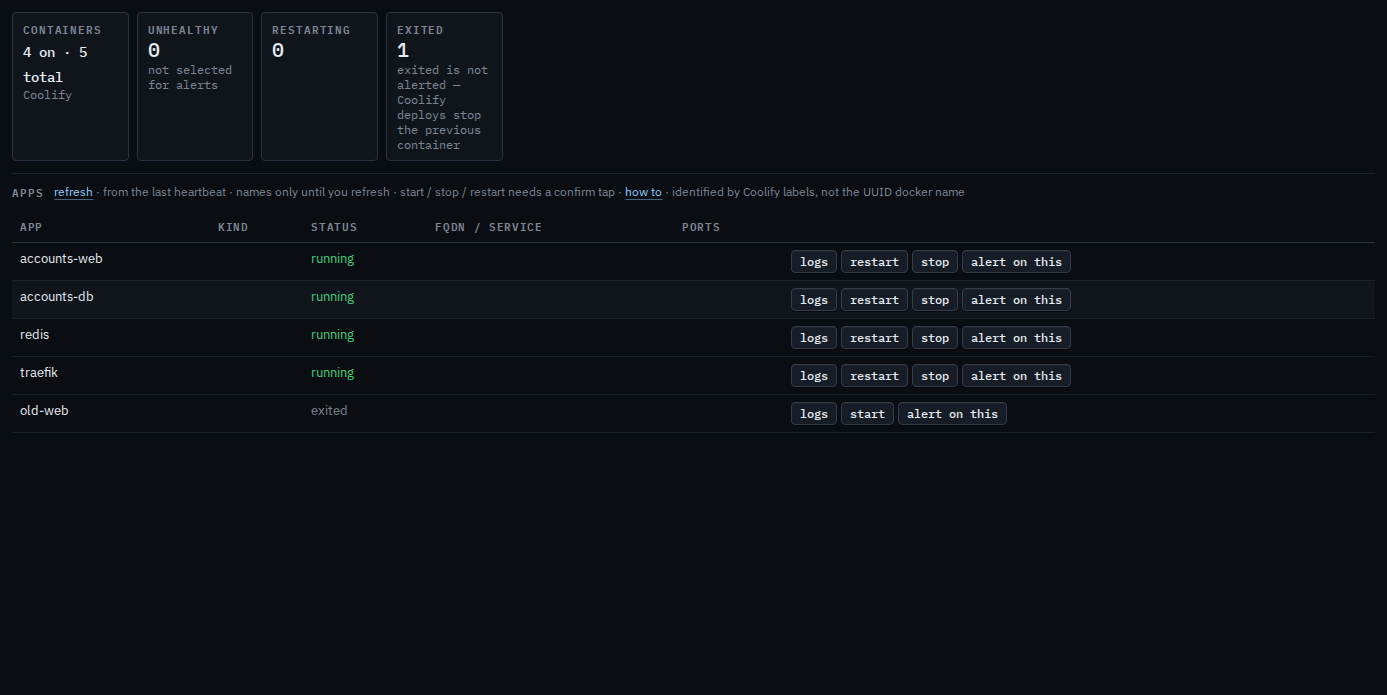
Open the machine, then network › containers. accounts-web, accounts-db, redis, and traefik are running, so each row has stop. old-web is exited, so that row says start instead. Stop asks you to confirm, then sends stop to the agent. The machine in this picture is painted connected so the button is visible. It still has no tunnel, so a confirm here would not reach Docker.
Press stop, then confirm
Press stop on accounts-web. The label becomes confirm stop?. Press it again to send stop to the agent. This shot stops on the confirm, so accounts-web is still running. The second press is audited. A few seconds with no second press puts the label back to stop.
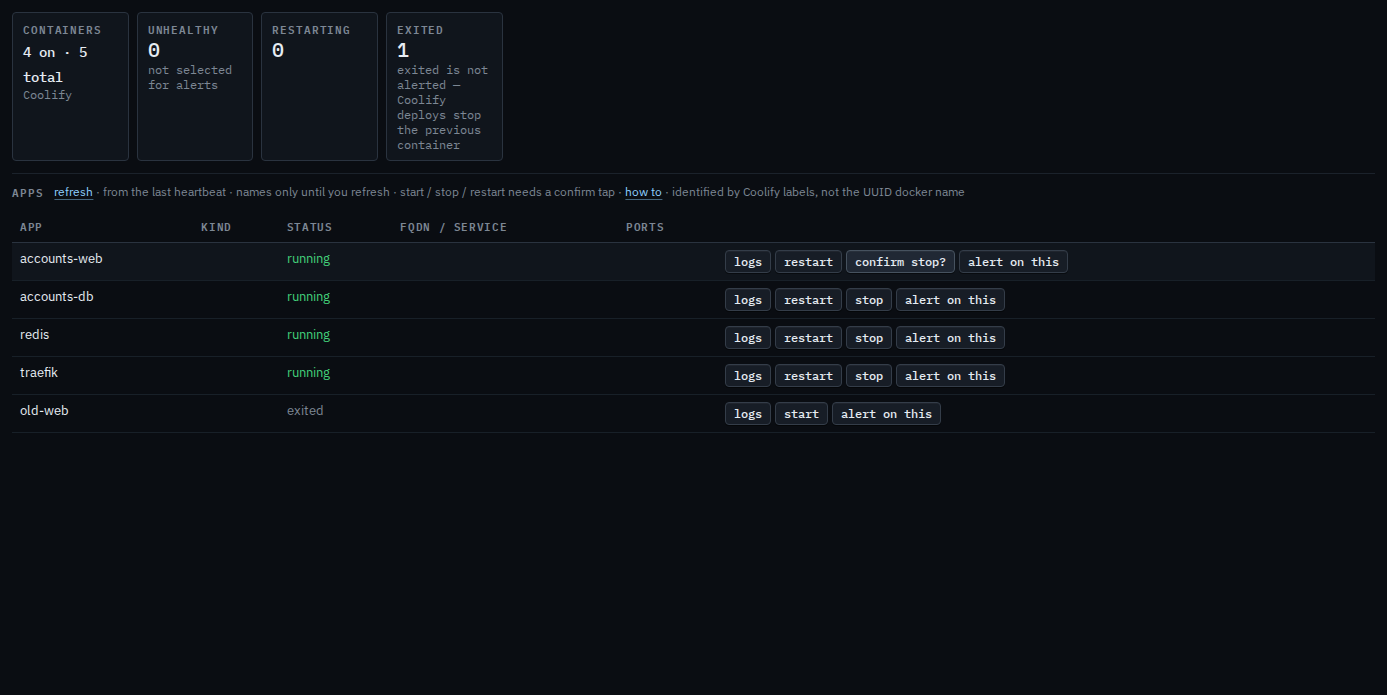
Restart is the same two presses — Restart or stop a Docker app. Recent lines are Read a Docker app's logs. An app that is already stopped has start — Start a stopped Docker app. Selecting one so a later unhealthy state emails someone is See Docker apps on a machine.