Limit an alert rule to one site.
Alerts › rules. The tags are the same groups as the fleet. Empty still means every machine in the company.
Open a new rule and look at the tags
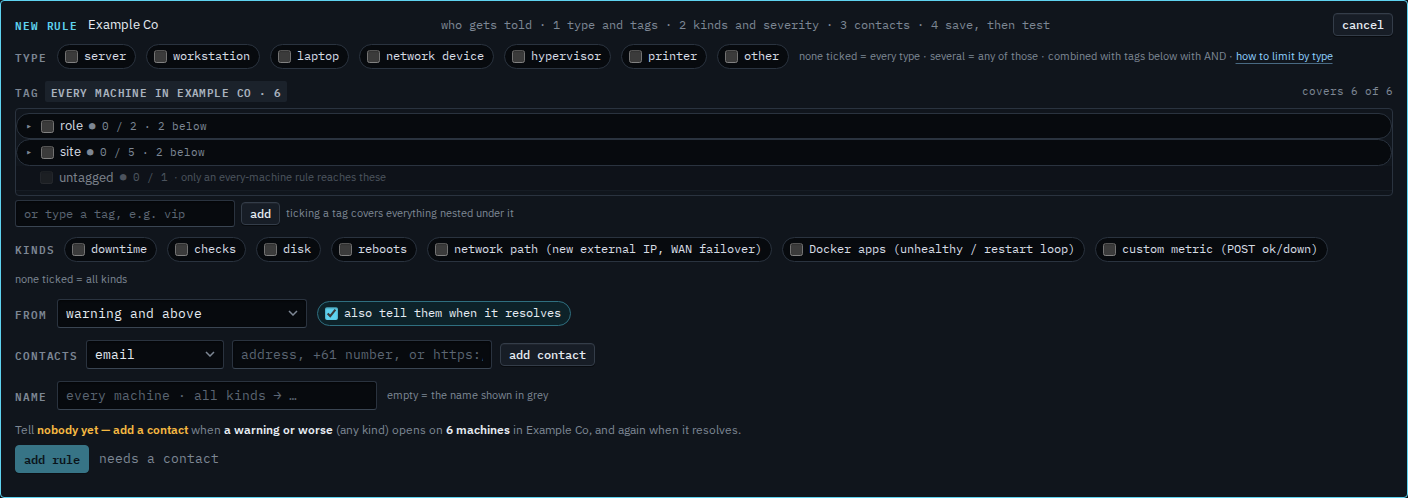
Press + rule. Under type, the tag list is the company's groups. Example Co has site and role. The untagged row at the bottom cannot be ticked. It is the one machine with no group. Only a rule with no tag reaches it. Leave this empty and the chip says every machine in the company, six of them.
Tick the parent and the children dim
Open site. Melbourne and Branch are under it. Tick site itself. Both children dim and say via site. A rule on the parent already covers them. Branch router is site/Branch. Accounts server, Reception PC, Lab host and files01 are site/Melbourne. All five are in. Spare laptop is still out.

Tick one site, then add who is told
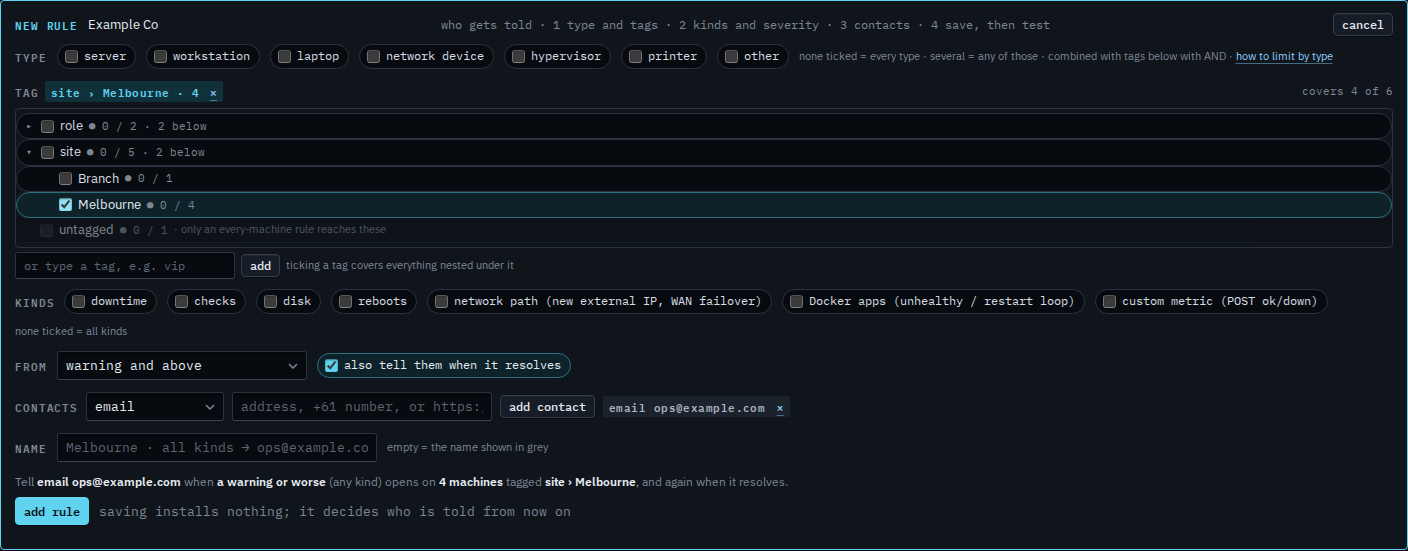
Clear site and tick Melbourne only. Branch drops out. The grey sentence says four machines tagged site › Melbourne, and the address. Press add rule when that sentence is the one you want. This shot stops before that. Cancel drops the draft.
A role is Limit an alert rule to one role. Servers only, whatever the site, is Limit an alert rule to servers. Type and tags combine: both ticked means servers at that site. A machine that is not in a group yet is See a machine that is not in a group. The rest of the rule is Tell someone when a machine needs attention.