See updates from one source.
Patches › updates. Every source is the default. The menu is the inventories the agents actually reported.
Show everything, from every source
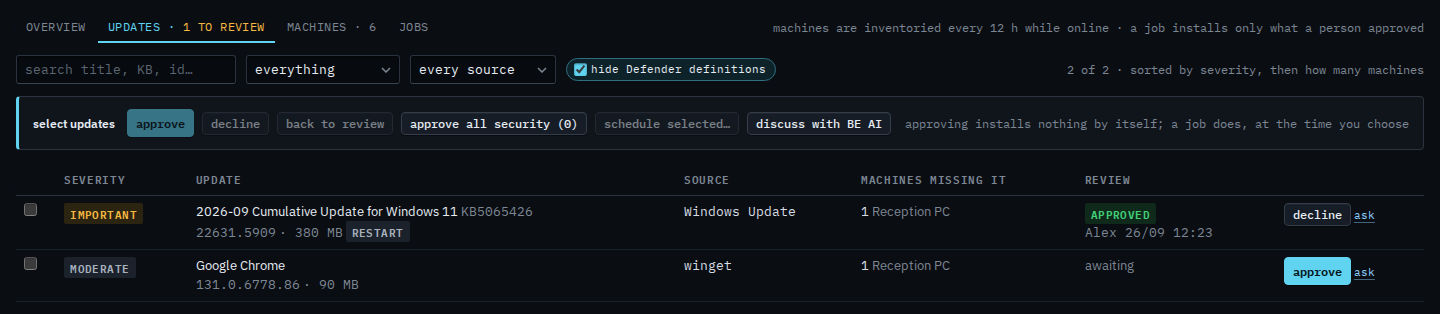
Open Patches › updates. Set the status filter to everything so approved rows stay in the list. Every source is both inventories. The September cumulative update is Windows Update, important, already approved, and it wants a restart. Google Chrome is winget, moderate, and still awaiting. The count is 2 of 2. Search matches the title, the KB, or the id. Hide Defender definitions is the checkbox beside the menu. Example Co has no definition update, so ticking it leaves both rows.
Keep Windows Update
Set the source menu to Windows Update. Chrome drops out. The cumulative update stays, and the count is 1 of 2. winget is the other item in this company's menu. Set the menu back to every source to see both again. This filter does not approve or install anything.

Finding one row by name or KB is Search the update list. Approving and declining are Review and approve missing updates and Decline an update you will not install. Putting a decision back is Put an update back to awaiting review. A job for the rows you tick is Schedule only the updates you ticked.