Approve every security update.
Patches › updates. The button counts what you are looking at. Moderate and already-approved rows are not in that count.
Open Patches › updates
The filter is awaiting review. Approve all security is on the bar. The number is how many critical, important or security updates in this list are not yet approved. In Example Co that number is 0: the September cumulative update is important and already approved, so it is not in this list, and Google Chrome is moderate, so the button does not count it. Change the filter to everything if you need to see approved rows too. The count still skips anything already approved.
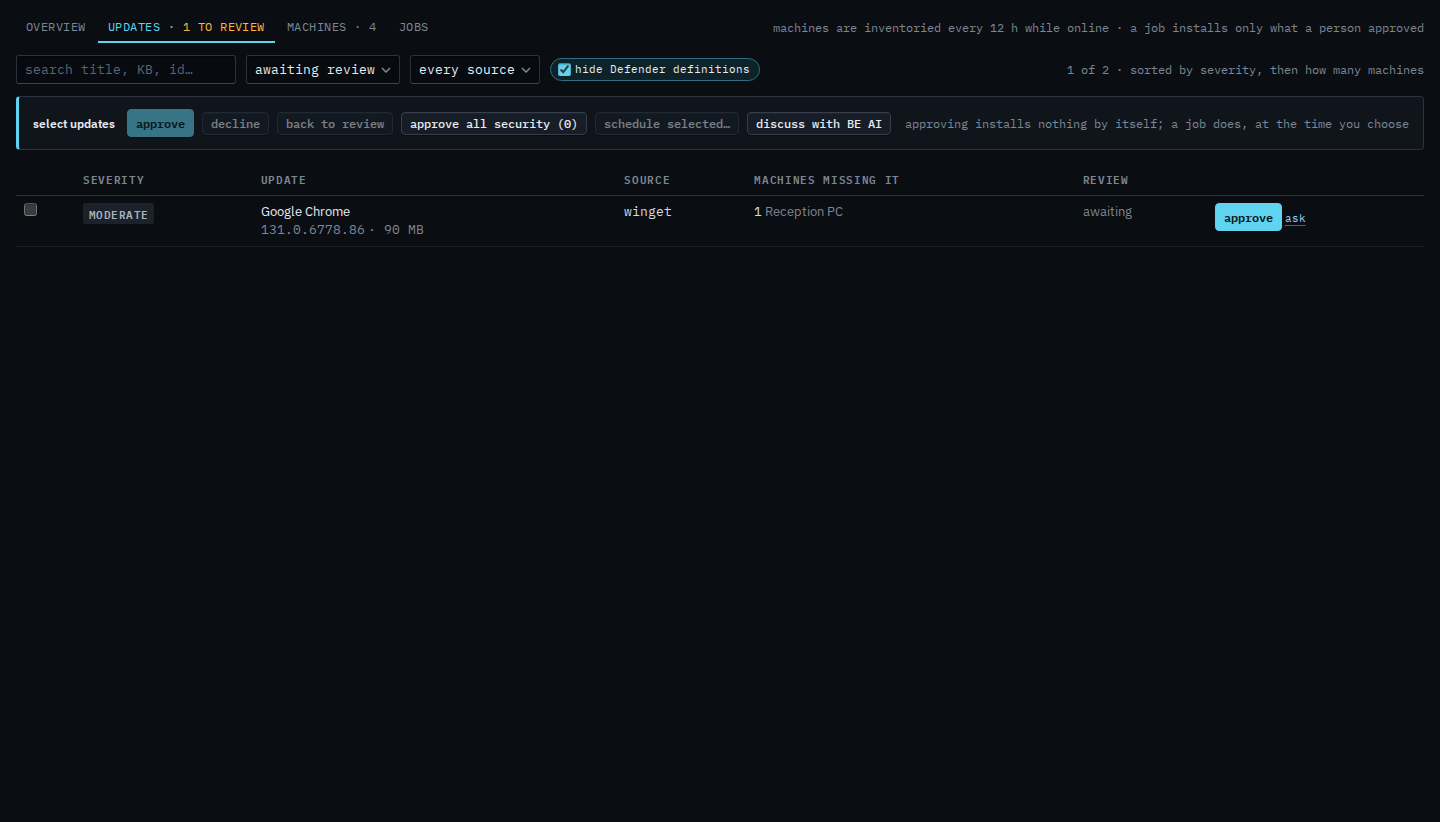
Press it, then confirm
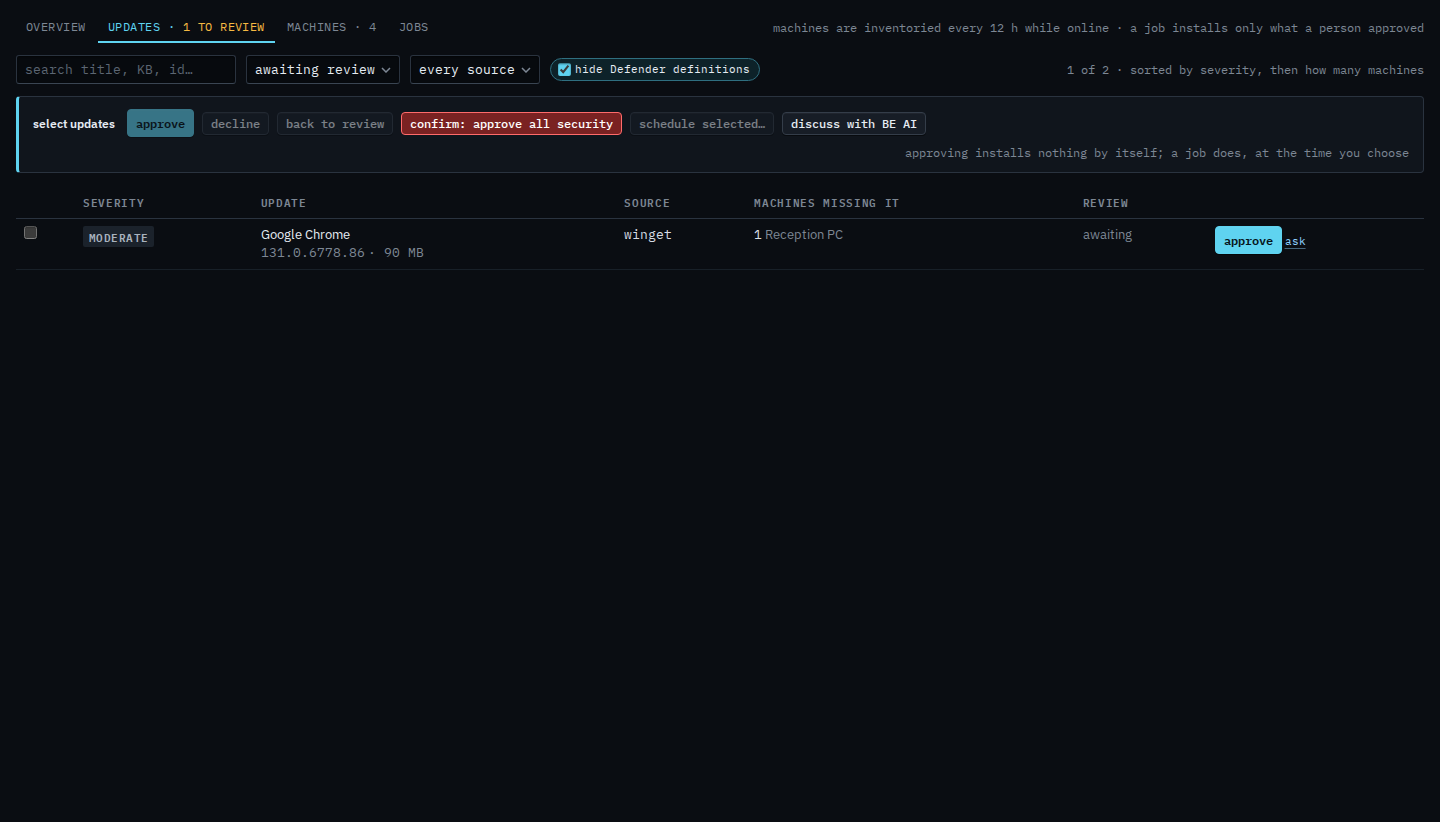
Press approve all security. The label turns into a confirm. Press it again to approve every critical, important and security update still awaiting in the list, for the whole company. Moderate updates such as Chrome stay awaiting. Nothing is installed. Schedule a patch install is the job that does that. This shot stops on the confirm. The count is 0, so confirming here would approve nothing.
Ticking one row and declining it is Decline an update you will not install. The review queue is Review and approve missing updates. Installing is Schedule a patch install. On one machine, see missing updates on one machine has approve security here for that box only.