Check that a service is running.
Health › checks. Pick Service running. The agent looks at the service on a schedule. You are still pushing a document, not a script.
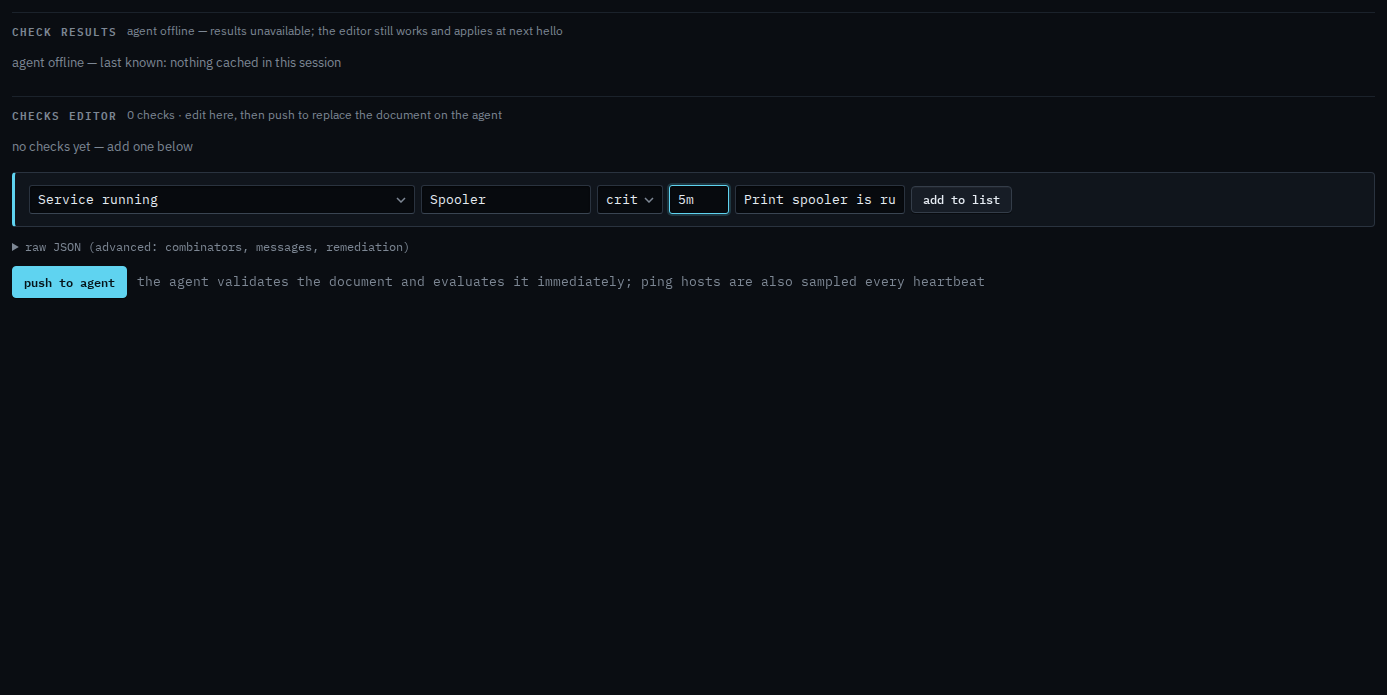
Pick Service running
Open the machine, then health › checks. The primitive is Service running. The name is what the operating system calls it. On Reception PC that is Spooler. Severity crit means a stopped spooler is a critical alert. Interval is how often the agent looks. Add a disk or ping check is the same editor.
Add to list, then push
Press add to list. The check sits in the document. Push to agent is the next click, and it asks you to confirm. Push replaces the whole document. This shot stops before that, so nothing has been sent. When the service is stopped, the alert is a check failure. It resolves when the service is running again.
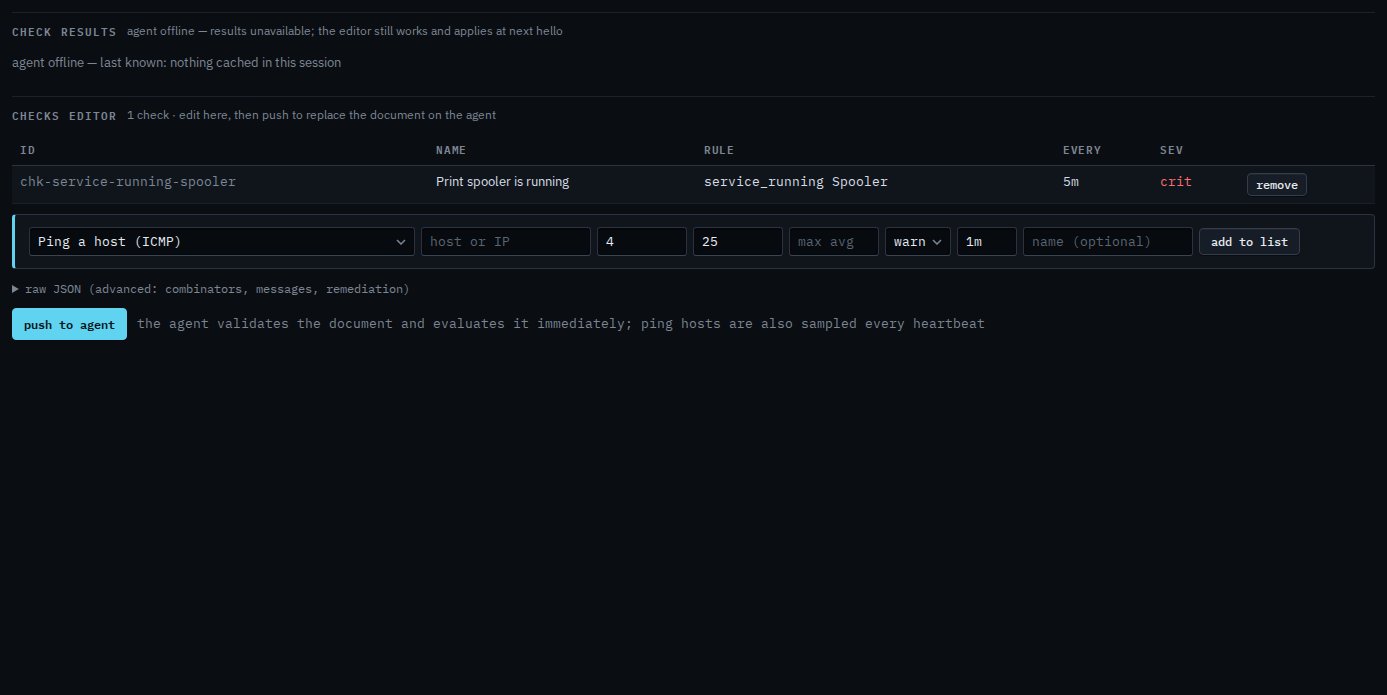
Push is a two-step button. The agent must be online to evaluate. You can still add the check while it is offline, and it applies at the next hello. A process is Check that a process is running. The same check, but only on weekdays, is Only check during working hours. Free space and a ping are the same editor.