Turn on a shell for proxied devices.
Install agent, on the machine that polls the firewall or the switch. A command on that device runs only when this flag is on the proxy.
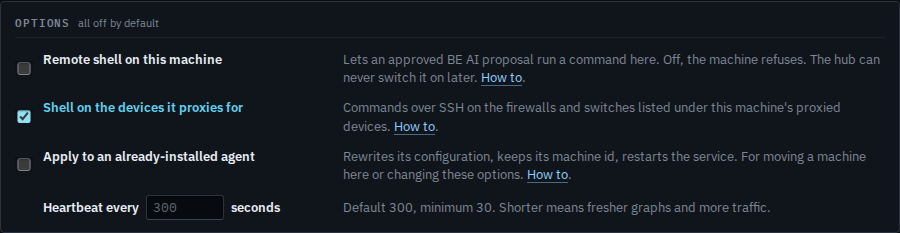
Tick Shell on the devices it proxies for
Open Install agent for the machine that will poll the devices. Tick Shell on the devices it proxies for. Remote shell on the proxy itself is the checkbox above, and it is a separate decision. The command rewrites itself. Run it as administrator or root on the proxy. Install the agent on a machine leaves this clear.
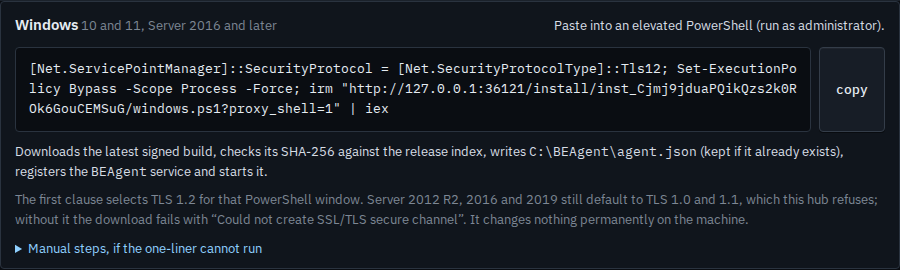
Copy the line that carries proxy_shell
The one-liner now includes proxy_shell=1. Copy it and run it on the proxy. The flag is written into that agent's own configuration. An approved command can then run on a device in its list. A device that is not listed yet is added under proxied devices after the agent is in the fleet. On a machine that already has the agent, tick this and Apply together — Re-point a machine that is already installed.
A shell on the proxy itself is the checkbox above, Turn on a remote shell at install. Adding the device is Watch a device that cannot run the agent. The report of who already allows it is See which machines have a shell.