Let a customer open a shell.
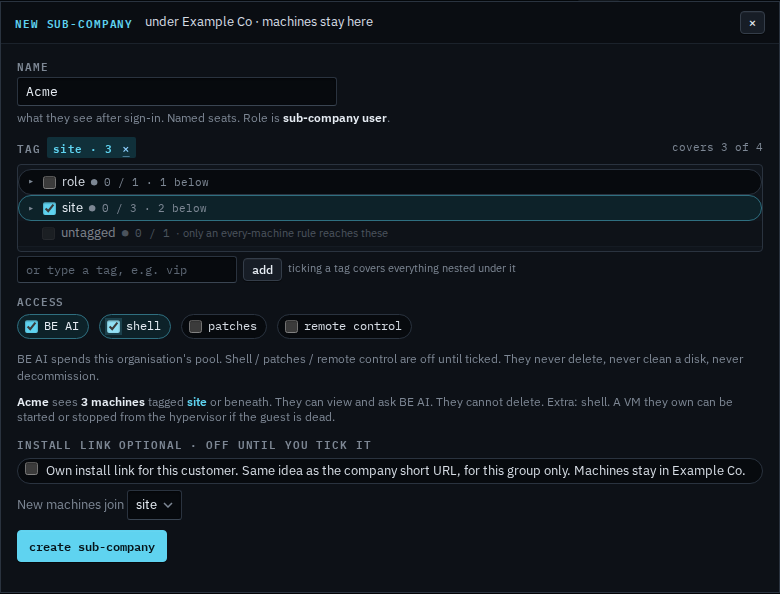
My company › sub-companies, on the new login. Shell, patches and remote control are three separate ticks. BE AI is already on.
Tick shell on the new login
Open My company › sub-companies and press new sub-company. Name it, tick the group they should see, then tick shell. The line under the ticks says shell is extra. Patches and remote control stay clear until you tick those too. Create has not been pressed, so Acme does not exist yet. Let a customer manage their computers is this same dialog with shell left off.
Ticking shell after the login already exists is Change what a customer can do. Creating the login and inviting them is Let a customer manage their computers. The other two ticks are patches and remote control. An install link of their own is Give a customer their own install link. Which machines already allow a command is See which machines have a shell.