Acknowledge an alert.
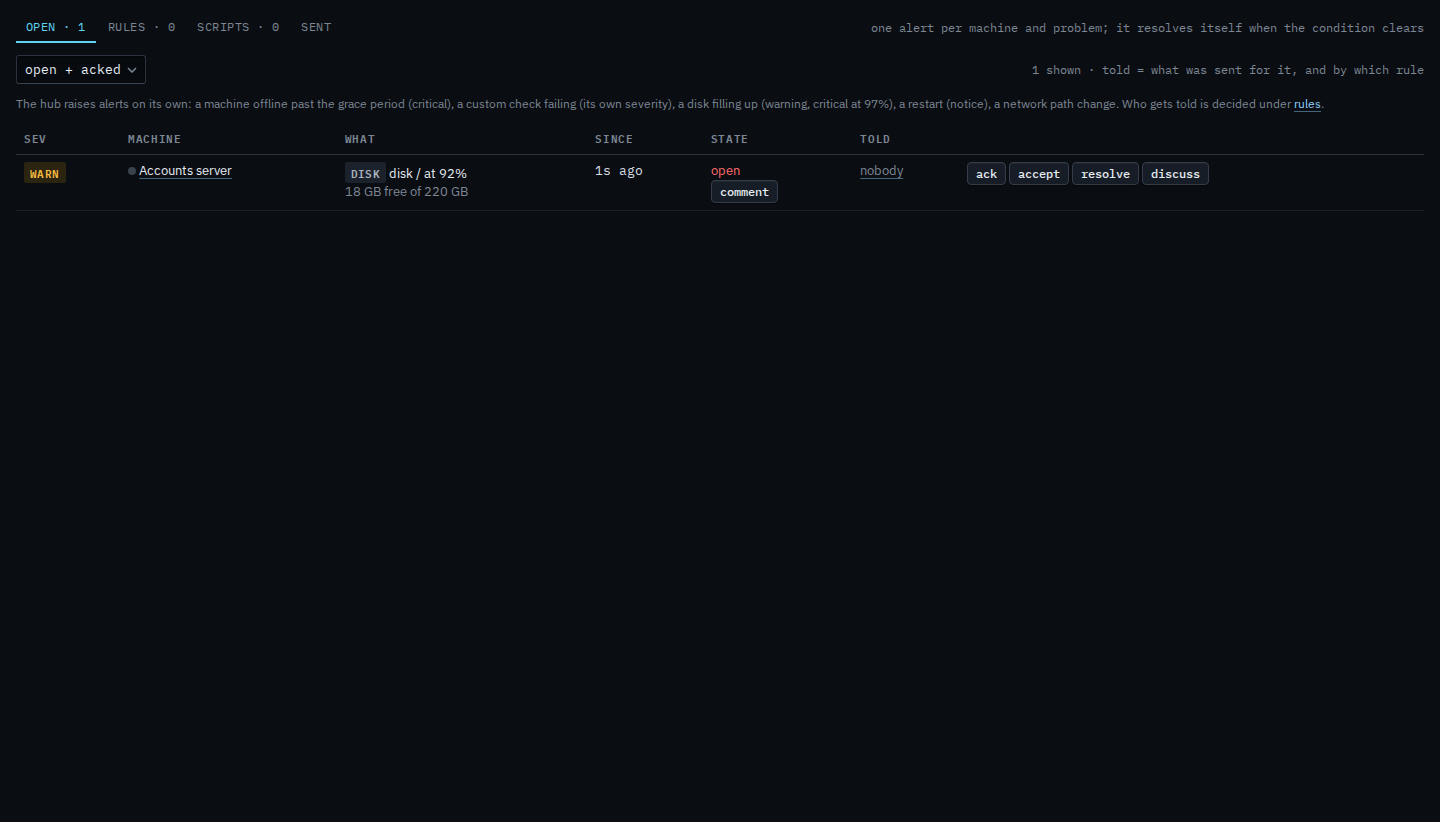
Alerts › open. Ack is on the row, before accept and resolve. The first press opens a box. It does not close the alert.
Open Alerts
On Alerts › open, ack is on a row that is still open. Accounts server has a disk warning. Press ack. Accept and resolve stay beside it. Comment opens the same box when all you want is a note.
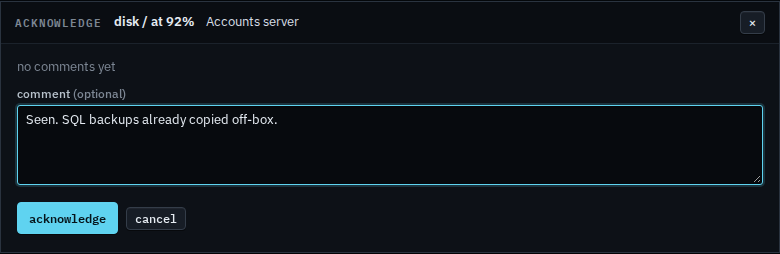
Add a comment, then acknowledge
The box is titled acknowledge. The comment is optional. Leave it empty and acknowledge still marks the alert acked. A note you type lands on the thread, the same place as a comment added on its own. This shot stops before that press, so the alert is still open. Cancel drops the box and changes nothing.
The thread without changing state is Leave a comment on an alert. Closing it is Resolve an alert by hand. A known condition that should stop notifying is Accept a condition. The same button for a sub-company user, with no accept, is Acknowledge an alert on your machines.