Only tell them about a reboot.
Alerts › rules. Kinds sit under the tags. Reboots is one tick. None ticked still means every kind.
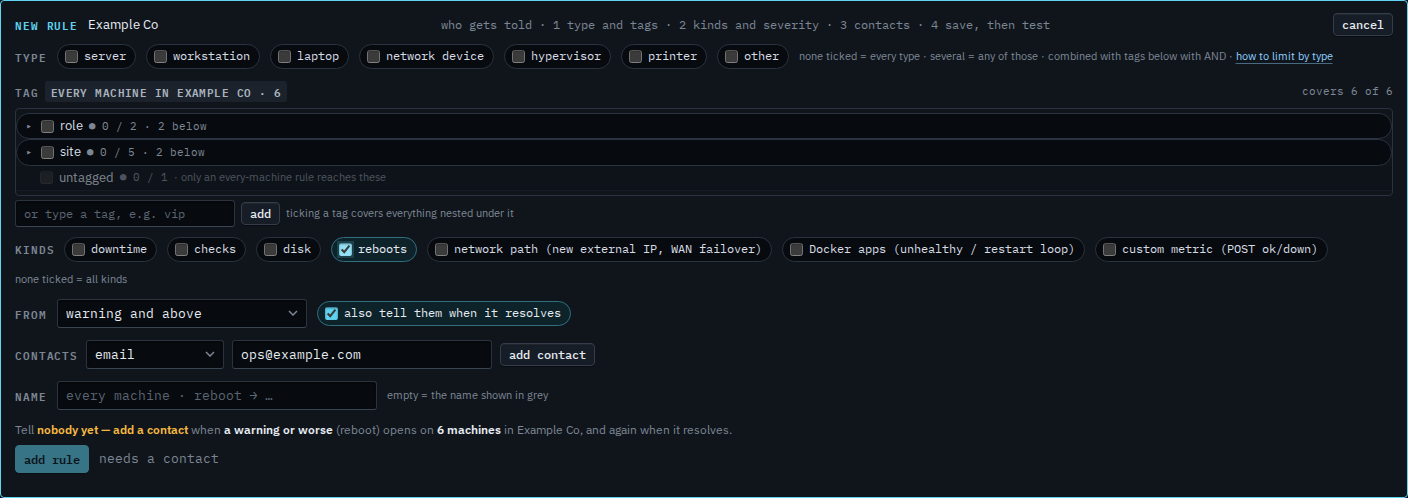
Tick reboots
Open Alerts › rules and press + rule. Under kinds, tick reboots and leave the others clear. That kind is a machine that restarted. None ticked still means every kind. The address is typed and not added yet. Type and tags left empty cover every machine. Severity stays at warning and above, so a notice-level reboot does not send.
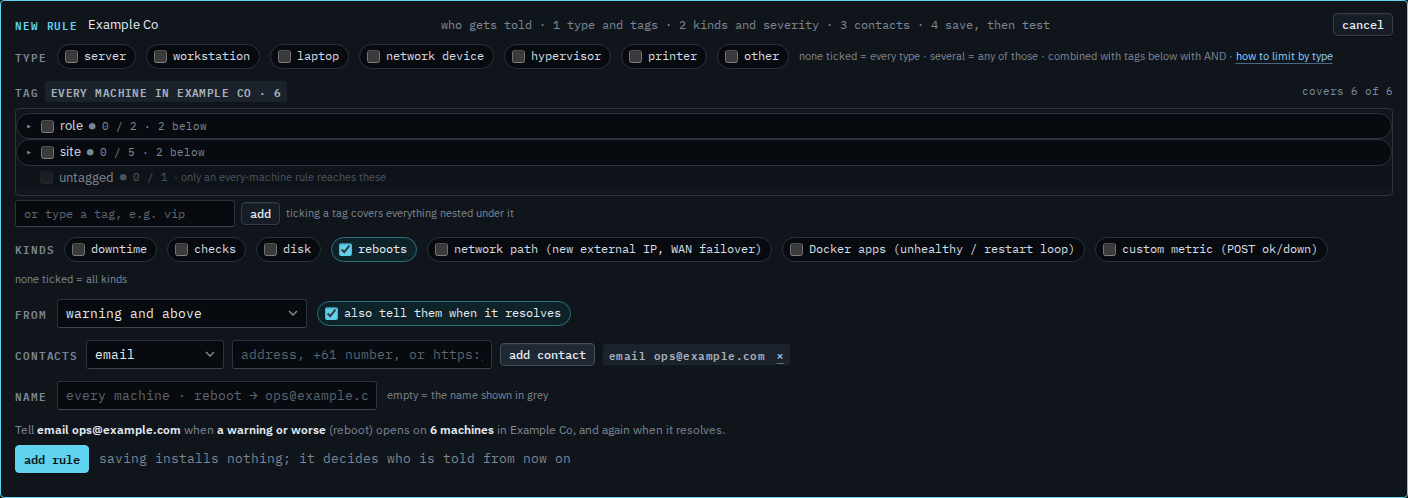
Read the sentence, then add the rule
Press add contact. The grey sentence reads: tell email ops@example.com when a warning or worse (reboot) opens on 6 machines in Example Co, and again when it resolves. Press add rule when that sentence is the one you want. This shot stops before that. A later edit of the same rule is Change an alert rule.
A rule for every kind is Tell someone when a machine needs attention. Disk only is Only tell them about disk alerts. A failing check is Only tell them about a failing check. A custom metric that posts down is Only tell them about a custom metric. Including a notice is Also tell them about a notice. Moving the floor to critical only, on a rule you already saved, is Change an alert rule. A script that starts on a restart is Run a script only when a machine restarts.