how-to · start
Open this in the console
Search the fleet.
Fleet is grouped, and groups start collapsed. Type in the find box to leave only the machines that match.
The box keeps what you type, including a trailing space. The list updates a moment later.
01
Type in the find box
Press Fleet. The box at the top matches the display name, the hostname, the LAN or external address, the site, and any tag. Reception leaves Reception PC. A site such as Branch, or an address such as 10.1.1.41, works the same way. Clear the box to see the whole company again.
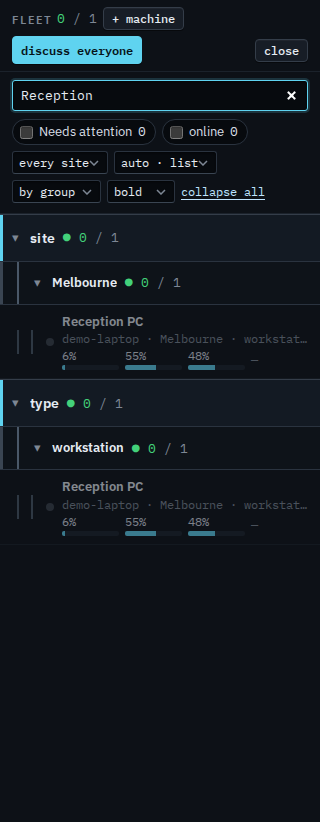
Opening a machine from the list is Find a machine and open it. The chips beside the box are Show only machines that are online and Show machines that need attention. The same box for a sub-company user is Find one of your machines.