Ask which updates to approve first.
The updates tab is the review queue. Discuss with BE AI writes a question about every missing update in the company. Send is the next press.
Open Patches › updates
The bar stays available with nothing ticked. Discuss with BE AI does not approve the selection and does not schedule a job. The list here is awaiting review: Chrome. The September cumulative update is already approved, so the awaiting filter hides it. Discuss still asks about the company's missing updates, not only the rows on screen.
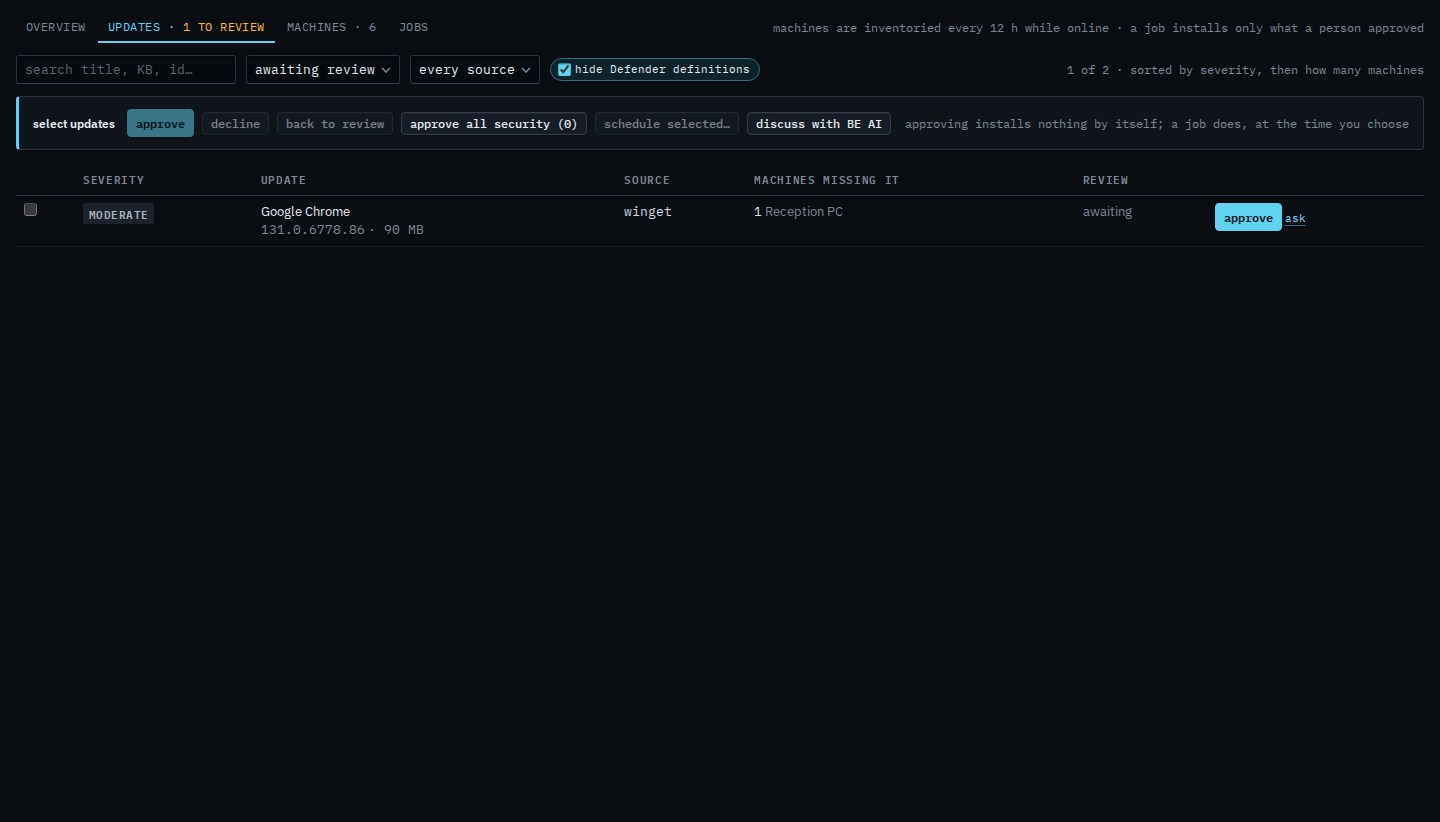
Press discuss with BE AI
Discuss opens on the machine with the most missing updates. In Example Co that is Reception PC. The machine can be offline; the question does not need a connection. The question is already written: across the whole company, which missing updates to approve first and why, grouped as security, then applications, then the rest, calling out a risky upgrade, which need a restart, and which machines matter. It is not sent. Narrow it if you want, then press send. New thread drops this draft. Approving an update is still the button on the row.
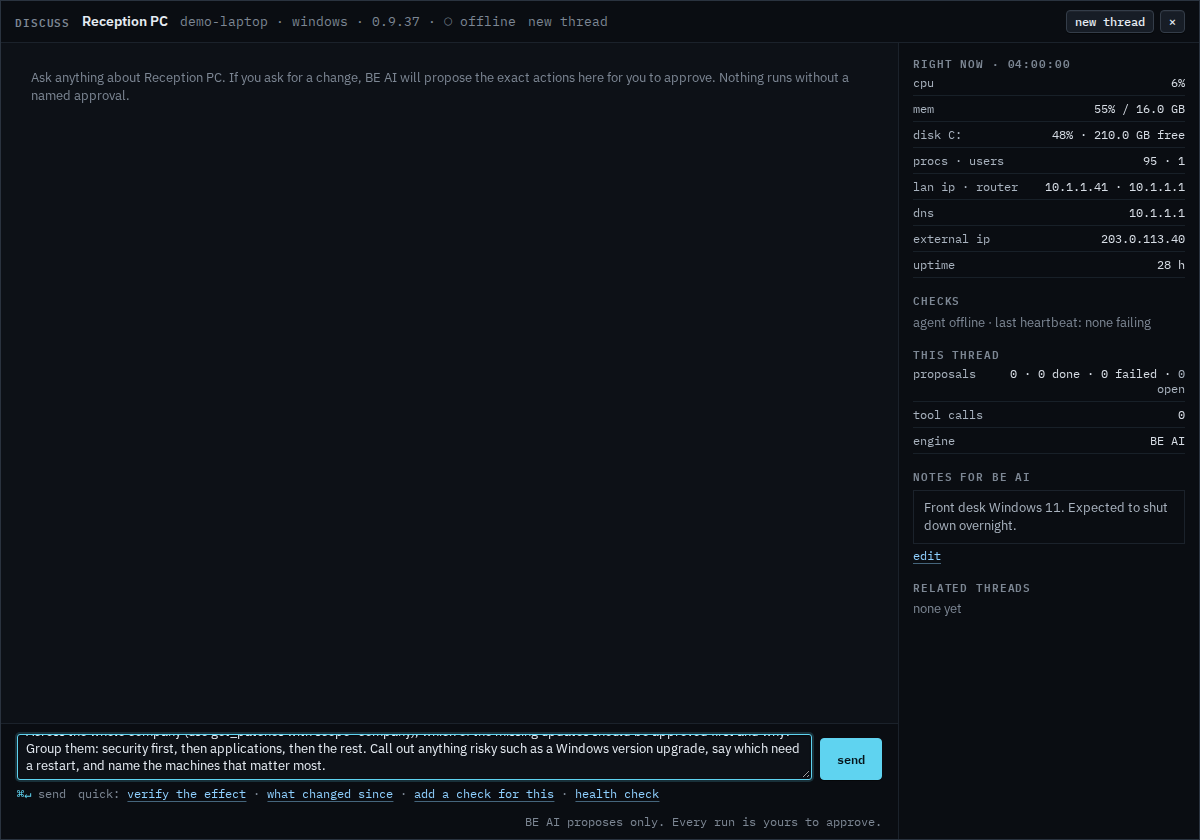
One row, for every machine missing that update, is the ask link — the same word as Ask about one missing update, which is the question from a single machine. The question for one machine's whole list is discuss on its patches tab — See missing updates on one machine. Approving still installs nothing. Schedule a patch install is the job.