Install the agent on a firewall or a router.
Install agent. The last three platform tabs are not desktops. Pick the one that matches the box.
OPNsense or pfSense
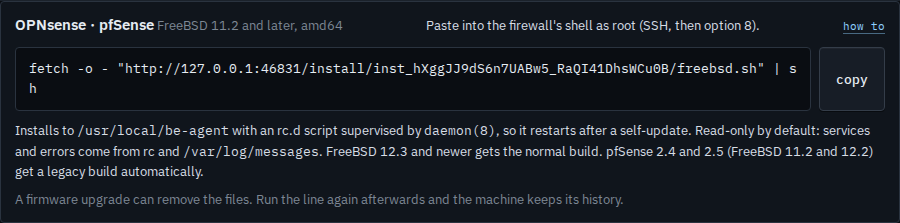
Open Install agent and press OPNsense · pfSense. Paste the line into the firewall's shell as root (SSH, then option 8). It installs under /usr/local/be-agent. Current OPNsense and pfSense 2.6 and newer get the normal build. pfSense 2.4 and 2.5 get a legacy build on their own. The agent is read-only until you tick a shell on purpose.
Teltonika or OpenWrt
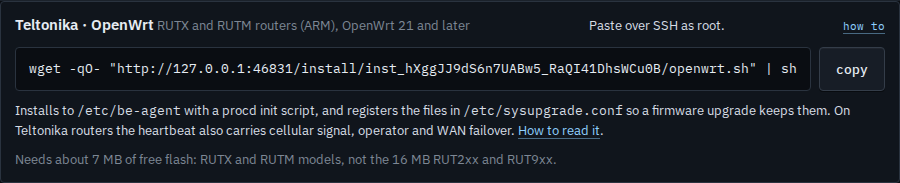
Press Teltonika · OpenWrt. Paste the line over SSH as root. It installs under /etc/be-agent and records the files so a firmware upgrade keeps them. The heartbeat on a Teltonika router also carries the modem. The binary needs about 7 MB of free flash: RUTX and RUTM, not the 16 MB RUT2xx and RUT9xx.
VyOS
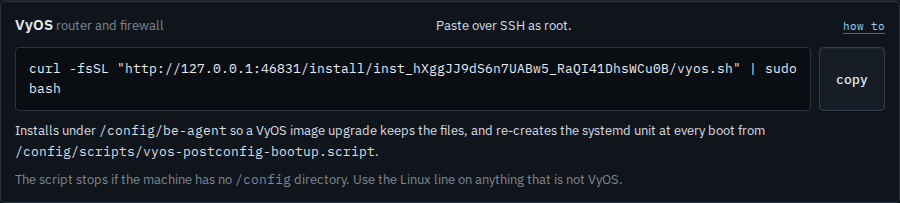
Press VyOS. Paste the line over SSH as root. The files go under /config/be-agent, which a VyOS image upgrade keeps, and the service is written again at every boot. If the machine has no /config directory, this line stops. Use Linux there instead.
The Windows line, and the options above these tabs, are Install the agent on a machine. Reading the modem after a Teltonika router is in the fleet is Read backup mobile on a router. Watching a firewall that cannot run an agent is Watch a device that cannot run the agent.