Retry a proposal that failed.
Proposals. A failed row is one the hub did not run to the end. The usual reason is the machine refused it, for example because a remote shell is off.
Open Proposals and find the failed row
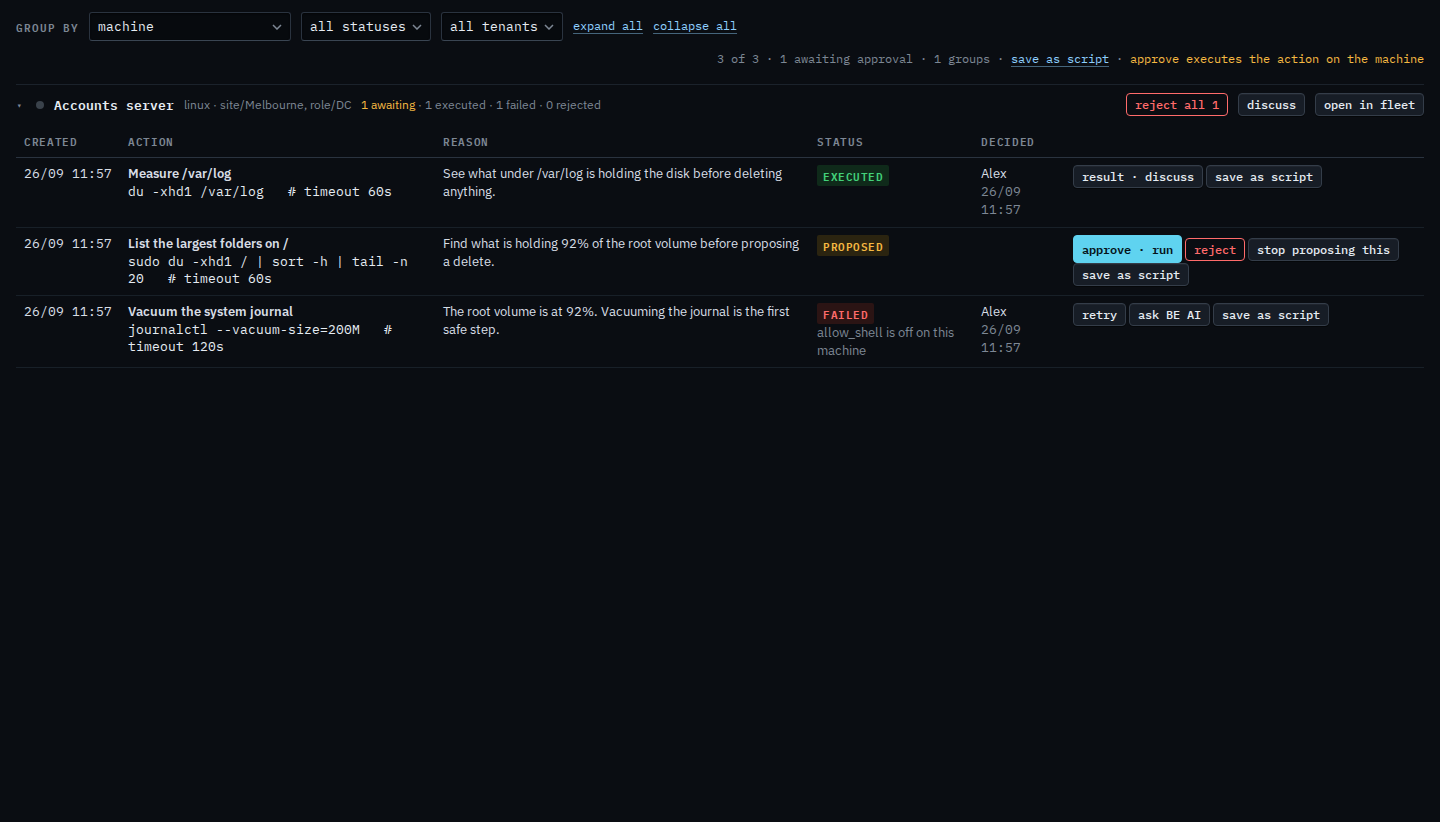
Accounts server has three rows. List the largest folders on / is still waiting. Measure /var/log already ran. Vacuum the system journal failed before it ran: allow_shell is off on this machine. Retry is on that failed row. Ask BE AI beside it opens a conversation. Reject all 1 is only the waiting row.
Press retry, then confirm
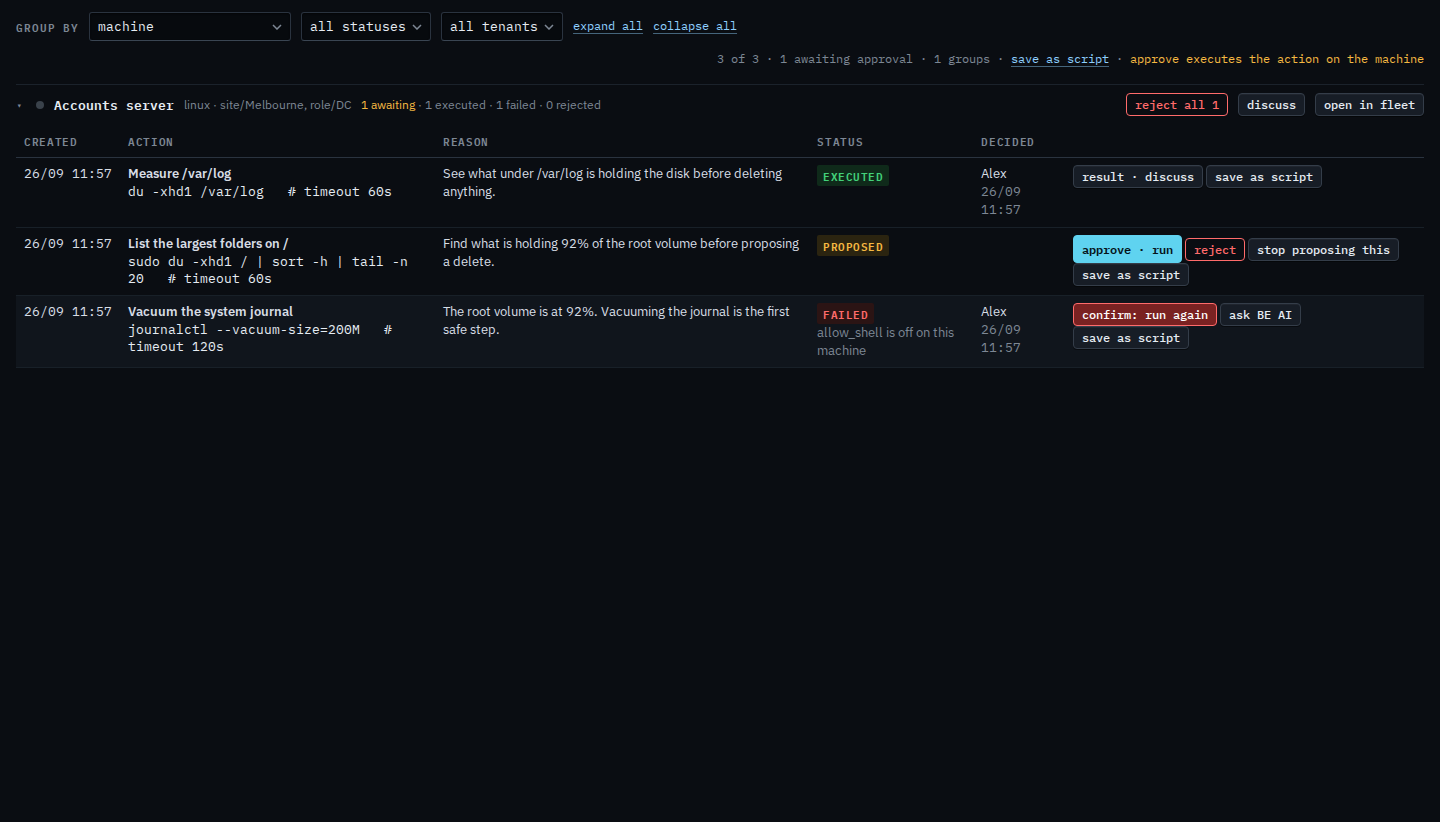
Press retry. The label turns into confirm: run again. Press it again to run the same command. This shot stops on the confirm, so nothing is sent. If the shell is still off, the row fails the same way. Turn the shell on, or reject this copy and do the work another way.
Approving a waiting row is Approve or reject a proposal. A command that ran and reported a problem is Diagnose a command that failed. Turning a shell on at install is Turn on a remote shell at install.