Show only your machines that need attention.
The tick sits with the other fleet filters. It is the same set as the Needs attention section, without the machines that are fine underneath.
Start with the tick clear
Open Fleet. Needs attention is clear, and the count beside it is 2. That section is open: Accounts server, whose disk is at 92%, and files01, which is offline. The other headings start closed, and the link says expand all. Reception PC sits in the closed site › Melbourne group with the other two. It is not in this section: it is expected to shut down, so being offline is not a reason on its own. Lab host, Branch router, and Spare laptop are not in this list. There is no + machine.
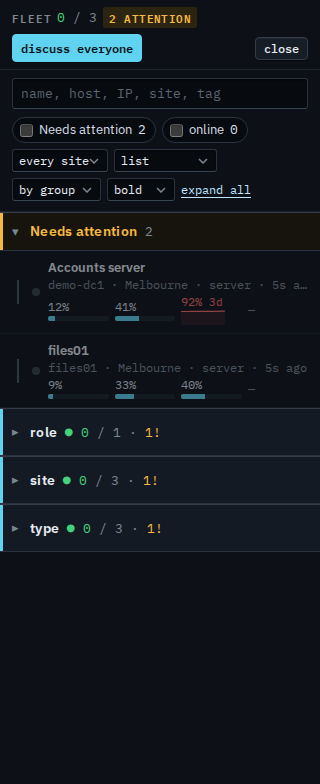
Tick Needs attention
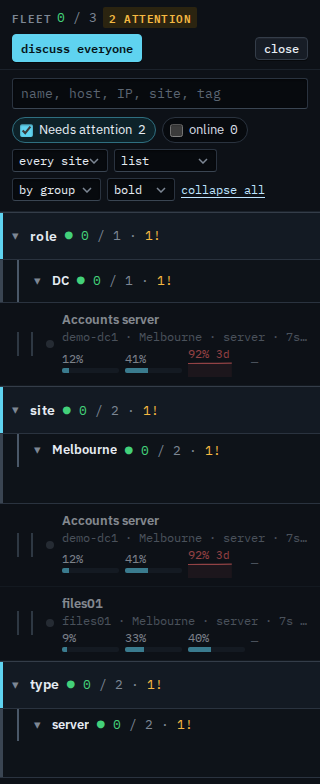
Tick Needs attention and press expand all. The pinned section goes away. Role › DC keeps Accounts server. Site › Melbourne and type › server keep Accounts server and files01. Reception PC drops out: it is a workstation, and it is fine. Clear the tick to put it back. The choice lasts for this visit to the console. The tick does not restart a machine and does not close an alert.
The list before the tick is See the computers you were given. Typing a name is Find one of your machines. Only the ones that are up is Show only your machines that are online. One list, without sites, is Show your machines as one list. The same count as tiles is Read your dashboard. What your provider sees, including machines outside your groups, is Show only machines that need attention.