how-to · machine
Open this in the console
Share a note with BE AI.
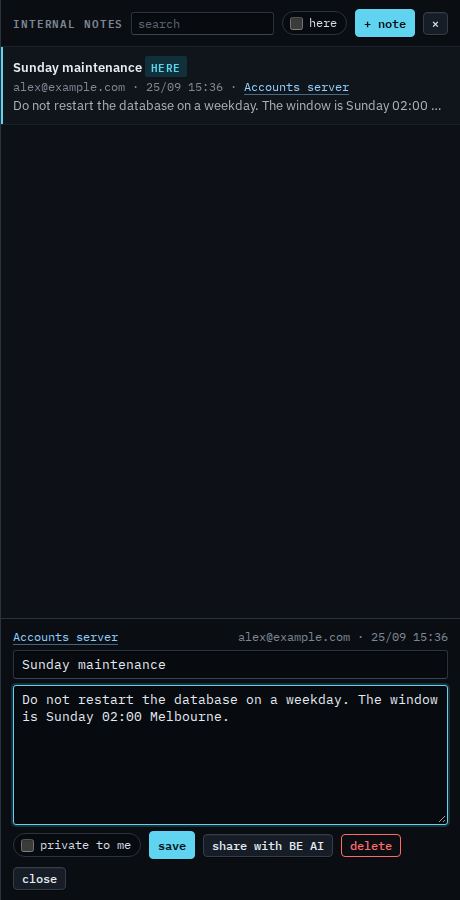
Notes on the top bar. Share with BE AI appears after the note is saved, and only when a machine is attached.
Sharing appends the text. It does not replace notes already on the machine. Private hides the note from other people. Share is what hands it to the model.
01
Save the note, then share
Press create. Share with BE AI is on the saved note. It stays off until a machine is attached. Accounts server is open, so the button is on. Press it and confirm, and the text is appended to that machine's notes for technicians and for BE AI. The notepad copy stays. This shot stops before the press, so the model has not been given this note.
Writing the note, and keeping it out of the model, is Write an internal note. The field it lands in is Tell BE AI about this machine.