Run a script on the machine that raised the alert.
Alerts › scripts. Run on starts as these machines. The machine that alerted hides that list.
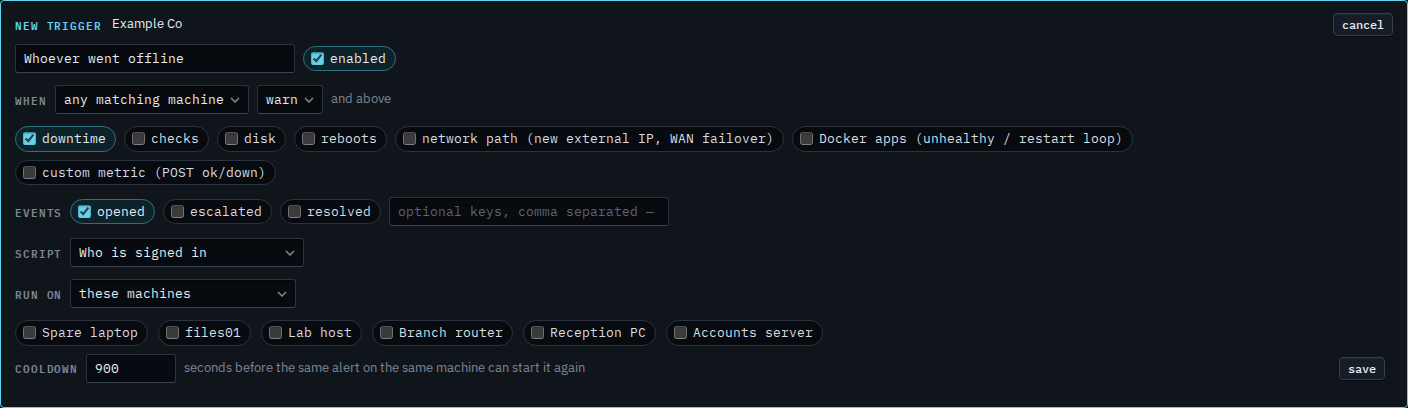
Run on starts as these machines
Open Alerts › scripts and press new trigger. Name it. Leave when on any matching machine, so the trigger is not pinned to one box. Downtime is already ticked. Choose the saved script. Run on is these machines, and none of them is ticked, so saving now would have nowhere to run. The cooldown starts at 900 seconds, which is 15 minutes before the same alert on the same machine can start it again.
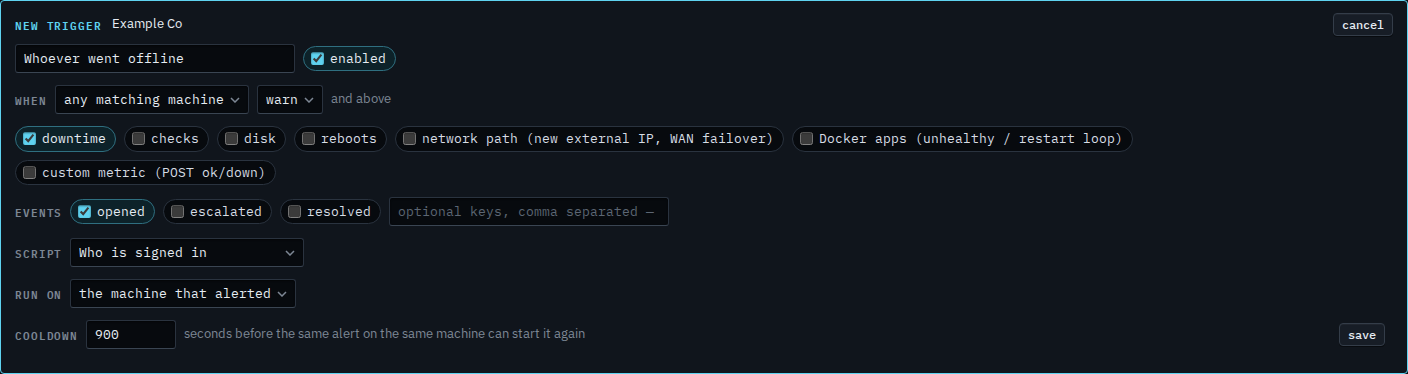
Set run on to the machine that alerted
Set run on to the machine that alerted. The machine ticks disappear. Whoever matches the when line is the target: a downtime alert on Reception PC runs Who is signed in there, and the same trigger on Accounts server runs it there instead. That machine still has to allow shell, and a proxied device is skipped. Press save when this is the one you want. This shot stops before that. Cancel drops the draft.
Which machine raises the alert is a different menu — Run a script only when one machine alerts. Ticking particular machines is Run a script when an alert opens. Every machine in a role is Run a script on every machine in a role. The wait before the same alert starts it again is Wait before an alert script runs again. The machine's own shell switch is Allow remote shell when you install.