Run a script only when one machine alerts.
Alerts › scripts. When is which machine raises the alert. Run on is where the script then starts. They are different menus.
When starts as any matching machine
Open Alerts › scripts and press new trigger. Name it and choose Who is signed in. The menu next to when says any matching machine. Downtime is ticked, so this draft would run when any machine in Example Co goes offline. Accounts server and Reception PC would both match.
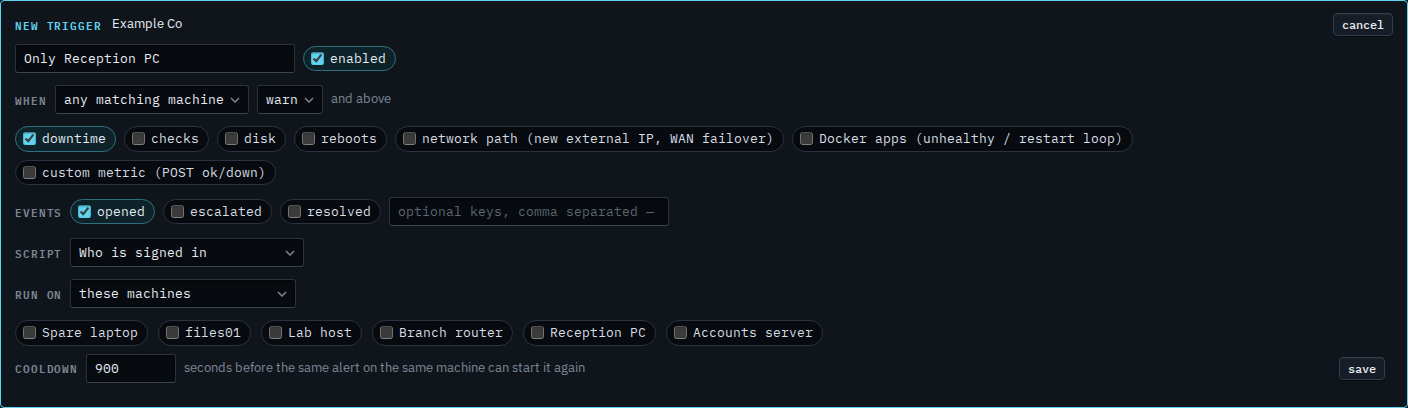
Pick Reception PC
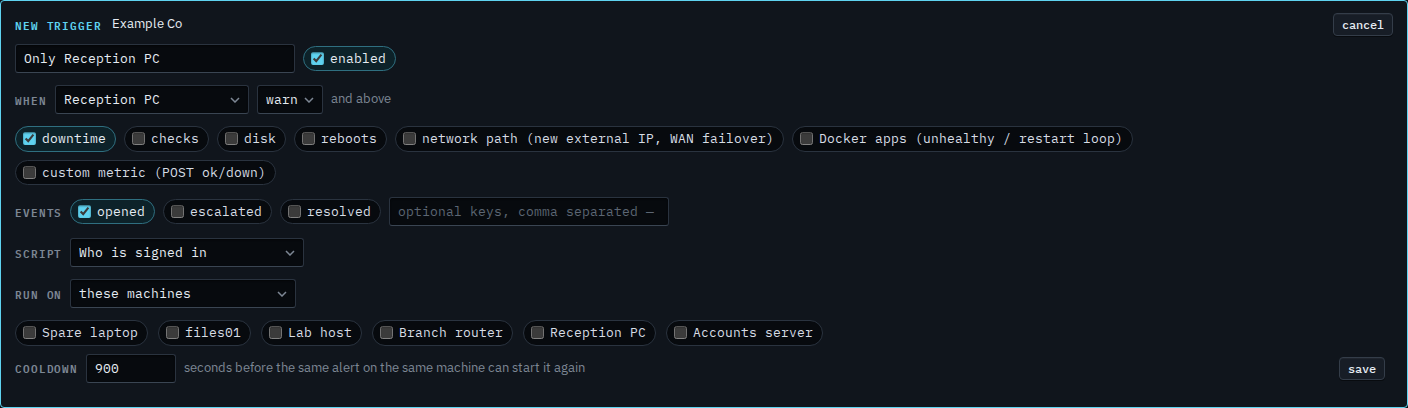
Set when to Reception PC. Only an alert on that machine starts the script. Accounts server going offline would not. The kinds, the key, and the severity floor still apply, so a disk warning on Reception PC would not match while only downtime is ticked. Run on is still these machines, and none is ticked. That menu is where the script starts, not which machine raised the alert. Press save when this is the one you want. This shot stops before that. Cancel drops the draft. A save would also need a target.
Where the script starts is Run a script on the machine that raised the alert or Run a script on every machine in a role. The usual filled-in example is Run a script when an alert opens.