Show your machines as one list.
The grouping picker sits next to the view picker. It does not add machines from outside your groups.
Set grouping to flat list
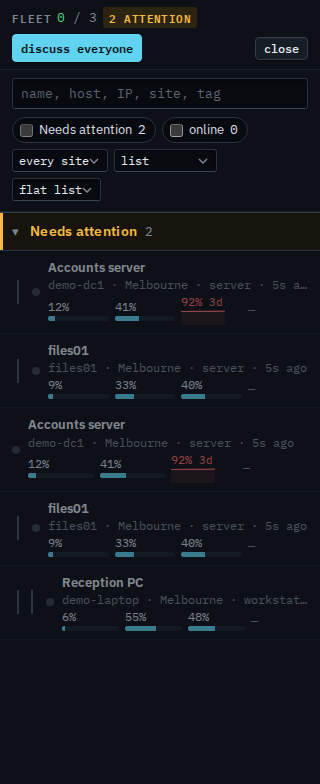
Open Fleet. The grouping picker says by group until you change it. Set the view to list and the grouping to flat list. Site, role, and type headings go away. Needs attention stays at the top: Accounts server, disk at 92%, and files01, offline. Under that, the same machines are ordinary rows, with Reception PC after them. Reception PC says no offline alerts, because it is expected to shut down. Lab host, Branch router, and Spare laptop are not in this list. There is no + machine and no expand all, because there are no headings to open. Search still applies. The choice is remembered in this browser.
Set it back to by group
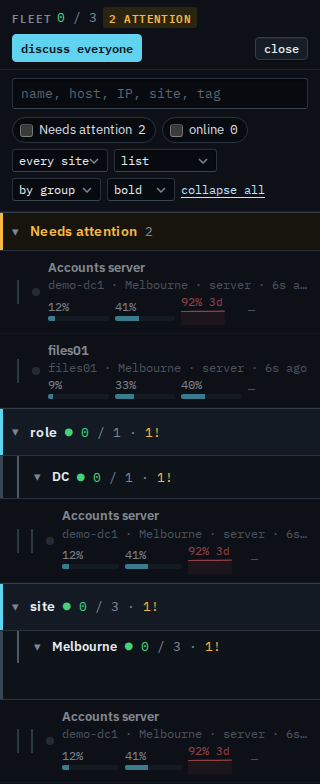
Set the picker to by group and press expand all. Needs attention is still Accounts server and files01. Role › DC is Accounts server. Site › Melbourne is all three. Type › server is Accounts server and files01. Type › workstation is Reception PC. Those paths are set by your provider. This login cannot rename a group. Set the picker back to flat list whenever you want the headings gone again.
The grouped list is See the computers you were given. Only the ones that are up is Show only your machines that are online. Only the ones that need a look is Show only your machines that need attention. Cards and exceptions are Choose cards or exceptions. One site is Focus your list on one site. What your provider sees, including machines outside your groups, is Show the fleet as one list.