Set a time when a machine reboots.
Work › actions › alerts › scheduled reboots. Pick the day, the start time and how long. Times are the company's time zone.
Find scheduled reboots
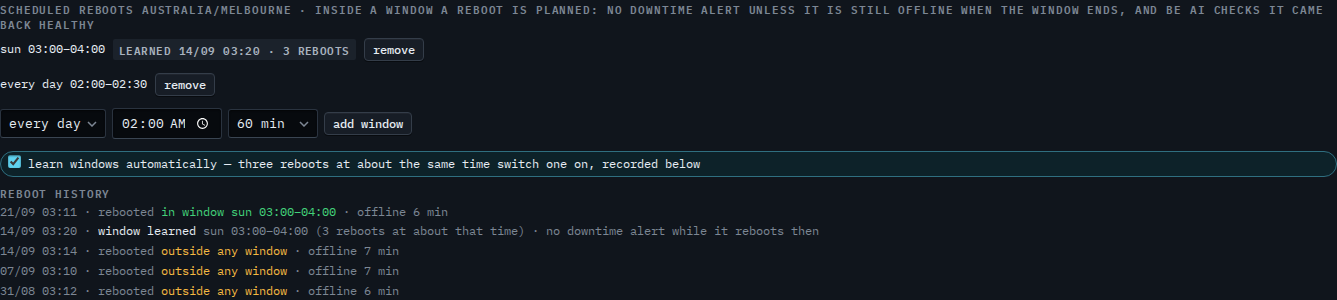
Open the machine, then work › actions, and open alerts. Scheduled reboots lists the windows this machine has. Accounts server already has one: Sundays 03:00–04:00, marked learned because the hub switched it on from the machine's own reboots. The time zone is shown in the heading.

Add the window
Choose the day (or every day), the start time and how long the reboot can take, then press add window. It saves at once. Leave enough time for updates to install and the machine to start again. Remove takes a window off.
The hub can also find the window by itself: Let the hub learn when a machine reboots. A desktop that is simply off at night is Leave a desktop out of offline alerts.