Read backup mobile on a router.
On a Teltonika or OpenWrt router the heartbeat carries the modem: network type, operator, signal, and whether the wired uplink or the SIM is online.
Open Network on the router
Open the router and press network. Cellular is the modem type, such as LTE or 5G, or the connection state when the type is missing. Signal is RSRP in dBm, with RSRQ and SINR beside it. WAN is failover: each name is an uplink on the router, and online means that path is up. Here the wired uplink is offline and the SIM (mob1s1a1) is online, so the branch is on backup mobile. Address tiles above are the LAN and the gateway, the same as See how a machine is connected. Per-interface throughput, when the agent reports it, is Read traffic on each interface.
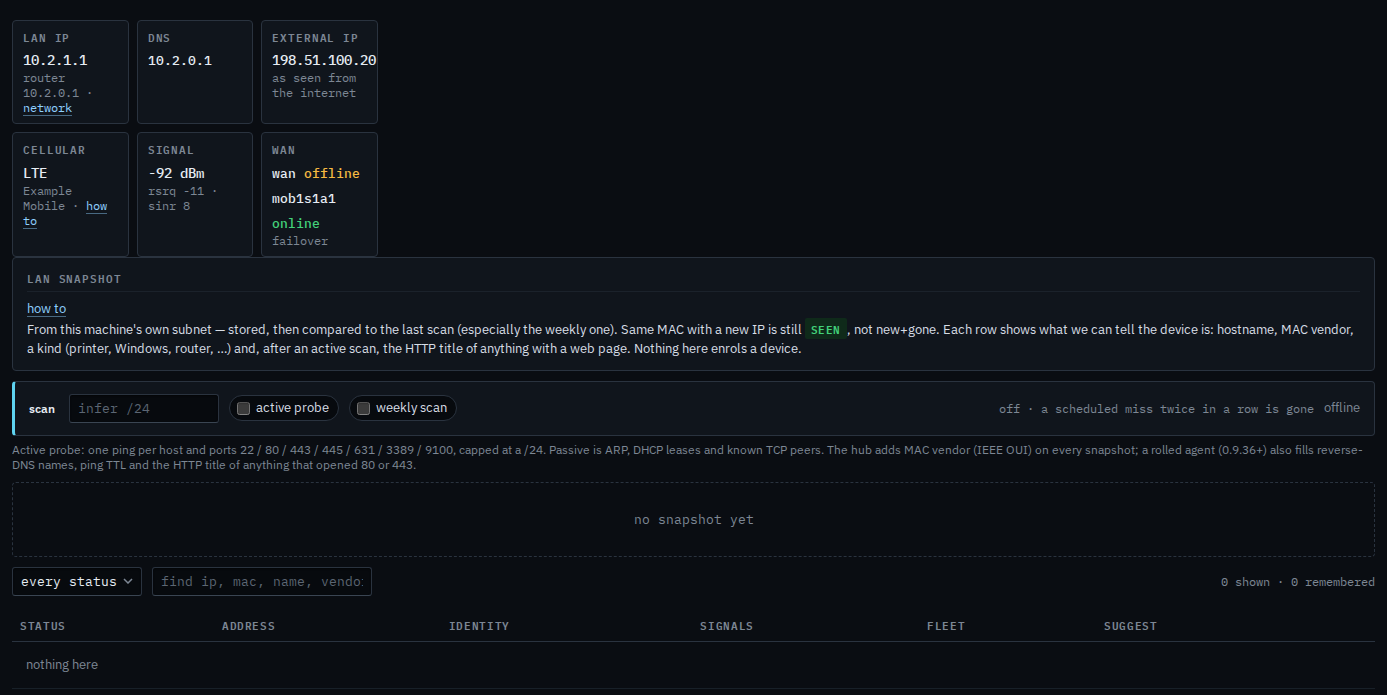
A proxied router reached over SSH can report the same modem facts when the proxy poll includes them. The install line for Teltonika and OpenWrt is Install the agent on a firewall or a router.