how-to · start
Open this in the console
Install by hand when the one-liner cannot run.
Install agent, under the command. Manual steps is closed until you open it.
macOS, a firewall, a router and VyOS stay a one-liner. They do not have this list.
01
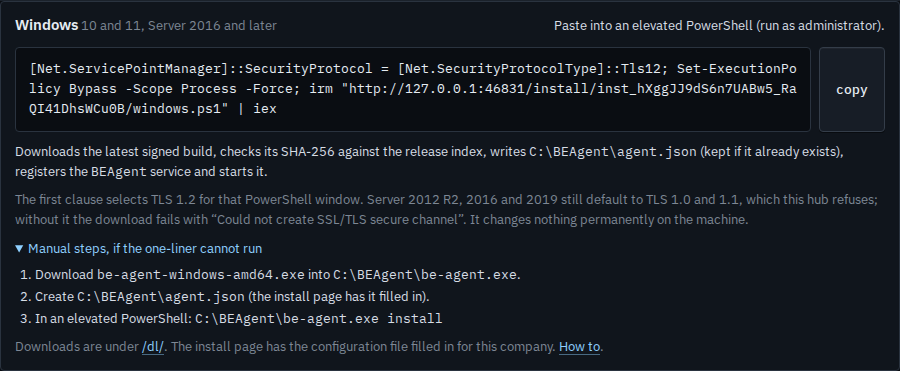
Open manual steps on Windows
Open Install agent and leave the platform on Windows. Under the command, open Manual steps, if the one-liner cannot run. The three lines are what the script does: put the signed binary in C:\BEAgent, create agent.json from the install page, then run be-agent.exe install in an elevated PowerShell. Downloads are under /dl/ on this hub. Linux has the same disclosure, with /opt/be-agent and a systemd unit. This shot is Windows, opened, and nothing has been downloaded.
The one-liner itself is Install the agent on a machine. The page you send someone, which has the filled-in configuration file, is Hand someone the install page.