Read an earlier month.
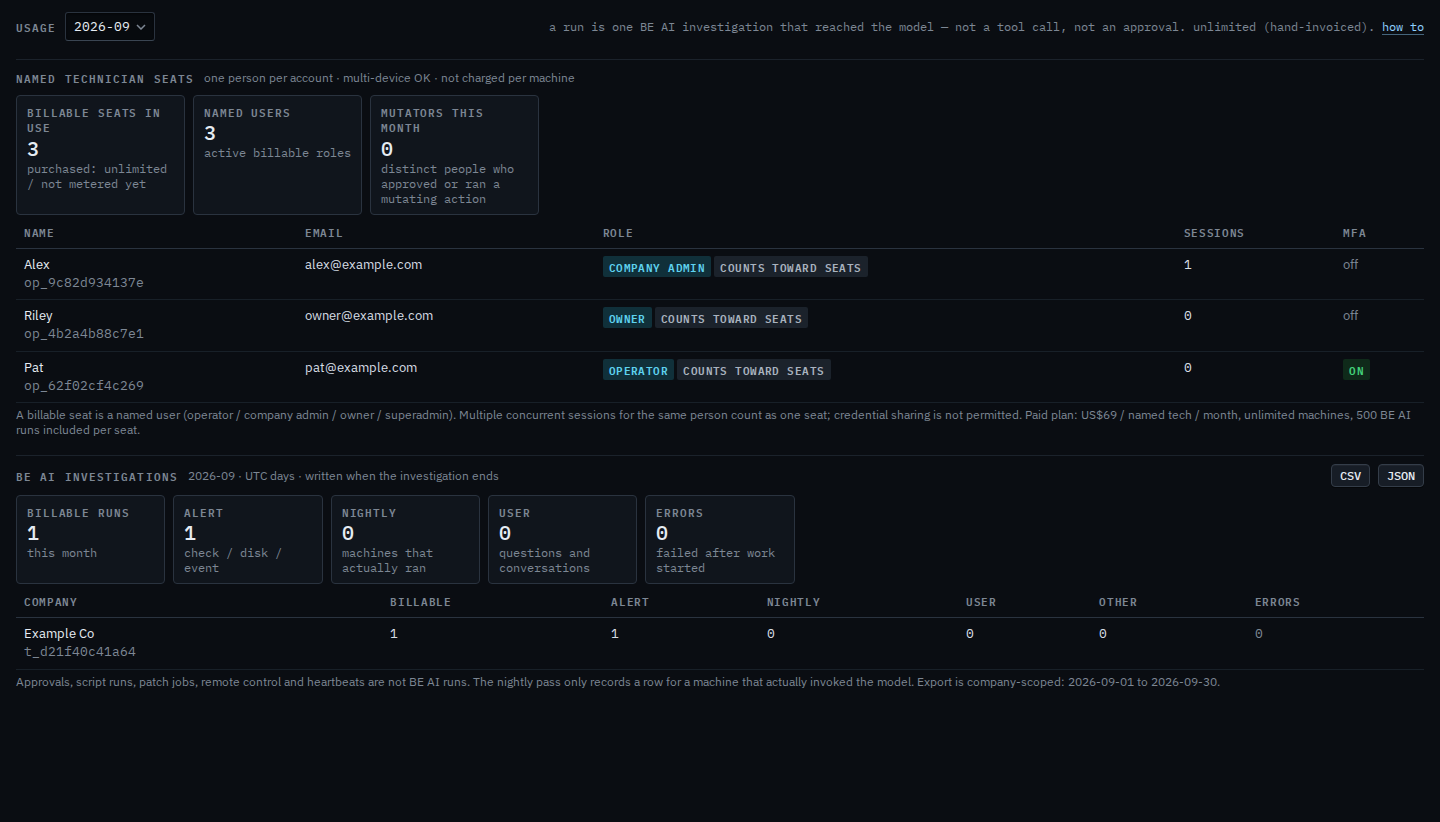
Usage. The menu at the top is the month. September holds the disk investigation on Accounts server.
Open Usage on the current month
Open Usage. The menu says 2026-09. Seats in use is the named people who can sign in. The tiles under BE AI investigations are that UTC month: one billable run, the disk investigation on Accounts server. Example IT is invoiced by hand, so the pool says unlimited. Read seats and this month's BE AI is this same page.
Pick August
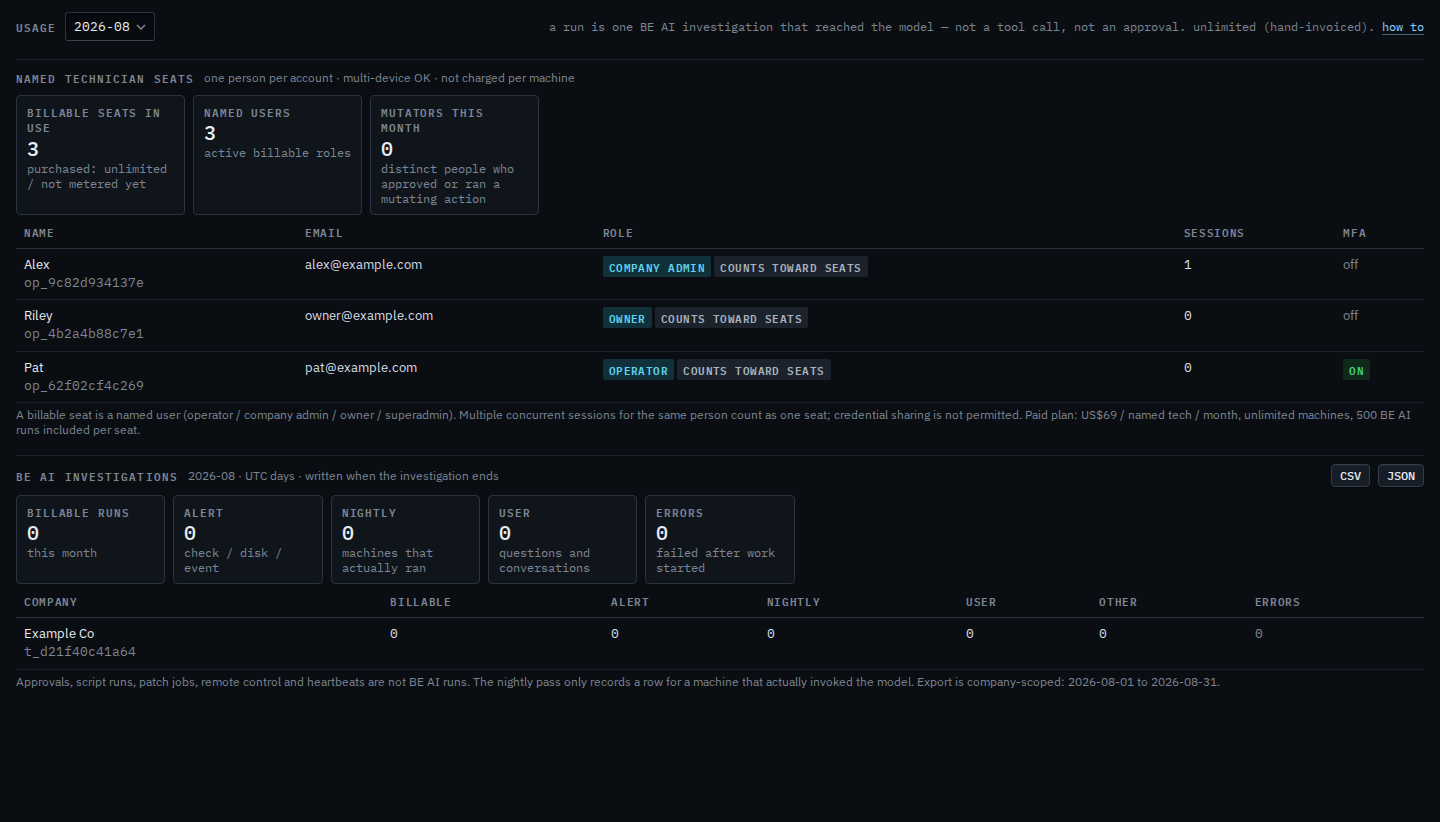
Choose 2026-08. The page loads that month. The investigation tiles are zero: Example Co had no BE AI run in August. Seats stay, because a seat is a person with an account today, and the menu only changes which month of investigations you are reading. CSV and JSON export the month on screen. The last step puts the menu back on 2026-09.
This month's reading is Read seats and this month's BE AI. One investigation at a time is See what BE AI already did.