Reject every waiting proposal on your machines.
Proposals is the queue for your machines. Reject on a card drops that one copy at once. Reject all is the same decision for every copy still waiting, and it asks first.
Open Proposals
Open Proposals. Accounts server has three rows. The one still waiting is List the largest folders on /, a shell command, with reject and no approve · run. The group header says 1 awaiting, and reject all 1 is on that header. Reject on the row drops that one copy immediately and runs nothing. Reject all is every proposal still waiting on the machine, and the first press only asks you to confirm. Save as script is on the shell rows. Scripts is not in this nav. This shot has not pressed reject all.
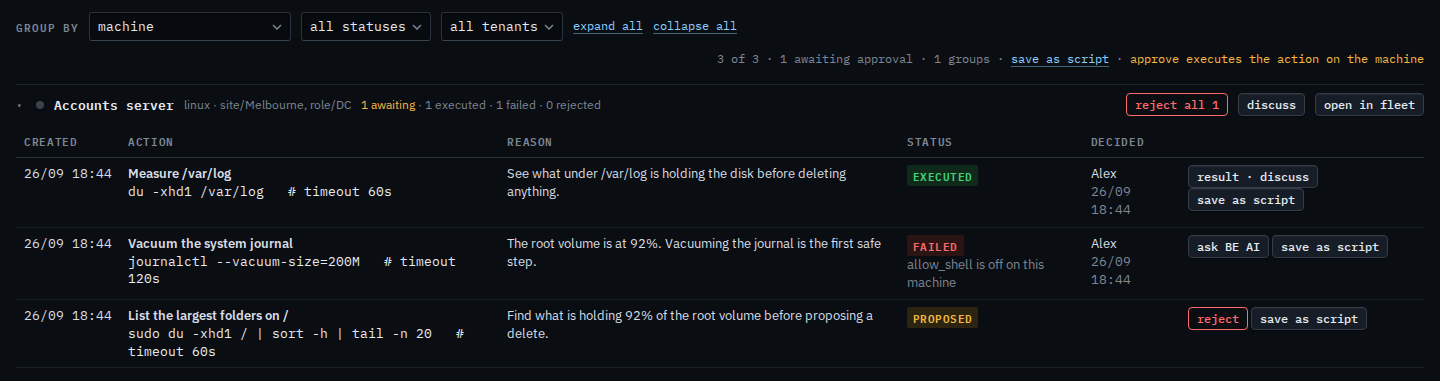
Press reject all, then confirm
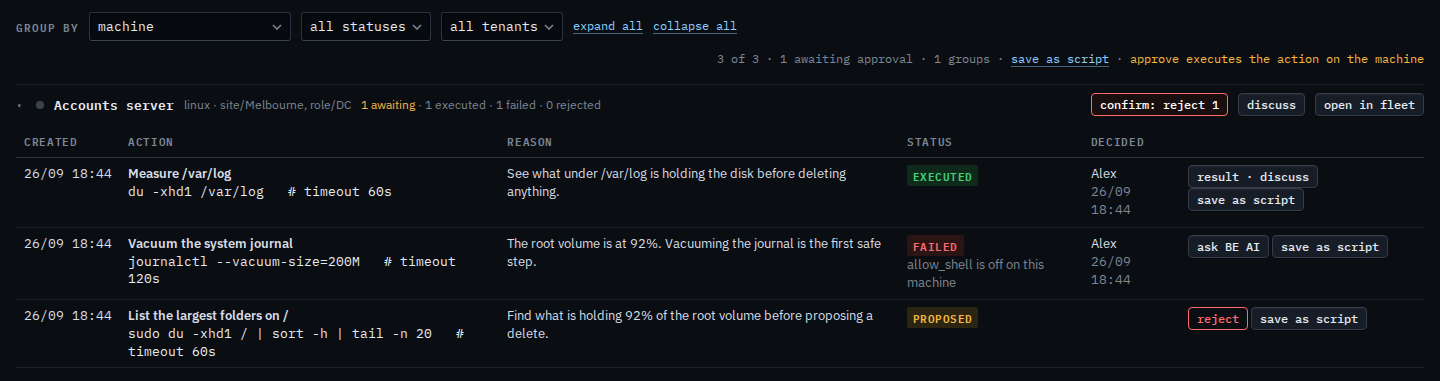
Press reject all 1. The label turns into confirm: reject 1. Press it again to reject every proposal still waiting on that machine. Nothing runs on the machine. This shot stops on the confirm, so the proposal is still waiting. The label returns to reject all after a few seconds if you leave it.
One waiting command, and why approve is missing, is A proposal you cannot run. The same button beside the machine is on Read the inbox on your machine. What your provider sees, including approve, is Reject every waiting proposal.