Save a report you will open again.
Save this report is on every live report. It does not freeze a list of hostnames. Next Monday the same filters run again.
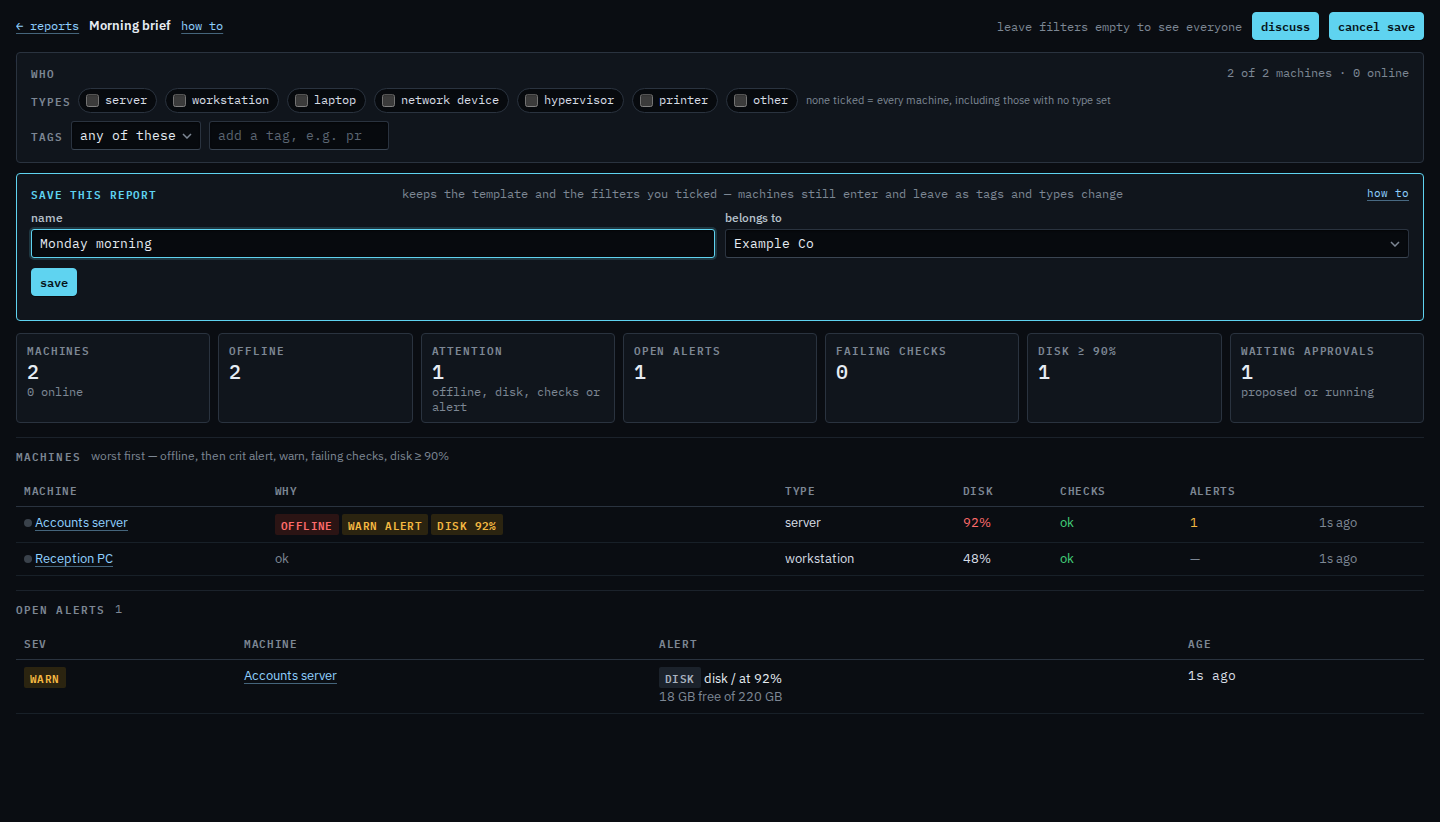
Open a report and press save this report
Pick a live template first. Morning brief, approvals aging, the alert journal, the patch window, and shell and proxy can be saved. The kinds marked soon cannot. The box asks for a name and which company it belongs to. Monday morning is this Example Co morning brief with no type or tag ticked, so it is the whole company. Tick a type or a tag before you save when you want a narrower list — servers only, or site/Melbourne. Save is the next click. This shot stops before that. The same filters are on the morning brief, approvals aging, the alert journal and the patch window.
Delete is a two-step confirm. Delete a saved report is that step. Update a saved report writes the filters you have ticked now over the old ones. A saved report is listed on the Reports menu under saved.