Open a Proxmox guest's screen.
Network › VMs, on the Proxmox host. The button is there while that guest is running and the host is connected.
Open Network › VMs on the host
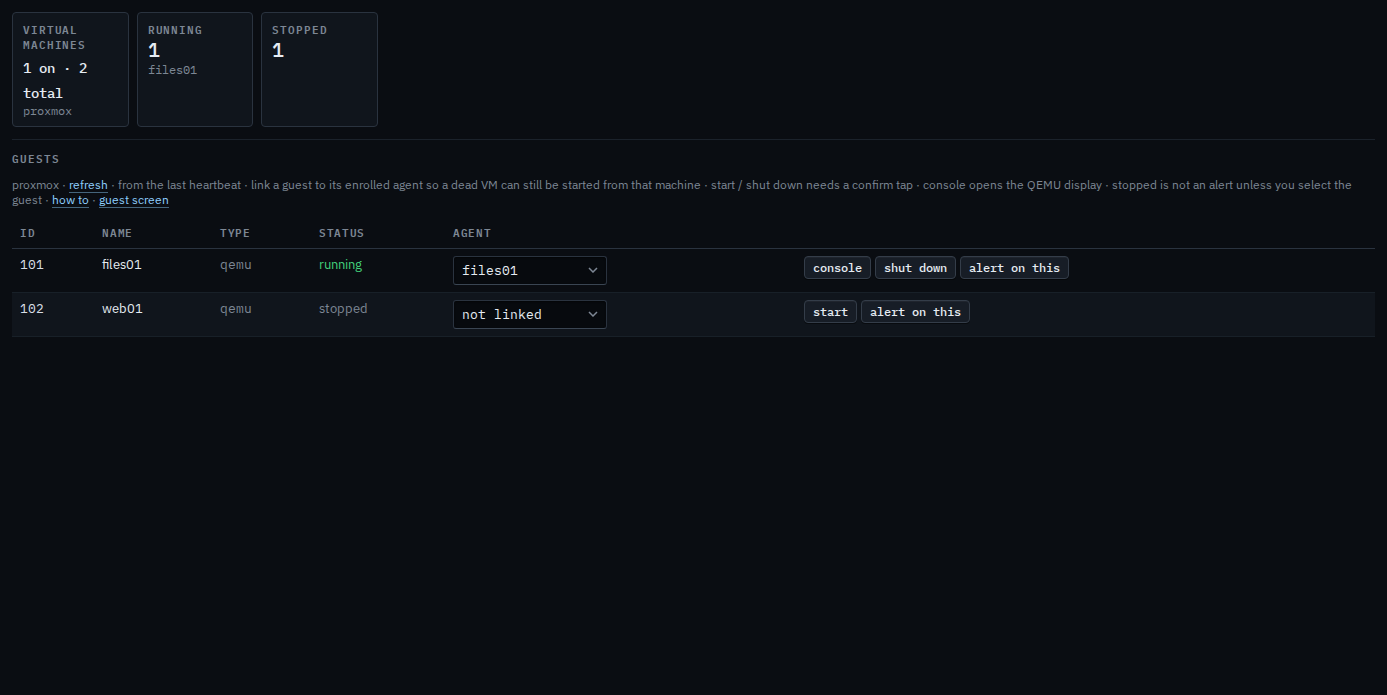
The tab is the guest list from the host. Console is on a row that is running, type qemu, while the host is connected. files01 is VM 101 and it is running, so the button is there. web01 is stopped, so it has start and alert on this, and no console. Press console and a second window opens with that guest's display, the same kind of window as Control. This shot stops before the press. The host in this picture is painted connected so the button is visible. It still has no tunnel, so pressing it here would not open a display.
Linking the guest to its enrolled machine is Link a virtual machine to its host. Start and shut down on this host list are Start or shut down a guest from the host. The same actions on a linked guest's own page, including force off, are Start or shut down a linked virtual machine. A stopped guest stays quiet until you select it — Alert when a guest is stopped.