Add a yes or no custom metric.
A yes or no custom metric lives on the hub, the same way a number does. A command on the machine POSTs true, 1, yes, or ok for yes. No is the other state.
Open Health › custom metrics
Select the machine, then health › custom metrics. The list is the machine heartbeat until you add a named metric. Press Add custom metric.
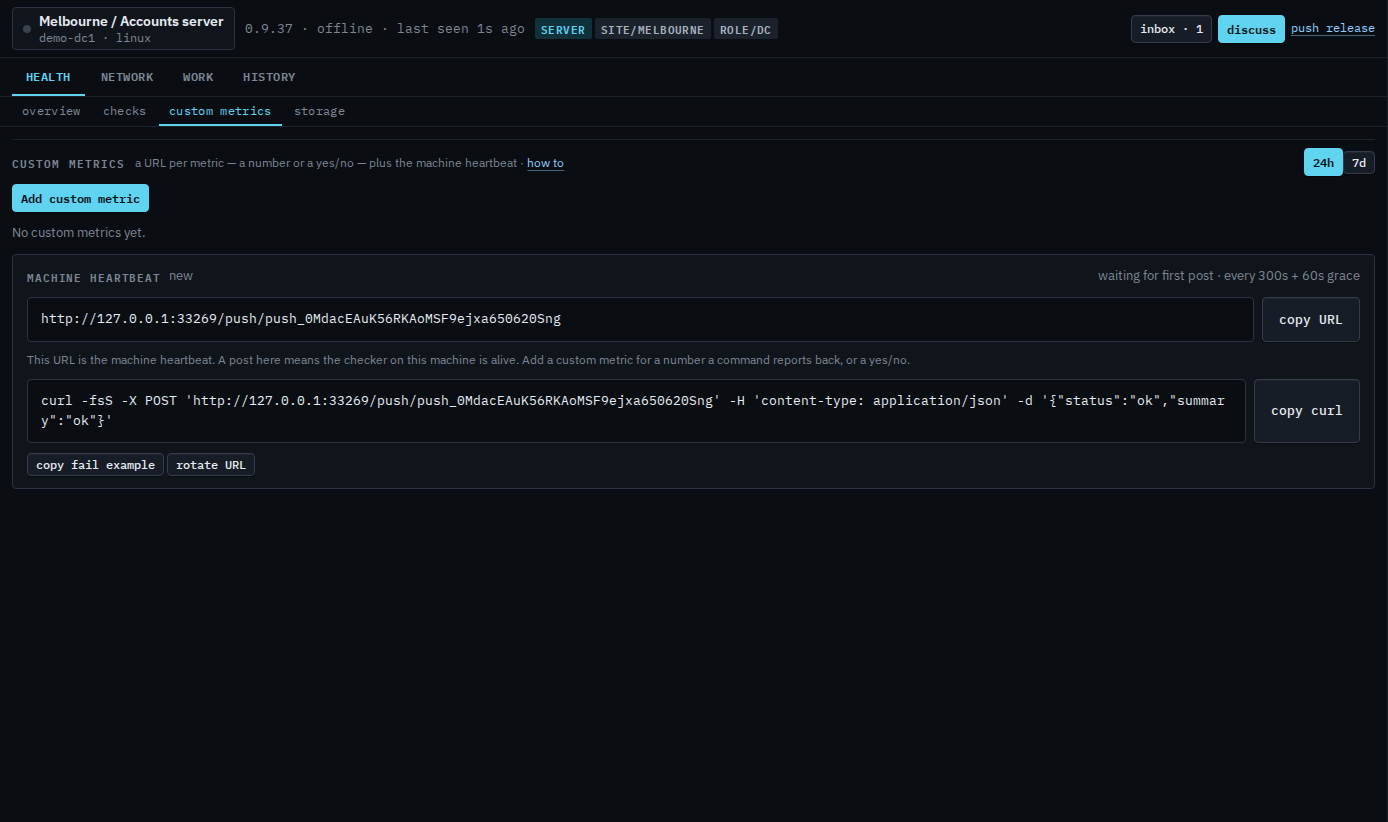
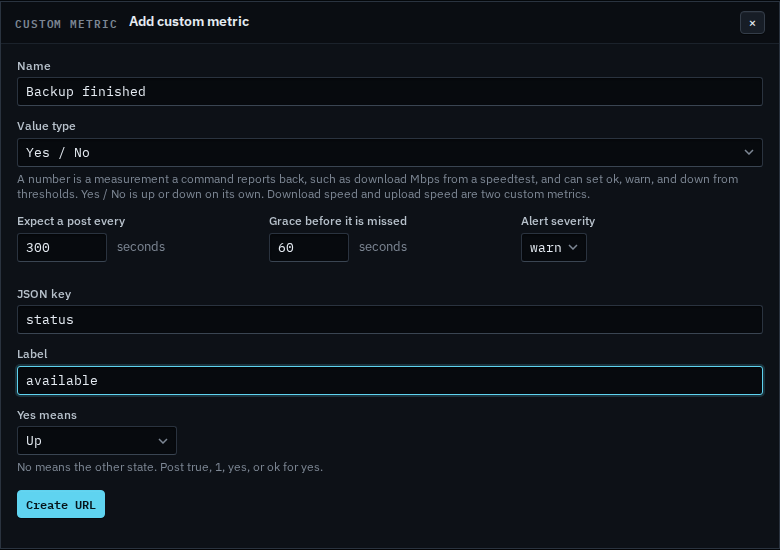
Choose Yes / No and name the status
Set Value type to Yes / No. Name it, then set the JSON key the command will send and the label on the tile. Yes means Up or Down. No means the other state. Post true, 1, yes, or ok for yes. Expect a post and the grace are the same as a number. This shot stops before Create URL.
A measurement with a unit and thresholds is Add a custom metric. Changing the name or minting a new URL is Change or remove a custom metric. The confirm on remove is Remove a custom metric.