how-to · work
Open this in the console
Copy a script.
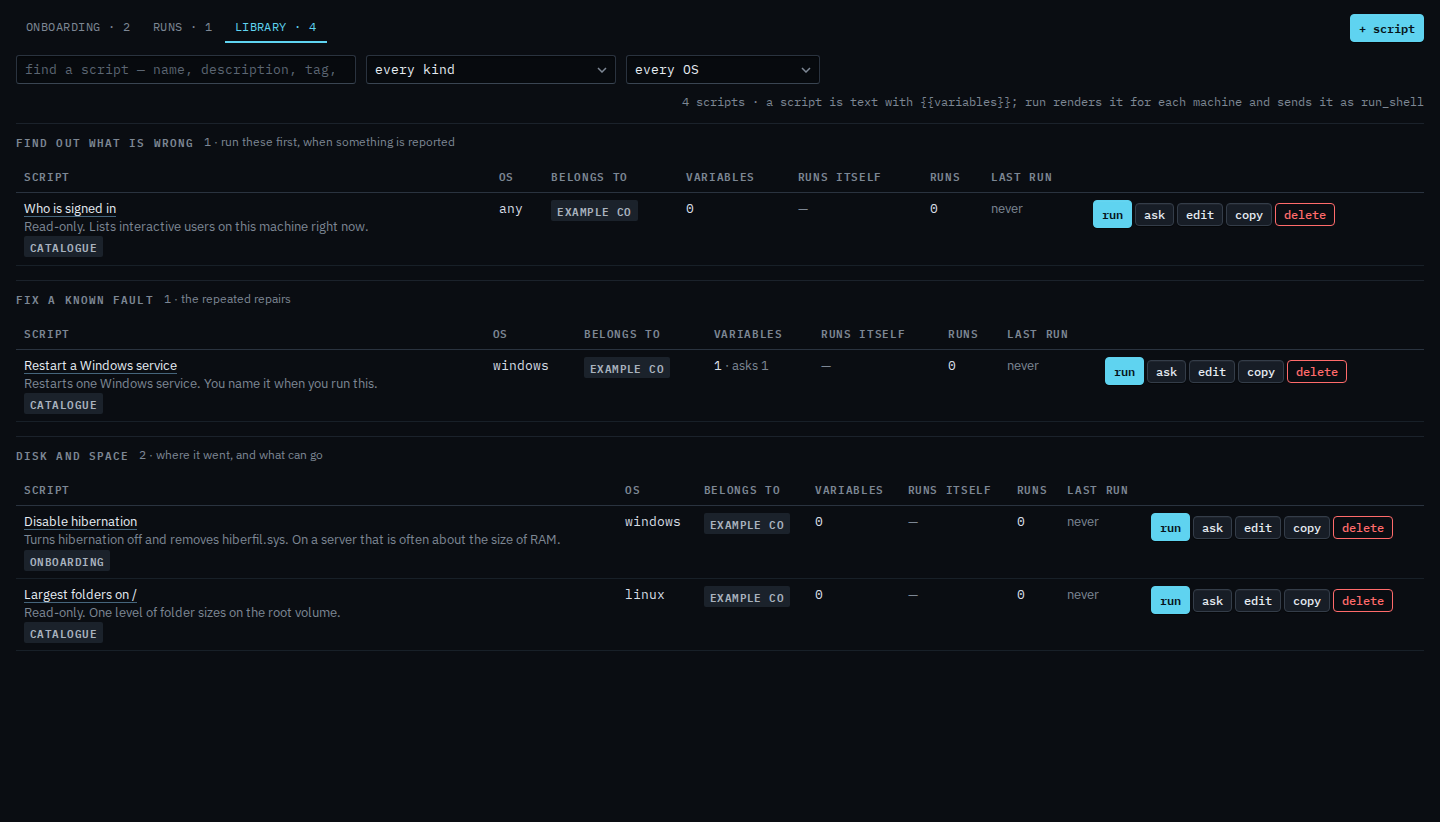
Scripts › library. Copy is on a row a company admin can edit. The name gains (copy). The schedule is off.
Cancel closes the editor and leaves the library as it was. The copy does not exist until you save it.
01
Open Scripts › library
Copy sits on the row, after edit. Operators can run a script. Copy is for a company admin. Who is signed in is the first row in Example Co's library.
02
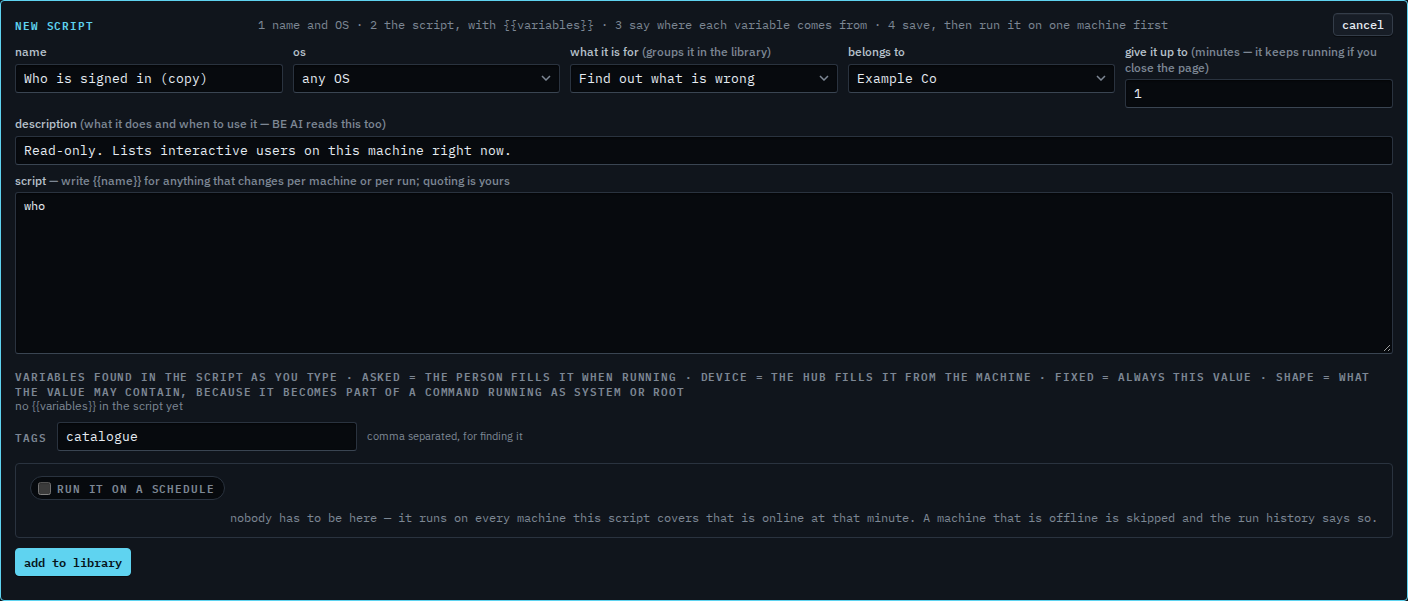
A new script, not saved yet
The editor says new script. The name is Who is signed in (copy). The command, the operating system and the variables come across. The schedule is off, so the copy does not run on its own. The original row is unchanged. Press add to library when the name and the text are what you want. Cancel drops the copy.
Writing one from a blank editor is Add a script to the library. Removing a saved one is Remove a script from the library.