Find one of your machines.
Fleet is grouped, and the site heading starts closed. Type in the find box to leave only the machines that match.
Type a name
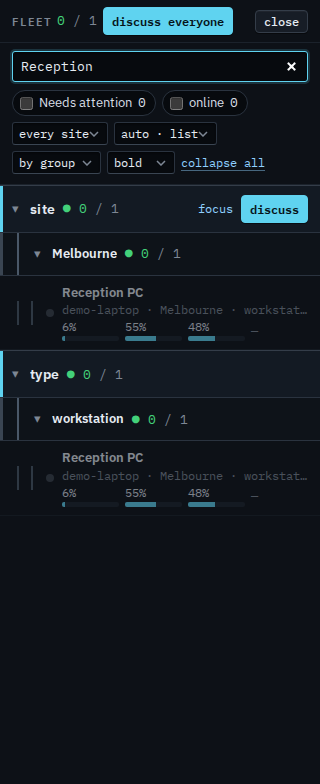
Open Fleet and press expand all, then type Reception in the find box. The box matches the display name, the hostname, the LAN or external address, the site, and any tag. Accounts server and files01 drop out. Reception PC stays, under site › Melbourne and under type › workstation. The Needs attention count goes to 0, because this PC is fine. A hostname such as files01, or an address such as 10.1.1.41, works the same way on the machines you can see. Lab host, Branch router, and Spare laptop are not in this list to begin with. There is no + machine. Clear the box to put the other two back.
The list before you type is See the computers you were given. Machines that need a look are Show only your machines that need attention. Only the ones that are up is Show only your machines that are online. One list, without sites, is Show your machines as one list. Opening one is Open one of your machines. What your provider sees for the whole company is Search the fleet.