See what the patch window is missing.
Reports › Patch window reads the inventory Patches already has. Scanning and installing stay on the Patches page.
Open Reports and pick Patch window
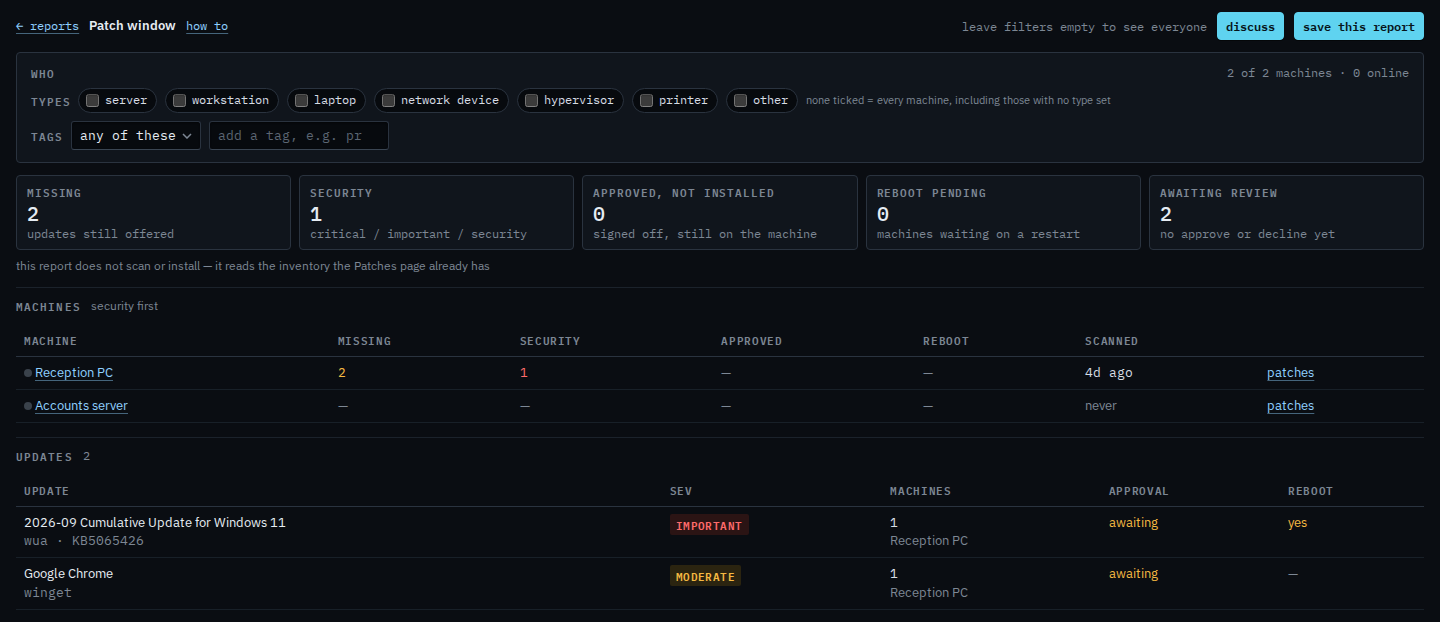
Under Operational. Tiles are missing, security, approved but not installed, reboot pending, and awaiting review. Machines are listed security first. Updates underneath name the package, how many machines, and whether anyone has approved it. Reception PC has been inventoried and has two updates awaiting review. The Windows cumulative update is important and will want a restart. Chrome is moderate. Accounts server has not been inventoried, so it shows never. Nothing is approved yet, and no machine is waiting on a restart. Review and approve missing updates is where those two get a decision.
Approving on the Patches page does not install. A job does. This report then shows that update as approved and not yet installed, until the job finishes and the next inventory drops it.