Run a script when an alert opens.
Alerts › scripts is for the case where telling a person is not enough. A branch going offline can start a script on the machine that is still up. It uses the same path as pressing Run.
Open Alerts › scripts
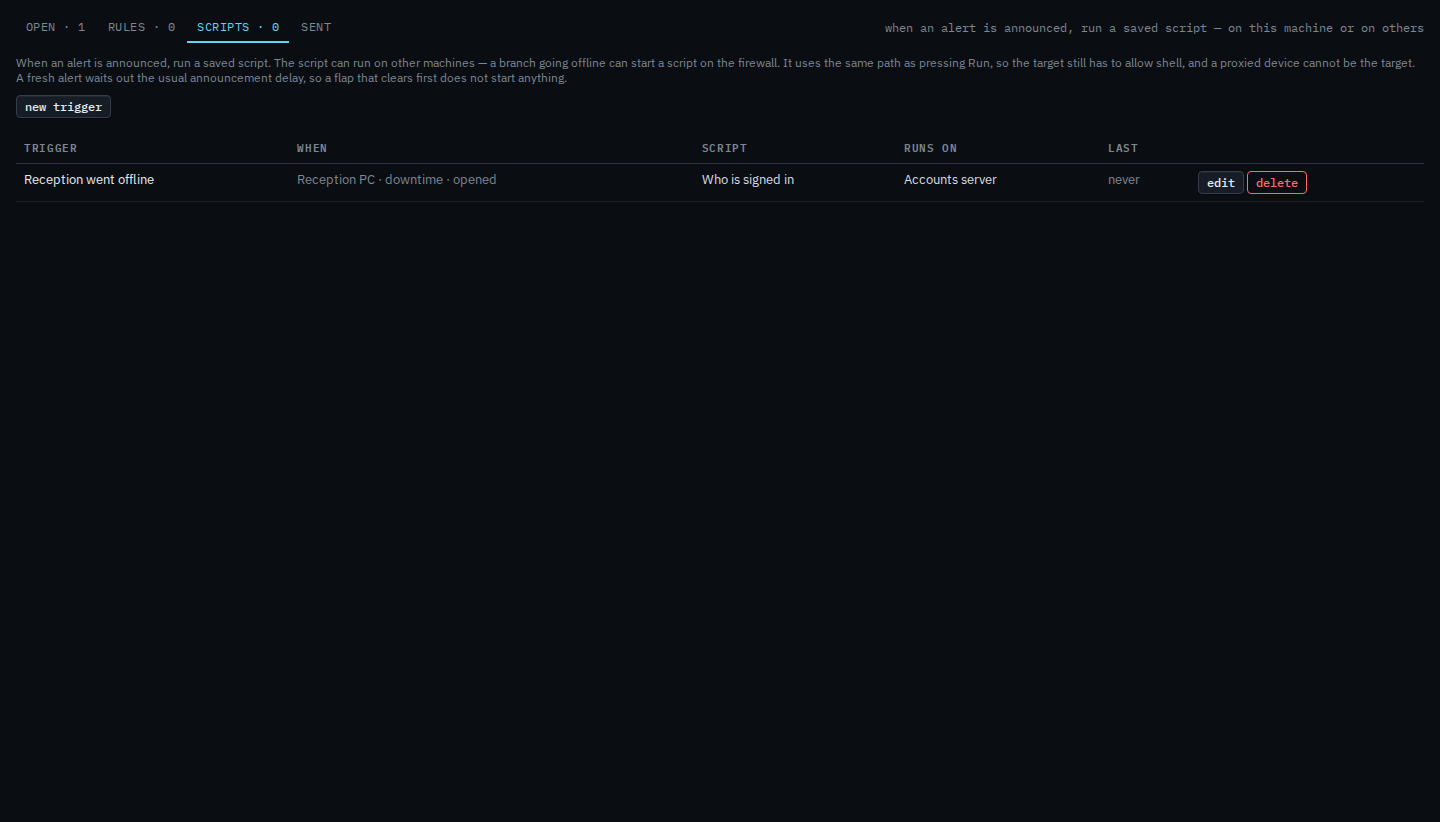
Company admins add triggers. Operators see them. Each row says when it matches, which script, and which machines it runs on. Recent runs from alerts sit under the list.

Say when, which script, and where it runs
Pick the machine that raises the alert, or leave it as any matching machine. Tick the kinds (downtime is the usual start) and the events: opened, escalated, resolved. Choose a saved script. Run on can be those machines, the machine that alerted, or every machine with a tag. This example runs the read-only “Who is signed in” on Accounts server when Reception PC goes offline.
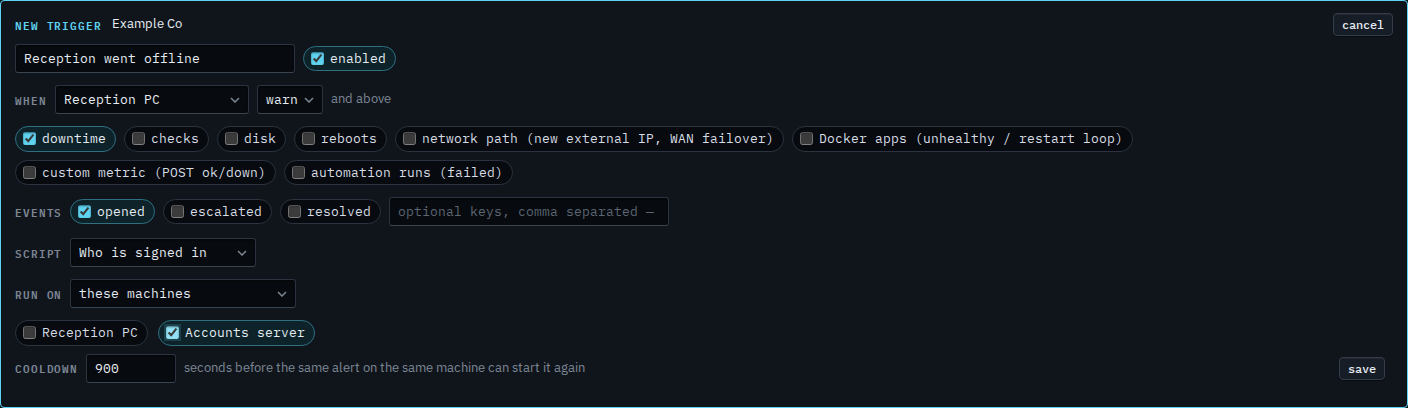
Save
Press save. The row stays enabled until you turn it off. A fresh alert waits out the usual announcement delay, then the script starts if the alert is still open. Last shows whether it fired, and why it was skipped.
Run it on the machine that raised the alert is Run a script on the machine that raised the alert. Run it on every machine in a role is Run a script on every machine in a role. Only a full disk is Run a script only when a disk fills. One volume is Run a script for one disk only. The wait before it can start again is Wait before an alert script runs again. A question on the script is Fill a script answer from the alert. Critical only is Only run a script for a critical alert. Also when it clears is Also run a script when the alert clears. Also when it gets worse is Also run a script when the alert gets worse. Only when it gets worse, with opened cleared, is Run a script only when the alert gets worse. Only when one machine raises it is Run a script only when one machine alerts. Only a failed check is Run a script only when a check fails. A restart is Run a script only when a machine restarts. A new external address or a WAN failover is Run a script only when the network path changes. A Docker app is Run a script only when a Docker app is unhealthy. A custom metric is Run a script only when a custom metric goes down. Only downtime is Run a script only when a machine goes offline. Only when it clears, and not when it opens, is Run a script only when the alert clears. Turning one off is Turn an alert script off. Changing one is Change a script that runs when an alert opens. Removing one is Remove a script that runs when an alert opens.