See Docker apps on a machine.
Network › containers is the Docker inventory from the last heartbeat. The name you see is the Coolify or Compose app, not the UUID container name.
Open Network › containers
The tiles are running, unhealthy, restarting and exited. Until you refresh on an online machine, the list is names from the heartbeat. accounts-web, accounts-db, redis, and traefik are running. old-web is exited, and that tile is 1. Alert on this is how an unhealthy or restarting app becomes an alert. Nothing is selected at first, so a restart loop stays quiet. Exited is not an alert.
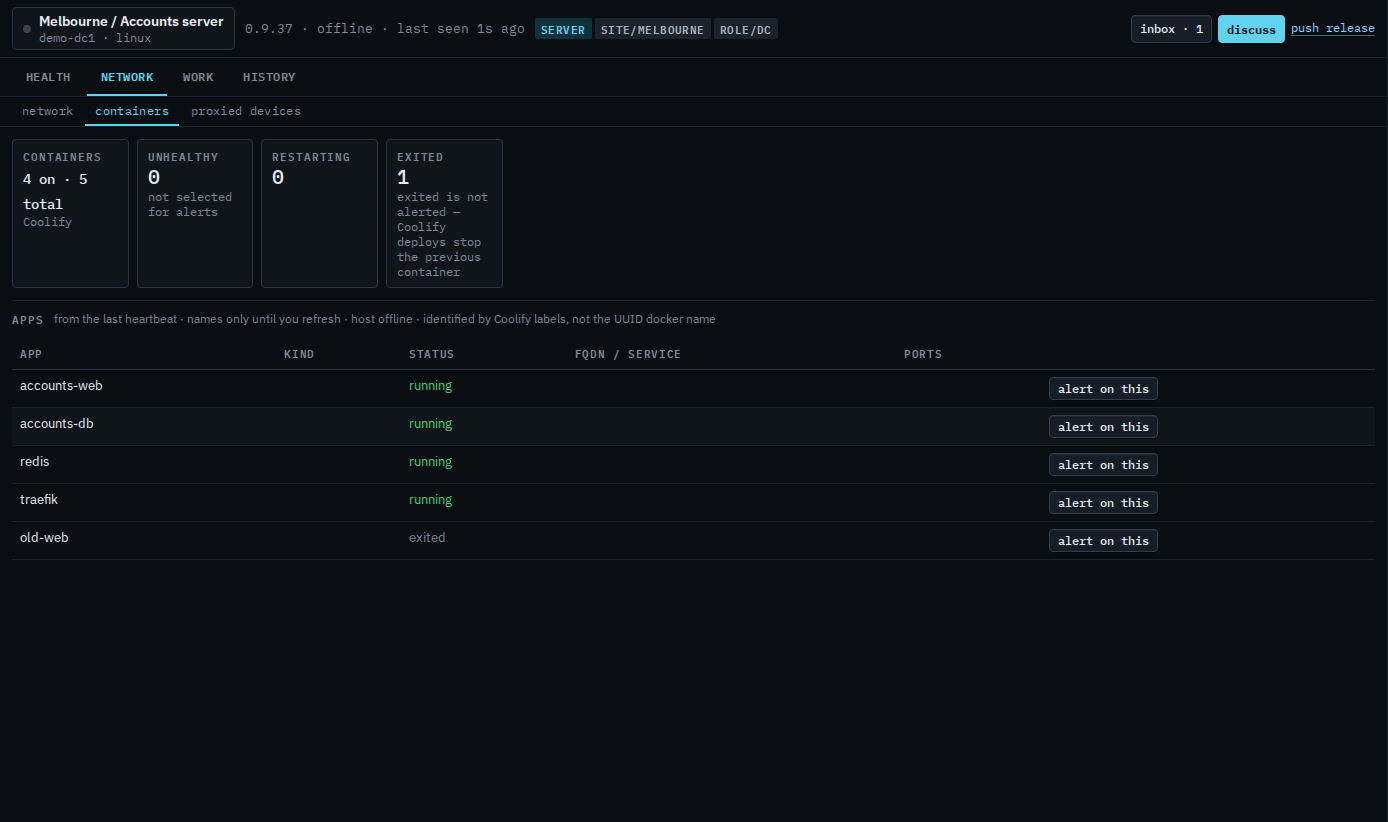
Select the app you want told about
Press alert on this. The row is marked alerting. The same list lives under Work › actions, as “alert on these Docker apps”. Press stop alerting to take it off. A problem on an app you did not select does not email anyone and does not start a BE AI investigation.
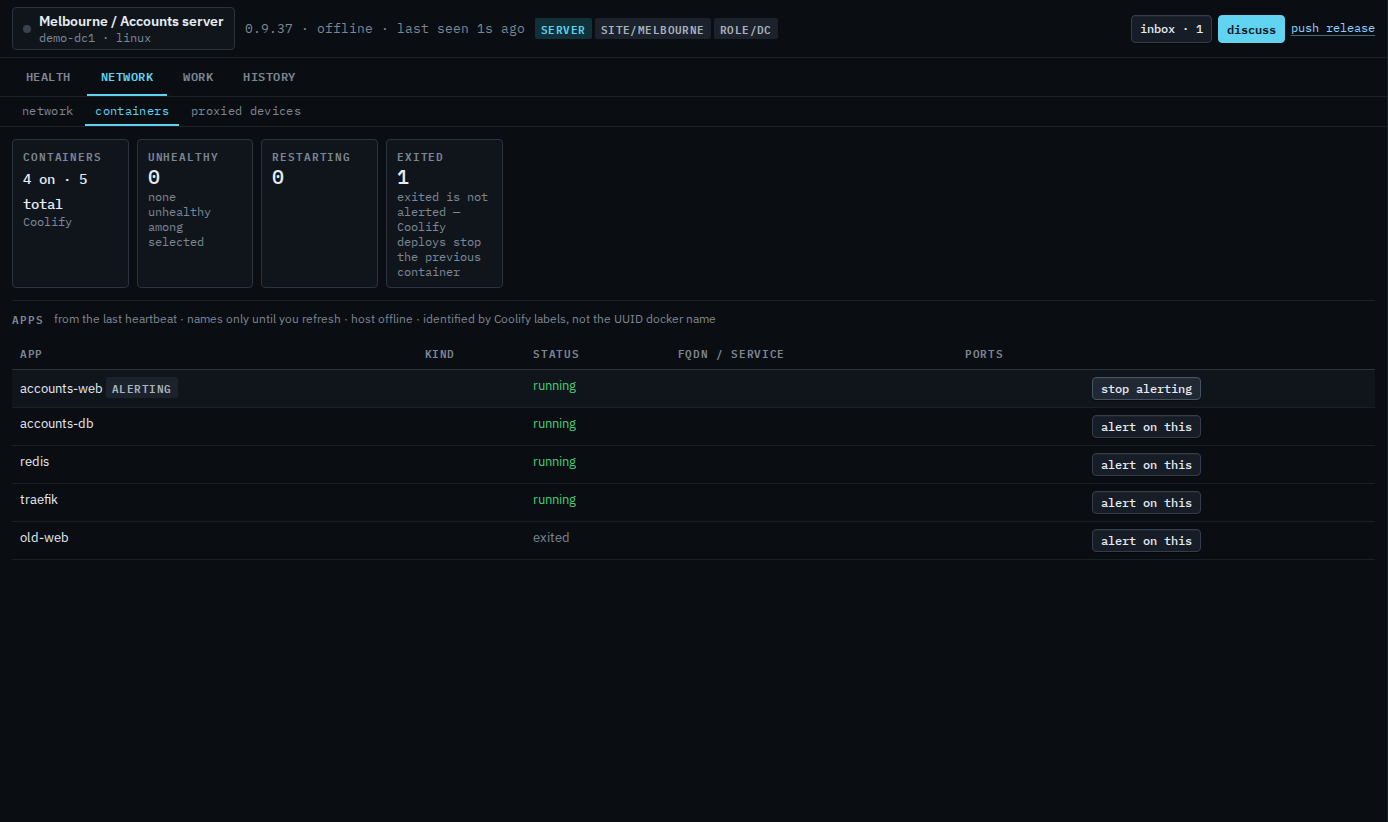
Restart, and its confirm, is Restart or stop a Docker app. Recent lines are Read a Docker app's logs. Stop is Stop a Docker app. Start on an app that is not running is Start a stopped Docker app. A named check, with an interval and healthy or running, is Check that a Docker app is running.