Inventory updates on your machines.
Patches is in the nav only when your login has patches. The heading is your login's name. The numbers are your machines only.
Open Patches
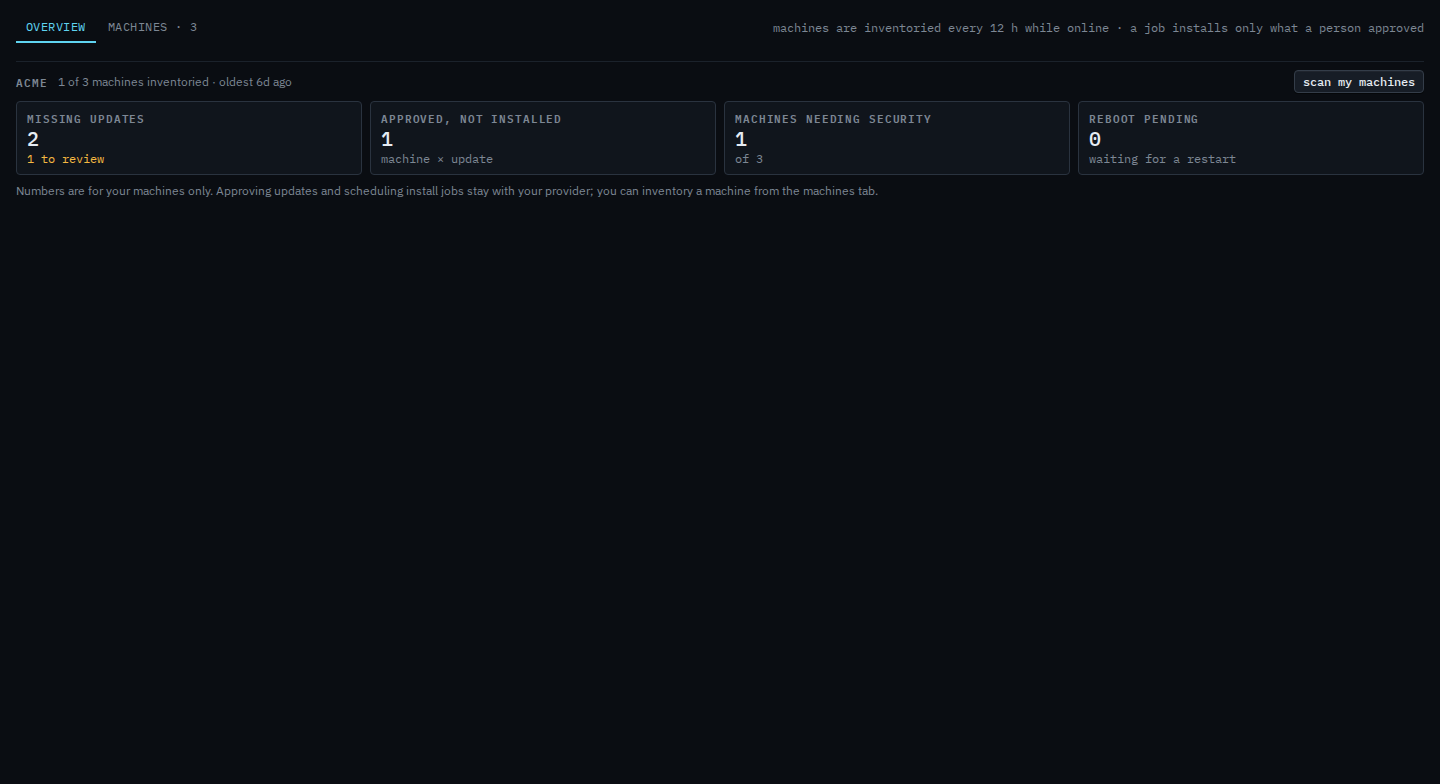
Open Patches. The heading is Acme, not Example Co. The tabs are overview and machines. Updates and jobs stay with Example Co. Scan my machines asks online agents to report again. It does not install. The tiles count only your machines: 1 of 3 inventoried, 2 missing updates with 1 still to review, 1 approved and not installed, none needing a security update, none waiting on a restart. This shot stops before the scan.
Open machines
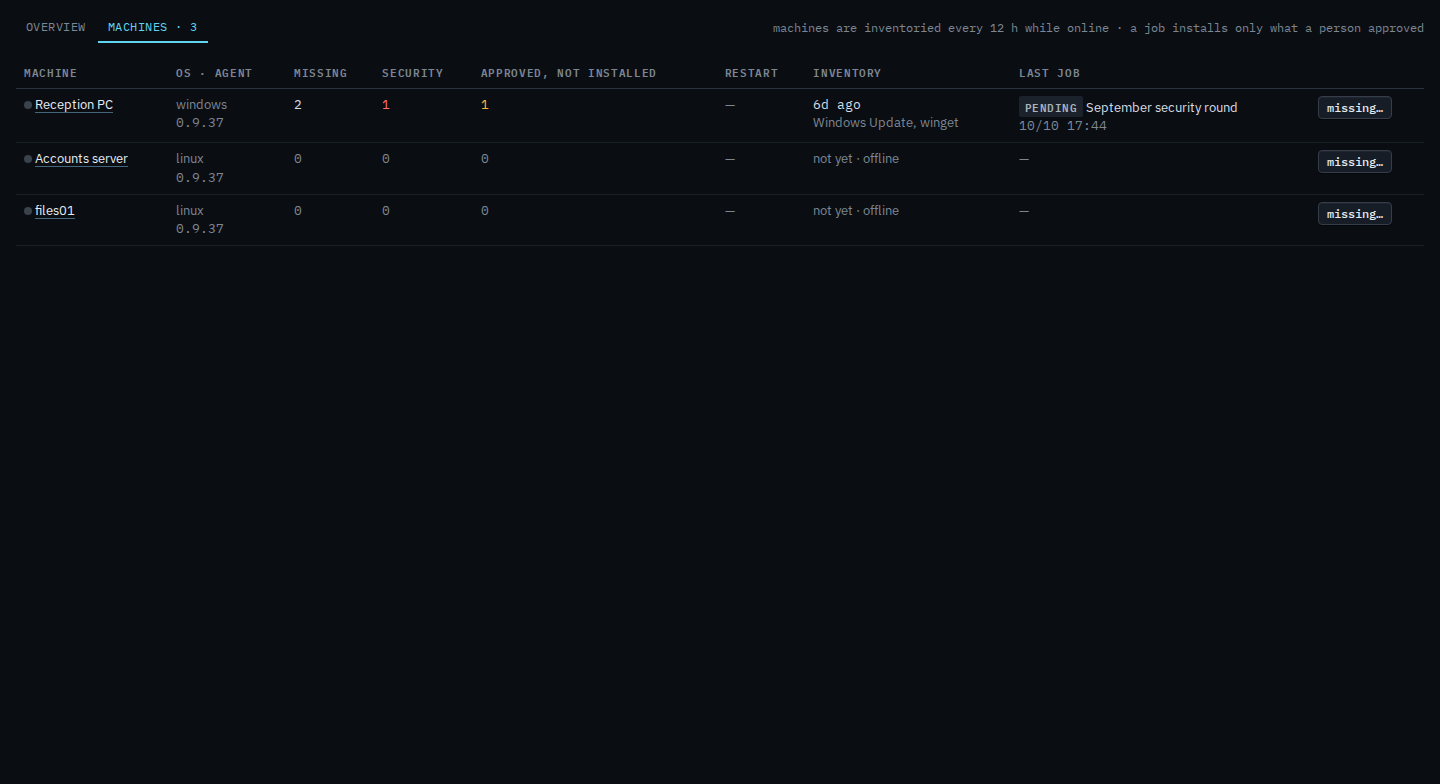
Press machines. The three rows are the same computers as Fleet. Reception PC is the inventoried one: 2 missing, none of them security, 1 approved and not installed. The inventory line names Windows Update and winget. Its last job is September security round, already scheduled by Example Co. Accounts server and files01 say not yet, because they are offline. Missing… lists what that machine reported. There is no approve button on this tab. This shot stops before missing.
Which machines those numbers cover is See the computers you were given. Asking them to report again is Ask your machines to report updates again. One machine's inventory is Read missing updates on your machine. Your provider turns this tab on in Let a customer open Patches. The install jobs themselves are Review and approve missing updates, and they stay on the company side of the console.