See which machines are missing updates.
The updates tab is one row per update. This tab is one row per machine: how many are missing, how many are security, and whether the inventory is current.
Open Patches › machines
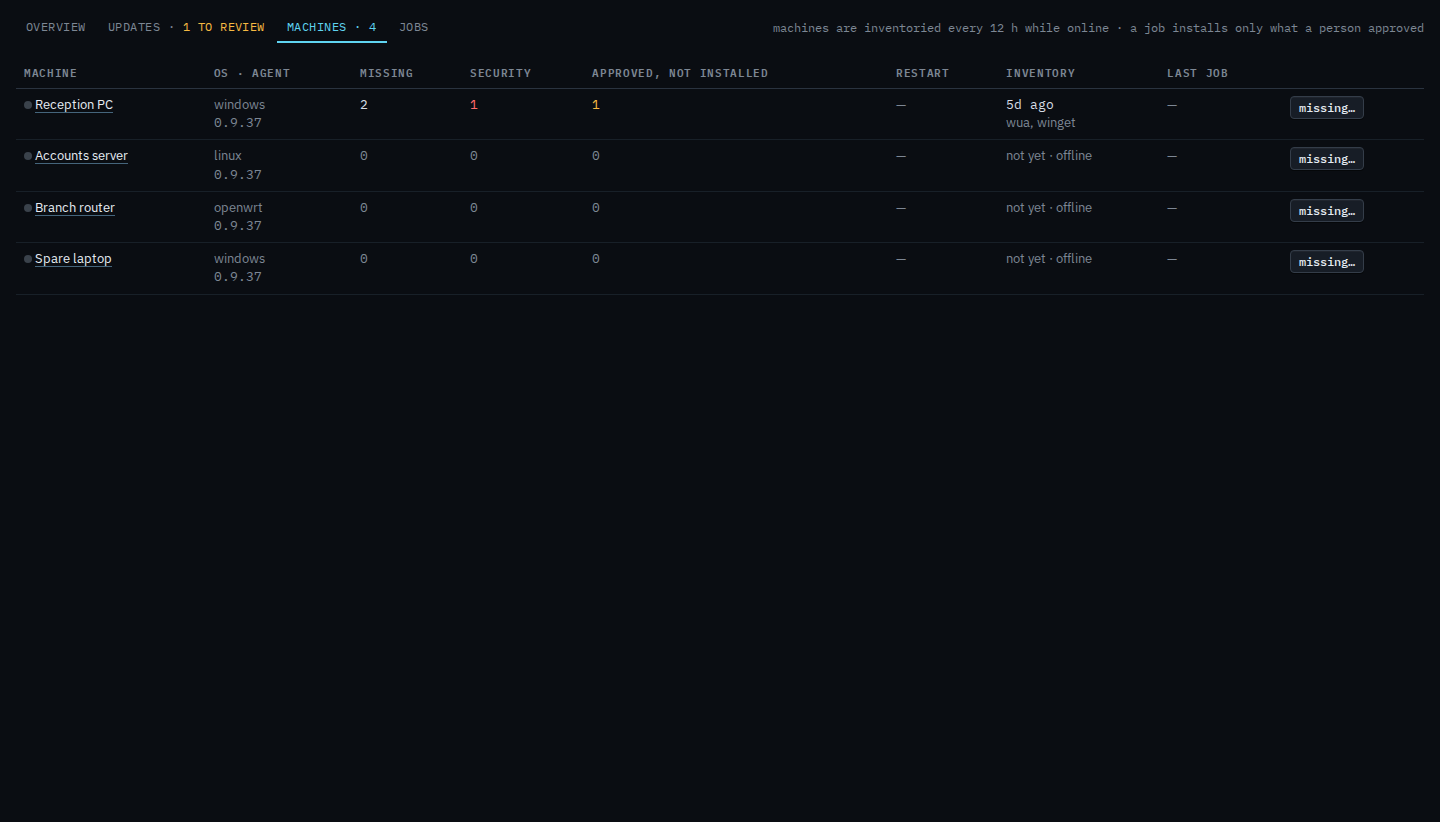
Each row is a machine. Reception PC has been inventoried and is missing updates. Accounts server, Branch router and Spare laptop have not been scanned yet, and they are offline, so scan now is not on the row. Press missing… to open that machine's list under the table. Approving still happens on the updates tab, or on the machine's own patches tab.
Press missing…
Reception PC lists two updates. The September cumulative update is important, from Windows Update, and already approved. Google Chrome is moderate, from winget, and still awaiting. This list does not approve or install. Use it to see what one machine is carrying before you open the updates tab.

The same inventory on one machine's own tab is See missing updates on one machine. Approving from the company list is Review and approve missing updates.