Remove a customer login.
My company › sub-companies › manage. Delete is in the header, next to disable login. Company admin.
Open manage on the customer
Open My company › sub-companies and open manage. The green created line is only there because this one was just created. Delete is in the header. It has not been pressed. The machines in the groups stay in Example Co either way.
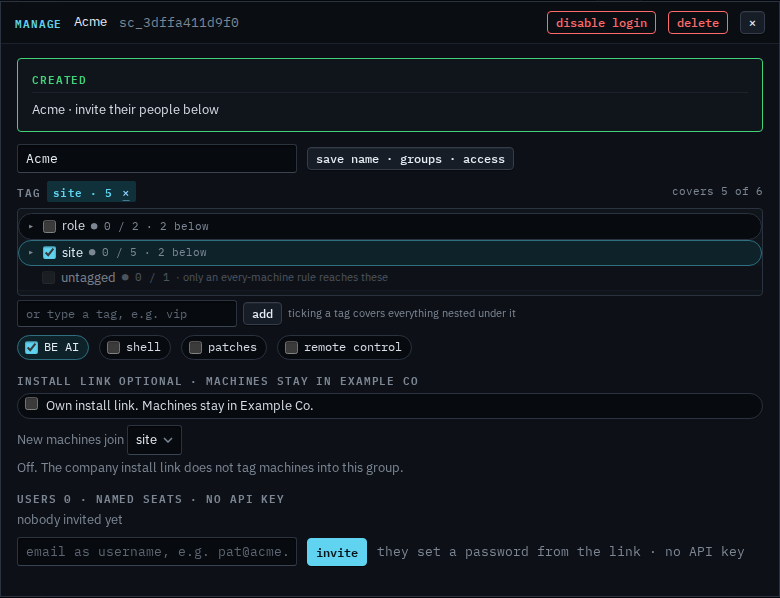
Press once to arm it
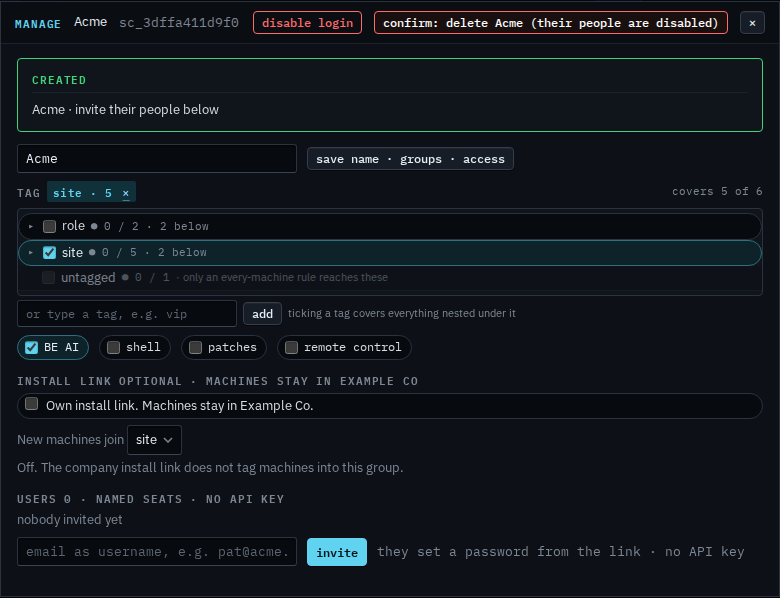
The label turns into confirm: delete Acme (their people are disabled). Press it again and the login is gone. Anyone invited under it is disabled. Machines stay enrolled in Example Co. If they had their own install link, that URL stops, and a machine that used it needs the company install link with Apply before it connects again. This shot stops before the second press, so Acme is still in the list.
Keeping the login and turning it off is Disable a customer's login. Creating it is Let a customer manage their computers. A machine leaving the fleet is Remove a machine from the fleet.