Run the nightly pass in another timezone.
My company, under scheduled pass. The timezone menu sits next to the time. Save schedule is what writes it.
Open the scheduled pass
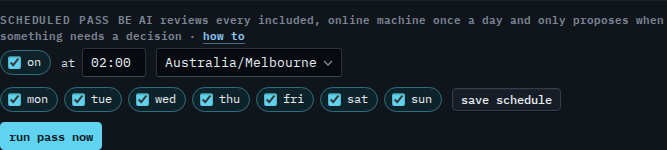
Open My company. Scheduled pass is on the company card. It is on, at 02:00, timezone Australia/Melbourne, every day. The pass starts when that clock says 02:00 in Melbourne. The menu is the company's timezone, not the one in your browser. Change when the nightly pass runs is the time box and the days.
Set the timezone to Perth
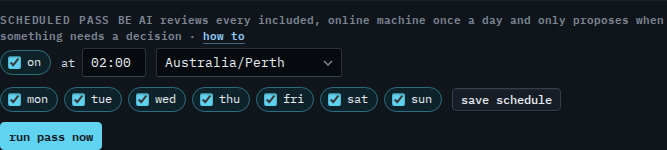
Set the menu to Australia/Perth. The time stays 02:00. After you press save schedule, the pass starts at 02:00 in Perth, which is later in the morning in Melbourne. This shot stops before that button, so the pass still runs at 02:00 Melbourne. Pick the timezone the company works in. The days do not change with the menu.
The clock and the days are Change when the nightly pass runs. Clearing On for the whole company is Turn off the nightly pass. Starting it before its time is Run the nightly BE AI pass now. Times elsewhere in the console are Show times in another timezone. A saved script has its own timezone box — Run a script in another timezone.