See alerts that already cleared.
Reports › Alert journal. The period menu is on the bar. Open now is the queue. Last 7 days is the history.
Open now hides what already cleared
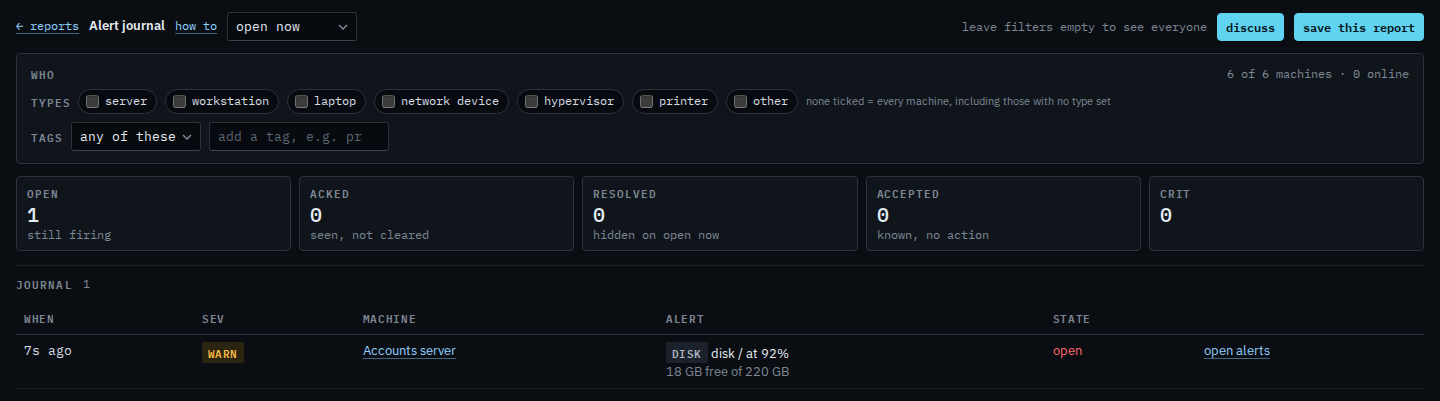
Open Alert journal. The menu says open now. The resolved tile reads 0 and its line says hidden on open now. Example Co still has the disk warning on Accounts server. The nightly backup check that already cleared is not in the table.
Pick last 7 days
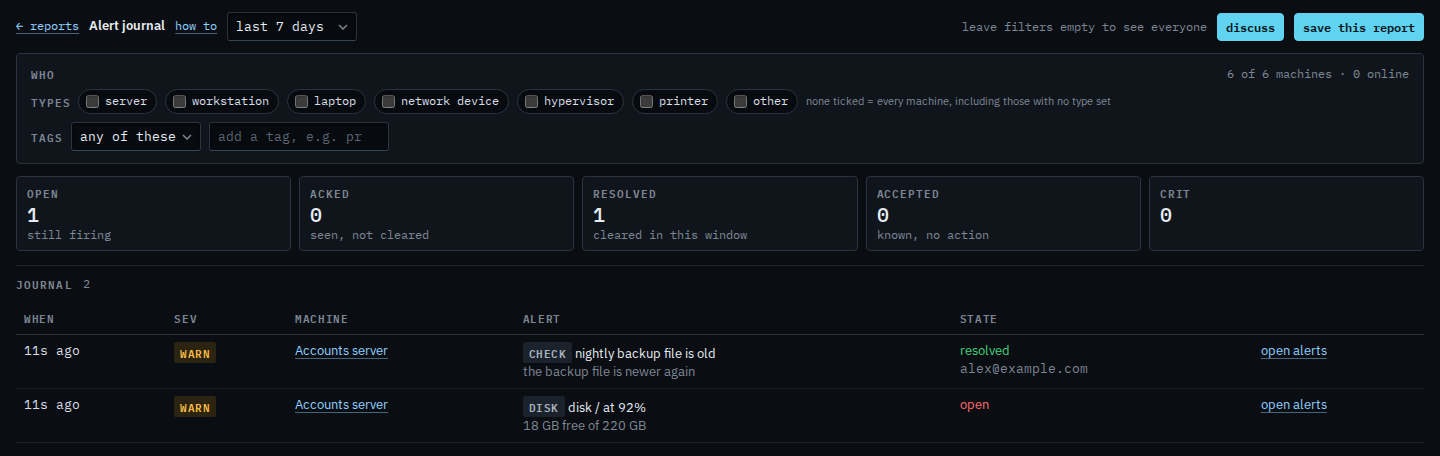
Choose last 7 days. The resolved tile now says cleared in this window, and it counts the backup check. The row says resolved, by alex@example.com, because the backup file is newer again. The disk warning is still open, so it stays in the same table. Open now would hide the backup row again.
The open queue, including ack and accept, is Work an open alert and Accept a known condition. The same resolved rows on the Alerts page are See resolved alerts on the alerts page. The same page with the period left on open now is Read the alert journal. Last 24 hours, month and quarter are the other windows. Approvals aging has the same kind of menu for actions, not alerts.