Keep a script answer off the record.
Scripts › library. Filter to the kind, press edit, and tick secret on the asked variable. The answer is typed as a password.
Open the variable row
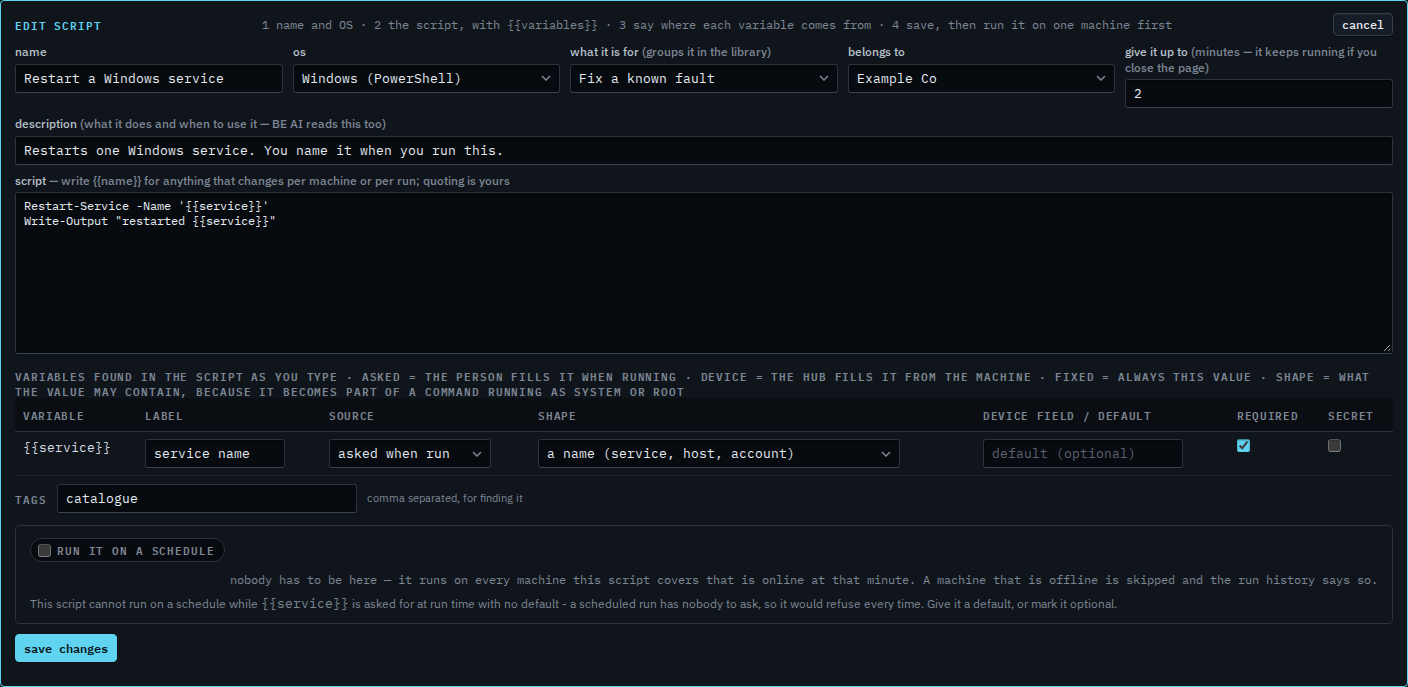
Open Scripts › library. Set the kind to Fix a known fault and press edit on Restart a Windows service. The variable table lists {{service}}. Source is asked when run. Secret is clear. The answer would be stored with the run and written into the audit in full. The shape is still a name: letters, digits and a few marks.
Tick secret
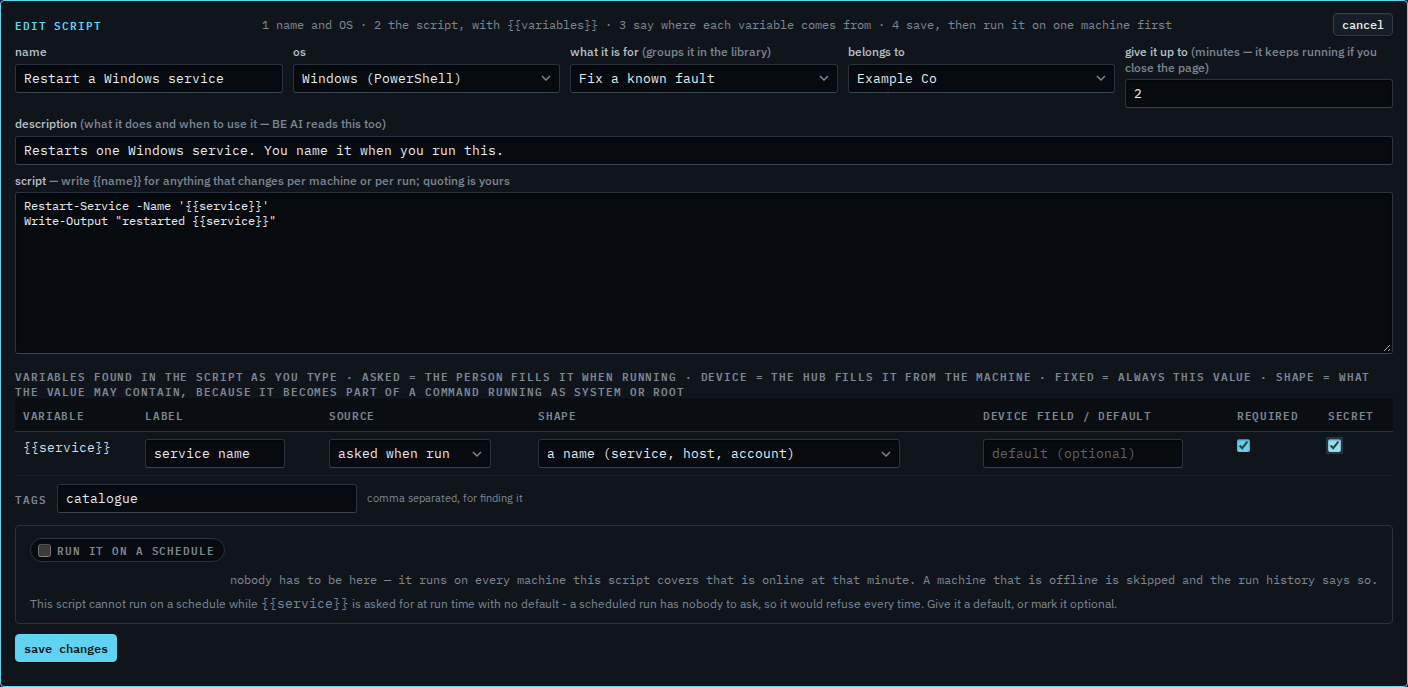
Tick secret. The person who runs the script types the answer in a password field. The run history and the audit keep bullets in place of that answer. The machine still receives the real text, inside the command. The shape is unchanged, so a semicolon or a quote is still refused before the command is sent. This shot stops before save changes, and the last step cancels, so Example Co keeps the script as it was.
Typing the answer is Answer what a script asks. The shape on that row is Say what a blank in a script may contain. Clearing required so a night run can leave it blank is Let a script question be left blank.