Acknowledge an alert on your machines.
Alerts is one tab, open. Ack is on the row. The first press opens a box. It does not close the alert.
Open Alerts
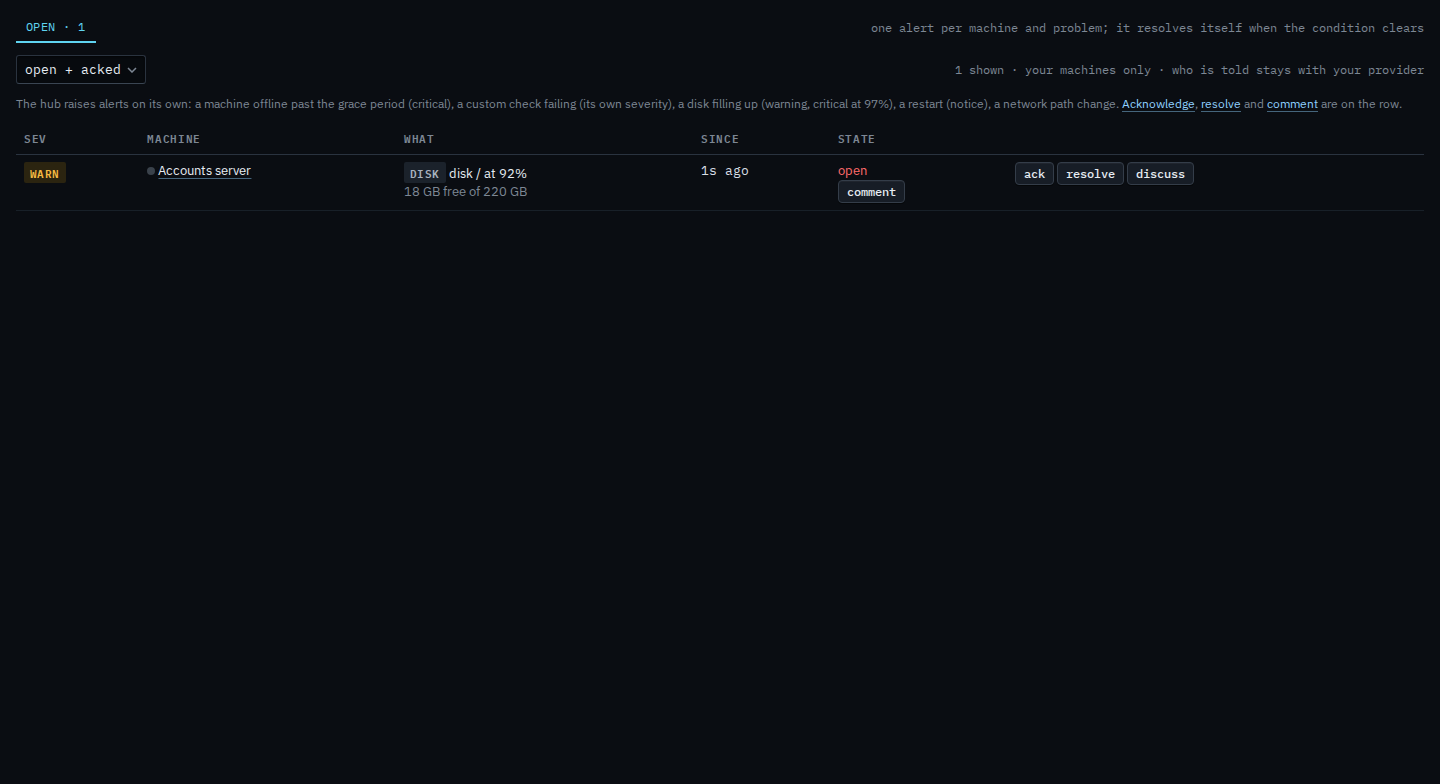
Open Alerts. One tab, open. Rules, scripts, and sent are not here. The status menu is open + acked. Accounts server has one disk warning, disk / at 92%, 18 GB free of 220 GB. The row has ack, resolve, discuss, and comment. There is no accept and no told column. Press ack. This shot has not.
Add a comment, then acknowledge
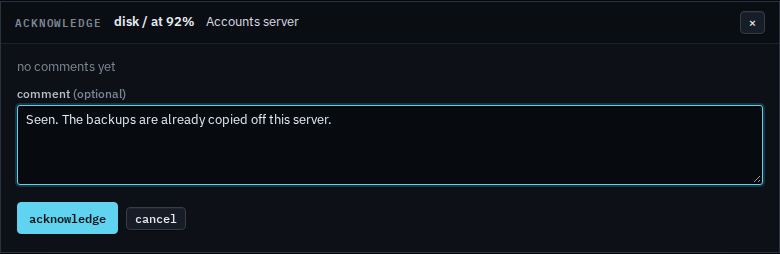
The box is titled acknowledge, for disk / at 92% on Accounts server. It says no comments yet. The comment is optional. Leave it empty and acknowledge still marks the alert acked. A note you type stays on the thread. This shot stops before that press, so the alert is still open. Cancel drops the box and changes nothing.
Closing it is Resolve an alert on your machines. A note that leaves the state alone is Leave a comment on your alert. The list those buttons sit on is See alerts on your machines. What your provider sees, including accept, is Acknowledge an alert.