Put a machine in a role.
Work › actions, identity. A role is a group, the same kind of path as a site. The first word is the dimension.
Groups start empty
Open Spare laptop, then work › actions, and open identity. Groups is the box under tags. Spare laptop has none, which is why Fleet pins it under Onboarding. Accounts server is already role/DC, so that path is in the list. Lab host is role/hypervisor.
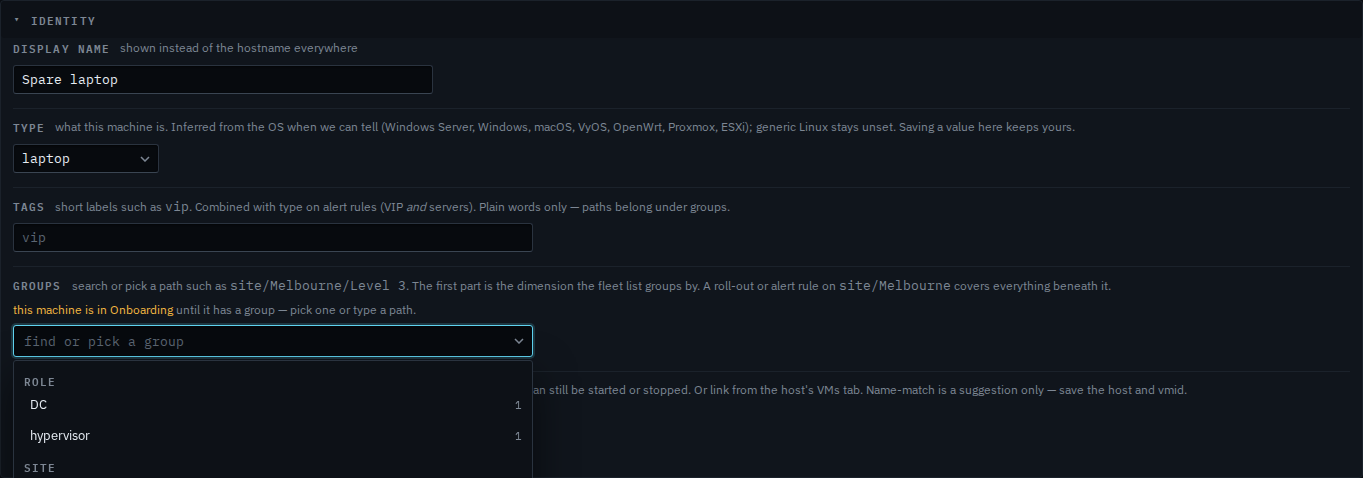
Pick role / DC
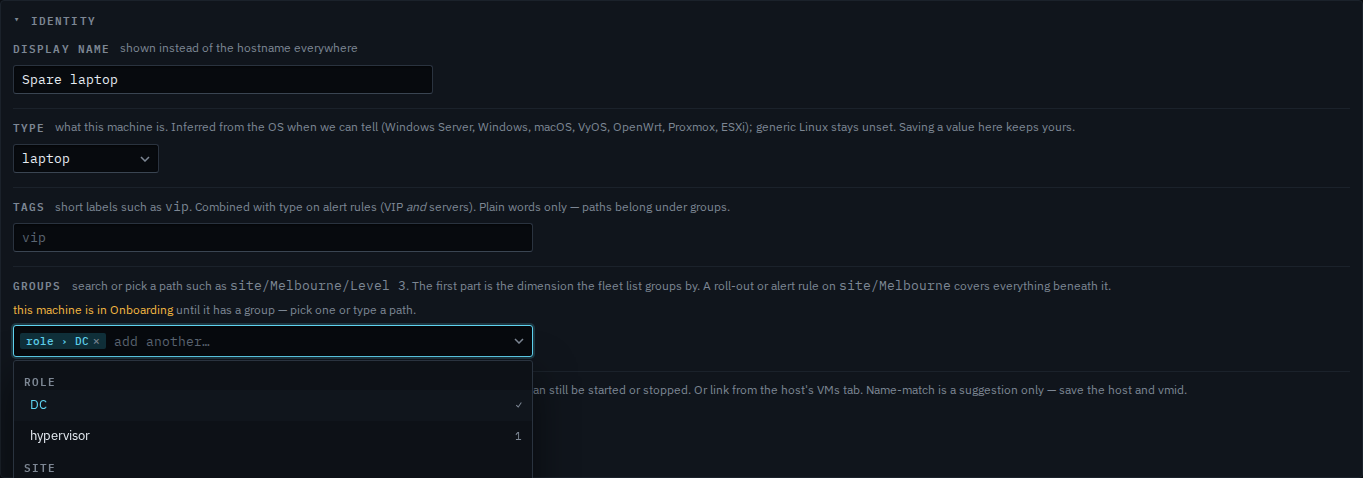
Open the list and pick DC under role. A chip says role › DC, and that row shows a tick and 1 — Accounts server, the machine already in that role. Spare laptop is not in the 1 until you save. Press save at the bottom of actions and an alert rule or a roll-out on role/DC then covers it. A site chip can sit beside this one. This shot stops before save, so the machine stays in Onboarding. The last step removes the chip.
A site is Put a machine in a site. A plain word such as vip is not a role — Mark a machine VIP. An alert rule on that role is Limit an alert rule to one role. Onboarding is where a machine with no group sits — See a machine that is not in a group.