Tell them when an alert clears.
Alerts › rules, on a new or edited rule. The contact is the same person. The second message is the resolve.
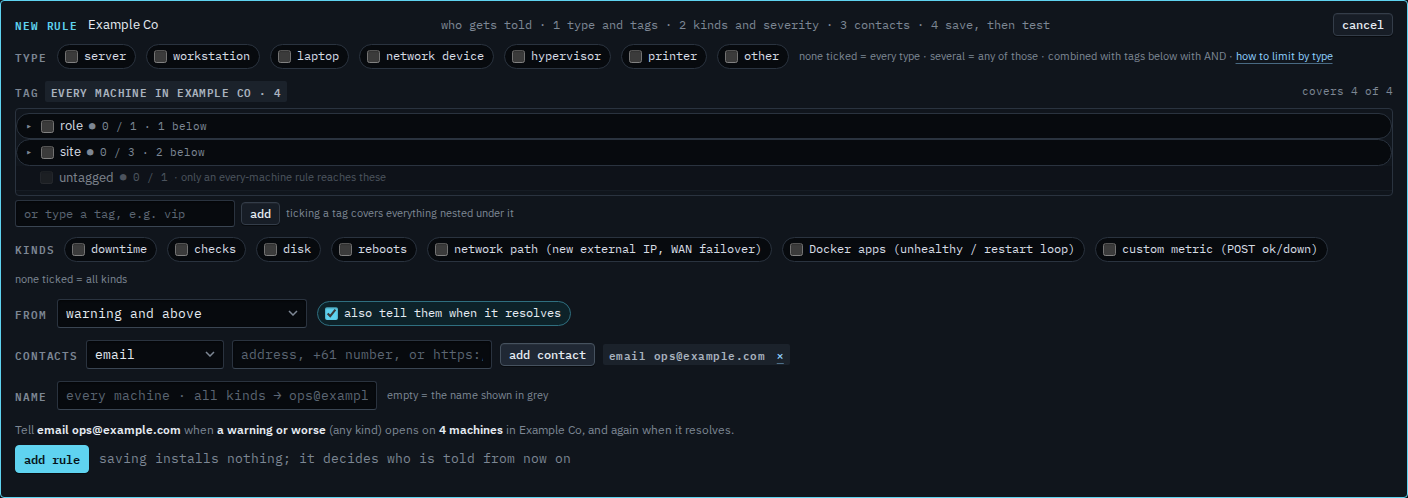
Leave “also tell them when it resolves” ticked
Open Alerts › rules and press + rule. Add the contact. The box under severity is ticked: also tell them when it resolves. The grey sentence ends with “and again when it resolves”. That second message uses the same contact. This shot has not been saved.
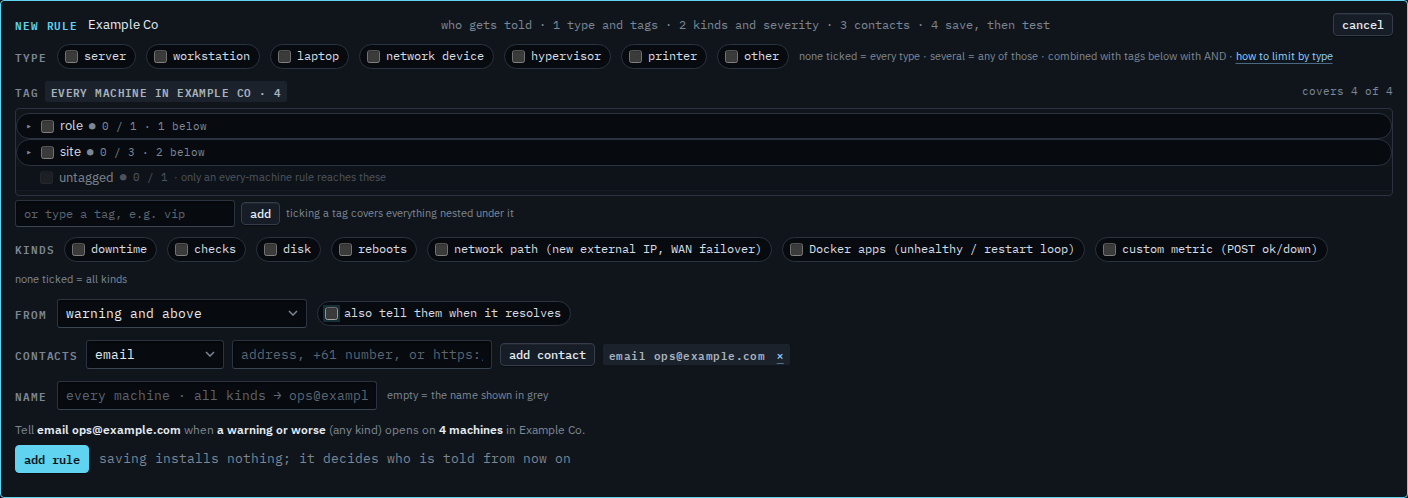
Clear it when a resolve should stay quiet
Clear the box. The sentence stops at the open. They are told when the alert opens, and not when it clears. Press add rule to keep that. This shot stops before save, so no rule exists yet. Turn an alert rule off is how you stop both messages.
Who gets the open message is Tell someone when a machine needs attention. What was actually delivered, including a resolve, is See what an alert sent. A known condition that should not announce at all is Accept a condition.