Sign out of this browser.
Settings › account, or the header. The password field is cleared and the console goes back to the sign-in card.
Open Settings › account
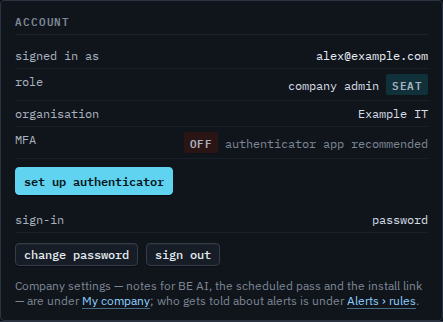
Sign out is on the account card, next to change password. The same button is in the header. Either one signs out this browser only. Alex is the company admin using this console. Other browsers that are still signed in stay signed in. Sign out one browser is how you revoke a different row.
This browser is back at sign in
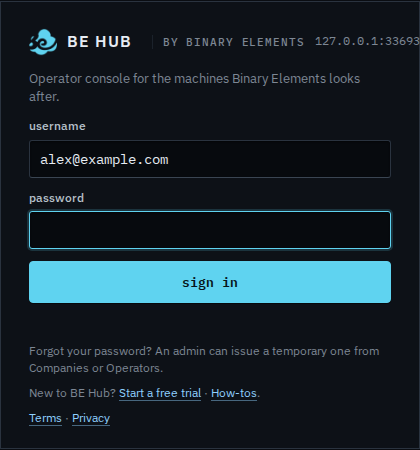
Press sign out. The console returns to the sign-in card. The password field is cleared. The username may still be filled in, which is this browser remembering what you typed. Sign in again to continue. A session on another computer is unchanged.
Revoking one browser from the users table is Sign out one browser. Changing the password signs the others out. That is Change your password. Getting back in is Sign in.