how-to · work
Open this in the console
Read the alert journal.
Reports › Alert journal is the history of alerts. Open now hides ones that already resolved.
Accepted means a person said the condition needs no action, and wrote how it should wake up again.
01
Open Reports and pick Alert journal
Under Operational. Open now is the default: still firing, acked, and accepted. Resolved stays hidden until you pick a period. Example Co has one open warning, disk / at 92% on Accounts server. Nobody has acked it or accepted it. Work an open alert is the live queue. Accept a known condition is how that warning would leave the attention list without pretending the disk got smaller.
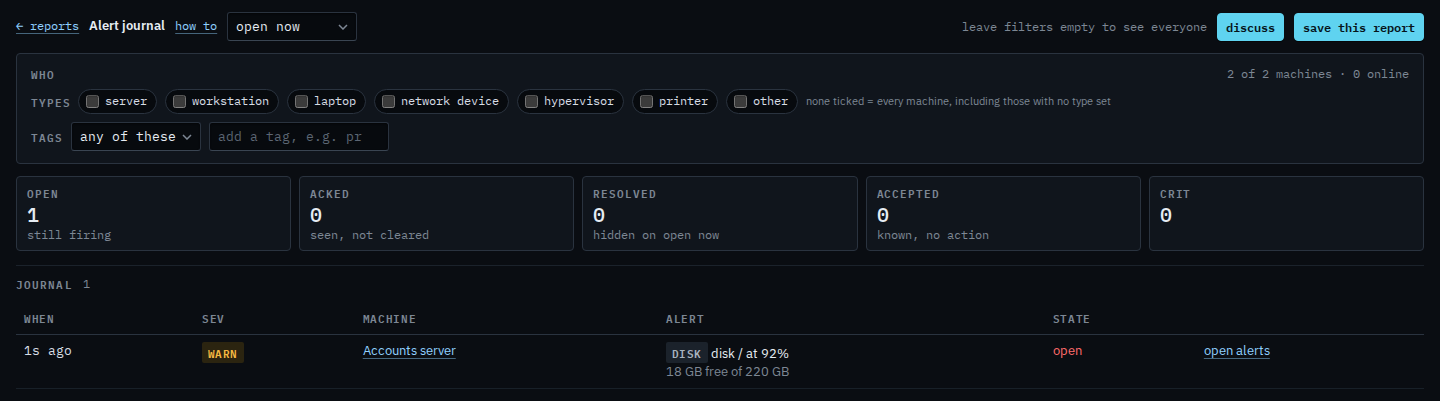
Last 24 hours, 7 days, month and quarter include alerts that opened, cleared, or were accepted in that window. See alerts that already cleared is picking one of those. Ack, comment and accept still happen on the open alerts page.