Push checks to the agent.
Health › checks. Add to list does not send anything. Push to agent is the two-step button at the bottom.
Add it to the list first
Open the machine, then health › checks. Pick Free space on a volume, set the path to / and the minimum to 20, name it, and press add to list. The row is in the editor. Nothing has been sent. Push to agent is the button under the list. Accounts server is offline in this picture, so the page says the last known document is empty. You can still edit. The push applies when the machine next says hello.
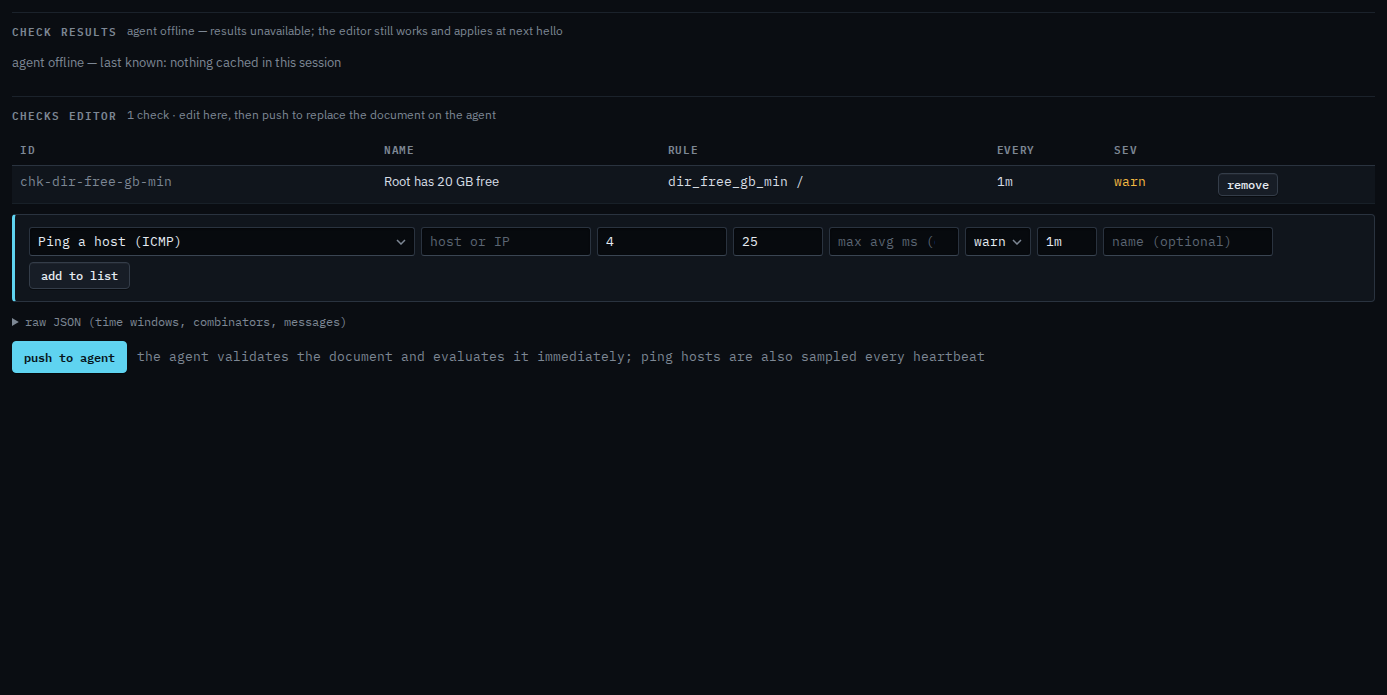
Press push, then confirm
Press push to agent. The label becomes confirm: push 1 check(s). Press it again to replace the document on the machine. The agent validates it and evaluates immediately when it is online. This shot stops on the confirm, so the check is still only in the editor. Leaving the page without that second press sends nothing.
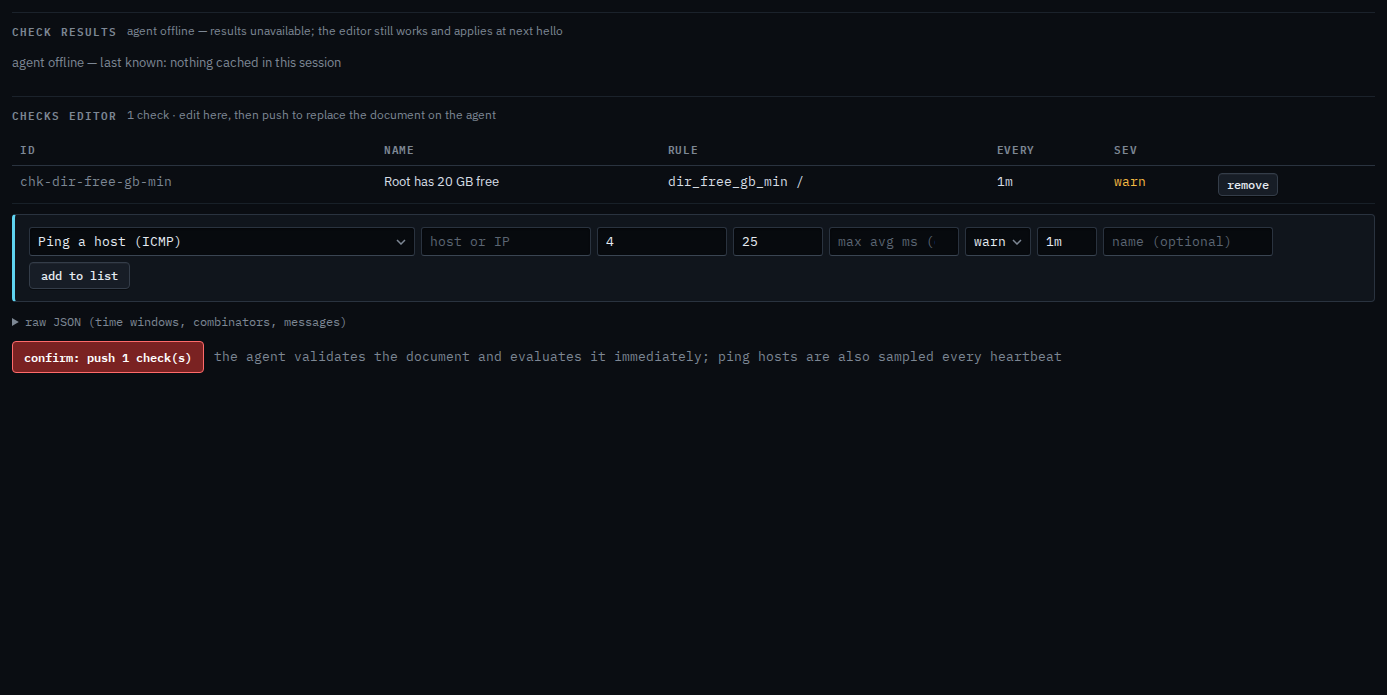
Building the list is Add a disk or ping check. Taking one off before you push is Remove a check. The agent must be online to evaluate; a document you push while it is offline applies at the next hello.