Save a proposal as a script.
On Proposals, save as script opens the library editor with the command already filled in. You still press add to library. Nothing is saved until you do.
Open Proposals
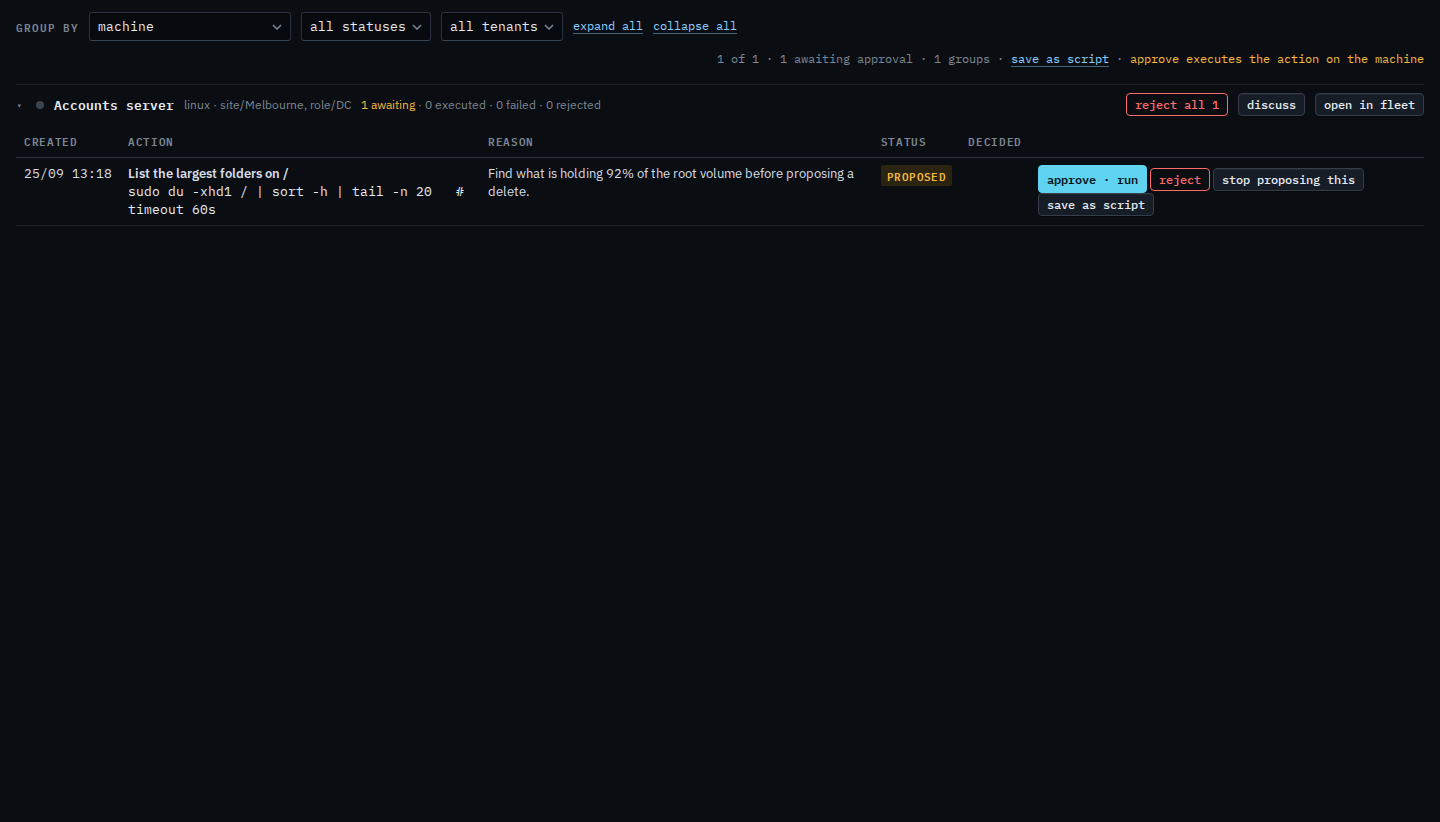
A run_shell that is waiting has save as script on the row, next to approve and reject. Accounts server has one: list the largest folders on /. That button does not run the command and does not approve it.
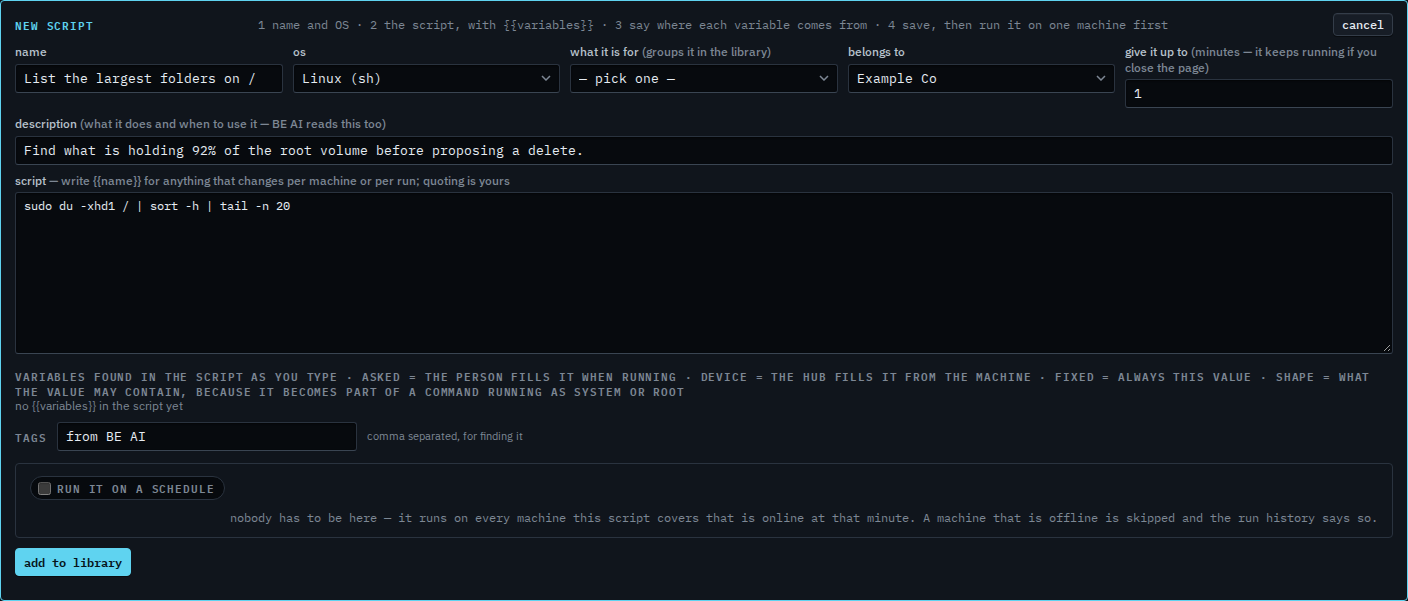
The library editor opens, already filled in
The name is the proposal title. The description is the reason BE AI gave. The operating system follows the machine. The command is the exact text from the proposal. When that text contains the machine's hostname, the hostname becomes {{hostname}} so the same script fits the next machine. This command does not name the host, so there is no variable yet. Press add to library when the text is what you want to keep. Until then it is only on this screen.
Operators can run the script after it is in the library. Editing it stays with a company admin. Add a script to the library is the same editor when you start from a blank page. Approve or reject a proposal is what runs the command once, now.