Turn off the nightly pass.
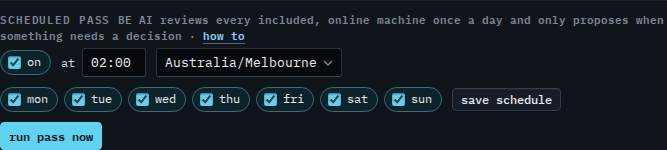
My company, under scheduled pass. On is the first tick. It is saved only when you press save schedule.
Leave the pass on
Open My company. On is ticked. The pass reviews included, online machines once a day at 02:00 Australia/Melbourne. Run pass now does not wait for that clock. Run the nightly BE AI pass now is that button.
Clear On
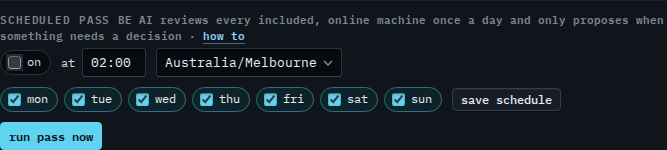
Clear on. Nothing is saved yet. Press save schedule and the nightly clock stops for every machine in the company. Run pass now still starts the review by hand. A machine whose own daily pass is cleared stays out either way — Skip the nightly pass on one machine. This shot stops before save, and the last step ticks On again, so Example Co is not left off.
Leaving one machine out is Skip the nightly pass on one machine. Stopping automatic investigations and keeping the pass is Stop automatic investigations on one machine. The clock is Change when the nightly pass runs. Another timezone is Run the nightly pass in another timezone. Starting it by hand is Run the nightly BE AI pass now.