Leave a comment on your alert.
A comment is what the next person should know. On its own it needs text. Acknowledging or resolving still works if you leave the box empty.
Open the thread from the row
Open Alerts. Comment is on the row, under the state. Accounts server's disk warning is still open. Ack and resolve open the same box, with the comment optional. There is no accept. Press comment. This shot has not.
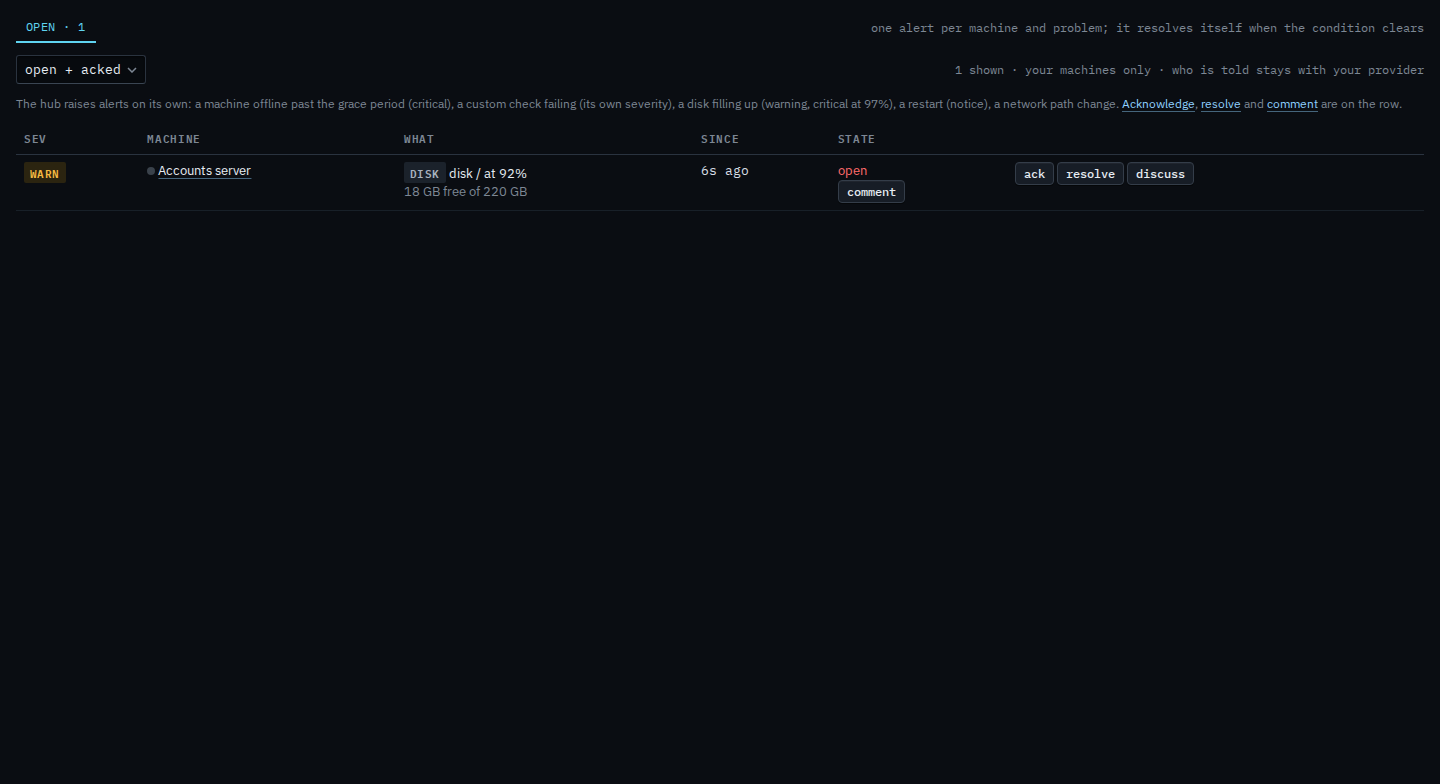
Write what the next person should know
The box is titled comments. It says no comments yet. A note on its own needs text: add comment does not save an empty box. Ack and resolve still go through if you leave theirs empty. This shot stops before add comment, so the alert stays open and the row has no note yet. Cancel drops the box.
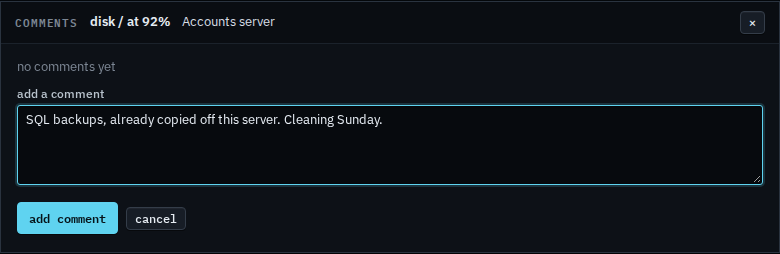
Acknowledging is Acknowledge an alert on your machines. Closing it is Resolve an alert on your machines. The list is See alerts on your machines. What your provider sees on the same box is Leave a comment on an alert.