Ask BE AI about a group.
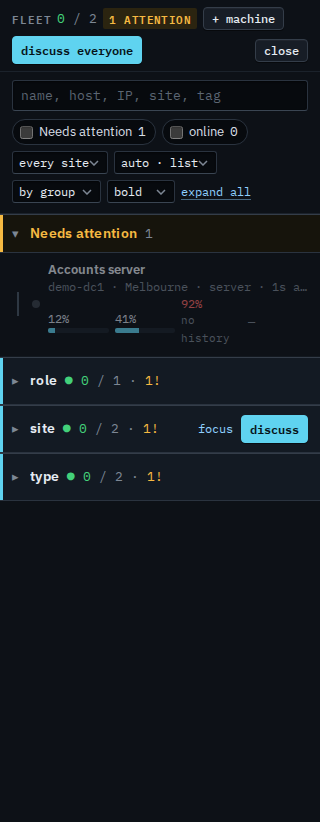
Discuss is not only one machine. The fleet header asks about everyone in view, and each group row has its own. A saved report has one too.
Discuss everyone, or one group
Open Fleet. Discuss everyone is on the header when one company is in view. Each group row — site, role, or a path under it — has discuss beside focus. That conversation is only the machines in the group. Ask BE AI about a machine is the same window for one box.
Ask about the set, then send
The title is the company, or the group you pressed. Quick links — how is this set, wi-fi, backup mobile, virtual machines — fill the box. Write the question and press send. BE AI answers from heartbeats, alerts and the other facts the hub already stored. A change on one machine is still a proposal you approve, and the proposal names that machine.
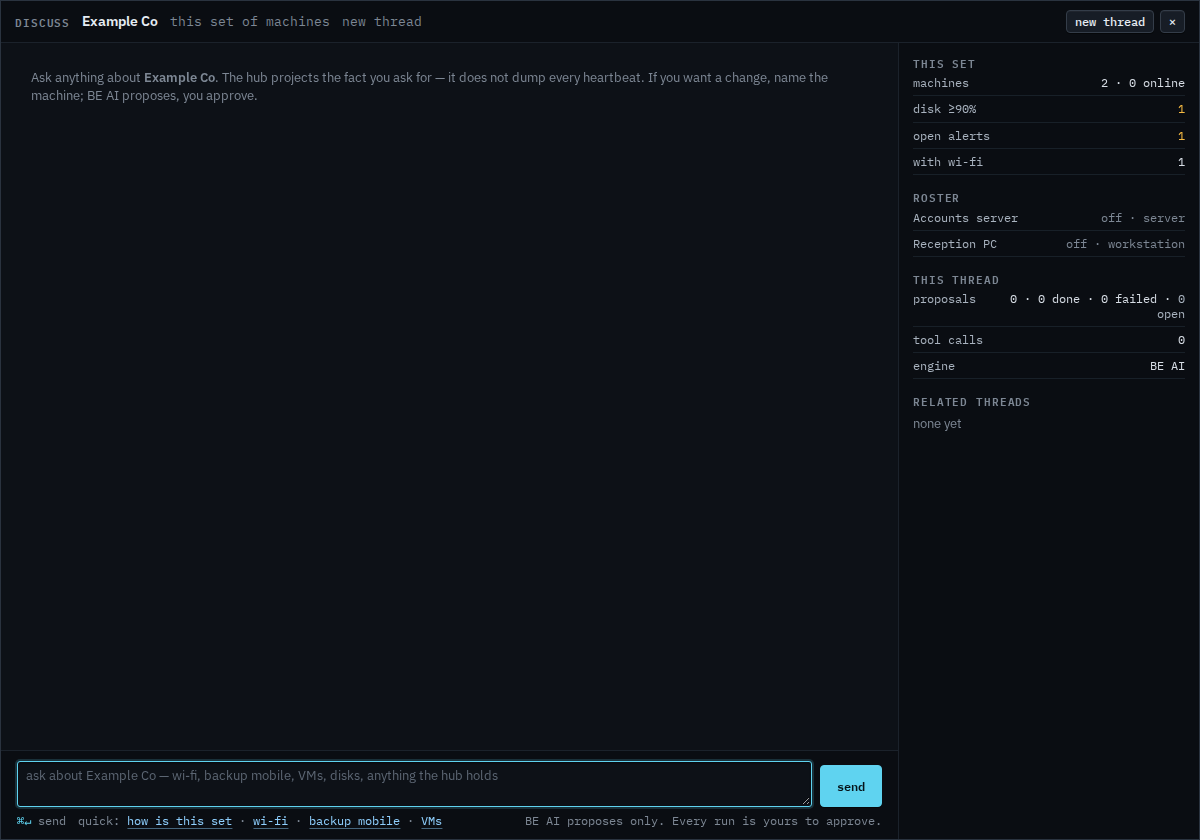
Discuss on the site row, that group only, is Ask BE AI about one site. Focus a group and the header says discuss that group. A report's discuss button is the same conversation for the machines in the report — Ask BE AI about the machines in a report. One machine is still the discuss button on its header.