Turn a customer's login back on.
My company › sub-companies › manage. Disable is two presses. Enable is the same button once the login is actually off.
Confirm disable, then read the button
Create the login the same way as Let a customer manage their computers. Disable login is pressed once, so it reads confirm: disable their login, then pressed again. That second press is what turns the login off. The button then reads enable login. It is not armed yet. Their people are signed out. Machines in the groups stay enrolled in Example Co and keep reporting.
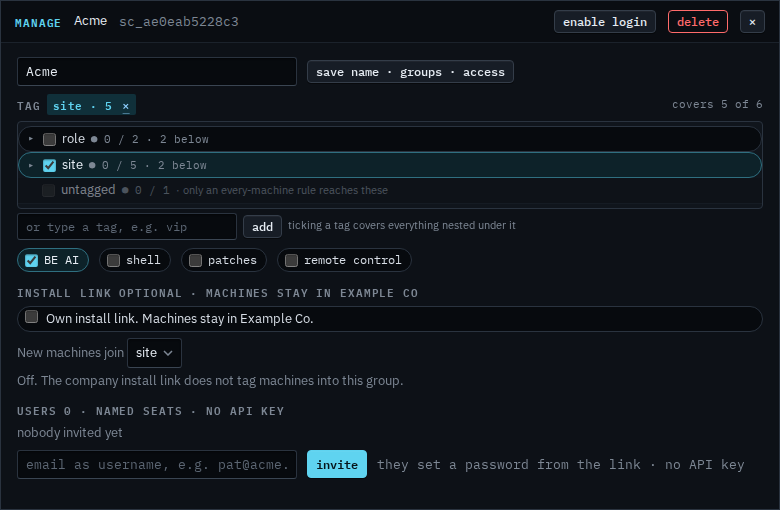
Press once to arm enable
The label turns into confirm: enable. Press it again and the same people can sign in. This shot stops before that second press, so Acme stays off.
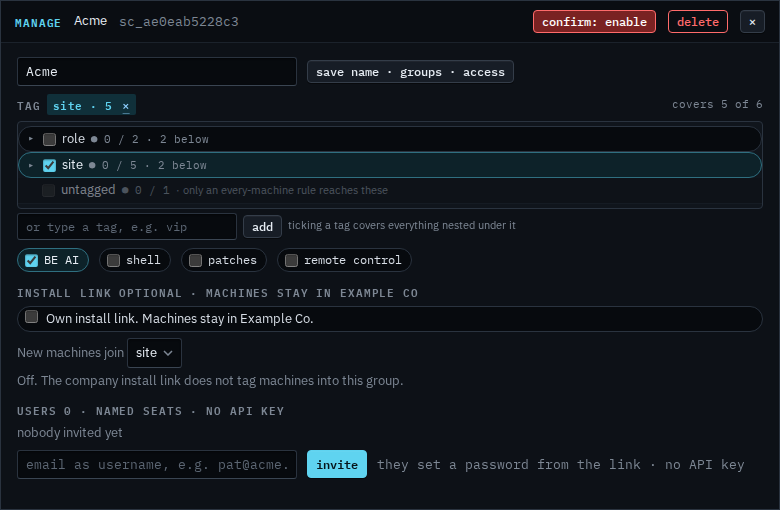
The first press, which only arms disable, is Disable a customer's login. One person on a login that is still on is Disable one person on a customer login. Removing the login is Remove a customer login.